
Beginner to Pro: Essential Tableau Skills You Must Learn Today
Last updated on Dec 7, 2025

Nowadays, visualization tools are one of the skills that an individual has to learn to pursue a robust career in analytics, business intelligence and data interpretation. Out of all existing BI and visualization tools, Tableau can be considered one of the strongest, most convenient, and popular tools used worldwide. Being a beginner who starts his/her journey in the realm of data or a specialist and wants to rise a notch higher, studying Tableau can open a wide range of career opportunities.
As the demand of data specialists is increasing, a formal tableau course can easily make your learning journey to last much faster and provide you with a competitive advantage on the job market.
1. Entity-Learning the Tableau interface and Data connection basics.
The first step is to learn how to use the Tableau workspace. One of the largest factors that have contributed to the popularity of Tableau is the user-friendly interface. The beginners ought to begin with learning:
• Worksheet, Dashboard and Story layouts.
• Dimensions vs Measures Shelves (Columns, Rows, Filters, Pages)
• Show Me panel
• Data pane & data types
Good understandings of Tableau as they relate to different sources of data are also essential. Tableau supports:
• Excel, CSV, and SQL databases
• Cloud-based databases like Google big query and Amazon redshift.
• Web data connectors and APIs
Knowing how to clean, format, and blend data is the basis of all the advanced BI activities. Any person who hopes to become an active worker should gain a high degree of comfort with these elementary characteristics.
At this point, some of the learners might complete more formal training in the form of a Tableau Developer Course that would assist them to leave the basics behind and move to practical situations of building dashboards.
By 2025, Tableau is already in use in more than 120,000 organizations across the globe to support data visualization and analytics — a growth of approximately 18% over 2023. Electro IQ+1 The popularity of this introduction indicates that acquiring the fundamentals of Tableau may present opportunities in countless ways across various sectors in the world.
2. How to master Tableau Charts, Visuals and Dashboards.
The real power of Tableau, however, is in its ability to visualize in an impressive way, as you go further. Being a pro Tableau user, one should be in a position to produce visuals that present insights in an understandable and creative way. The types of important charts that you need to know include:
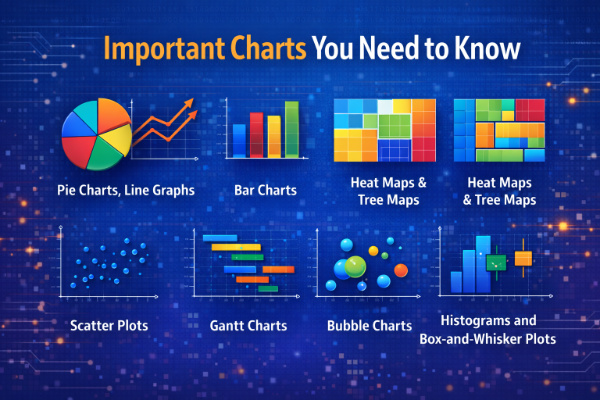
• Pie charts, Line graphs, Bar charts.
• Heat maps & Tree maps
• Scatter plots
• Gantt charts
• Bubble charts
• Histograms and Box-and-whisker plots.
The drag-and-drop nature of the interface allows easy creation of charts in Tableau, though one must learn to be an expert in terms of knowing the visual that is applicable to which dataset and business inquiry.
After earning how to use charts, the other significant achievement is learning how to use Dashboards. A dashboard is a combination of several visualizations and offers interactive insights. The major skills required in the dashboard are:
· Action(s): filter actions, highlight actions.
· Designing executive reporting dashboards.
· Using device designer to optimize mobile devices.
Here, learners typically engage more in real projects and learn more about advanced forms of analytics. A lot of practitioners consider this step to be the most significant one in their learning of tableau software.
The skills are needed in large quantities: a 2025 job-market survey suggested that approximately 28.1% of data analyst job openings required Tableau as a visualization tool. Tableau is the most demanded data viz tool in data analyst jobs.
Want to master in Tableau Dashbaord? Enroll today for the Tableau Online Course
3. Complex Calculations, Parameters and LOD Expressions.
Increasing the level of Tableau, you have to learn about Calculated Fields, that will insert advanced logic to your data.
Critical types of calculations are:
• Row-level calculations
• Aggregate calculations
• Table calculations
• String and date functions
• Rational conditions (IF…THEN, CASE)
Parameters is another important skill that should be mastered. There are parameters that enable users to add dynamic values, and thus, dashboards are very interactive and user-based.
When learners are familiar with parameters, they are supposed to transition to Level of Detail (LOD) expressions that provide fine-grained control of data. Some essential LOD types:
• FIXED - to always have the same granularity.
• INCLUDE – for adding detail
• EXCLUDE – for removing detail
These are regarded as professional skills and are a requirement to data analysts, BI developers, and Tableau experts who are meant to deal with complicated data sets.
In order to practice these ideas, it is possible to enroll in instructed Classes in Tableau to allow the learner to work with real data, case studies, and industry examples.
Considering the growing relevance of data-driven decision-making in the global market, individuals who possess the skills of using the latest features of Tableau will probably become highly sought after. The industry projections say that jobs, which need data visualization and analytics skills (such as Tableau), are experiencing a strong growth as companies continue to increase their budget on analytics and adoption of BI.
4. Real-World BI Joins & Blending Data Modeling.
The professionals interested in working on the pro level are to be aware of the way Tableau processes connections between several data sets.
Important topics include:
• Inner, Left, Right, and Full Joins.
• Blending vs relationships of data.
• Unioning multiple files
• Basing on logical and physical layers.
• Performance tuning
The reality of most real BI environments relates to a number of tables and data warehouses and even cloud-based sources. The capacity to combine and integrate data in the proper manner brings accuracy and reliability in insights.
With more than three-out-of-four companies worldwide having already deployed at least one BI or analytics platform by 2025, the demand of professionals capable of data modeling and blending, as opposed to simply visualizing, is owing to necessity as never before seen. Data Stack Hub
5 Best Practices and Deployment Skills.
Tableau users on the pro-level take it a step further than charts: they create the stories about data that lead to decisions.
Key skills include:
• Organizing dashboards rationally.
• Using color psychology
• Always be consistent in fonts, spacing and layout.
• Avoiding chart junk
• Tableau Story flow application.
Tableau developers also need to acquire knowledge of:
Publishing to Tableau Server or Tableau Cloud
The data is published to Tableau Server or Tableau Cloud.
• Setting permissions
• Schedule of data extract refresh.
• Version control
• Performance optimization
Such deployment and maintenance proficiencies will prepare you employment-wise to the functions of Tableau Developer, BI Analyst or Visualization Specialist.
This is also supported by the industry tendency in general: it is projected that the global Business Intelligence (BI) market will reach approximately USD 54.9 billion by 2026, with the compound annual growth rate (CAGR) of approximately 12.4. Data Stack Hub As BI uptake is consistently increasing at this rate, the professionals in the field facility in deployment, dashboard administration, and data narrative will be indispensable to the organizations.
Final Thoughts
Earning Tableau professional allows opening the doors of the world of finance, healthcare, retail, IT, e-commerce, logistics, and many others. The simplicity of the tool, as well as its strong capabilities, make it a great option to both novice and advanced users of data.
With the help of interface foundations, charting, dashboards, advance calculations, data modeling, and BI deployment practices, you will be confident enough to graduate to professional status. Practice, mentoring, real world and market-need knowledge supported by statistics are the secrets to the sustained success in a Tableau career.
When you are willing to begin your learning process, sign up in a formal Tableau education program that provides practical experience, real-world data, and professional instructors found at reputed institutes like OnlineITGuru, Tableau can make you the best professional competency in the analytics field with the correct strategy.