
Can Tableau MCP Bring Trusted Business Data Into ChatGPT and Other AI Tools?
Last updated on Sep 1, 2026
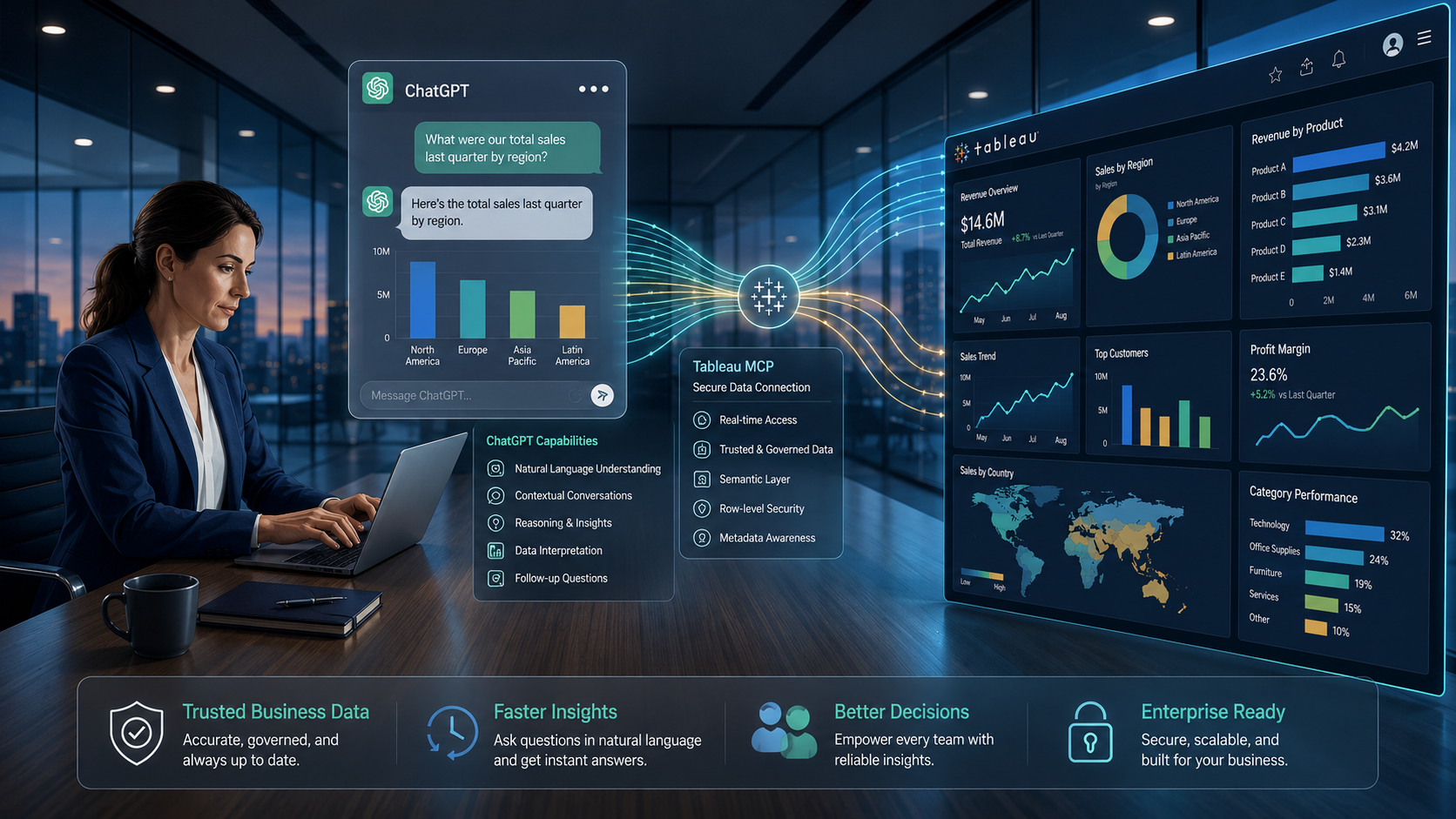
Business intelligence is entering a new phase. For years, people have depended on dashboards to understand sales, marketing performance, customer behavior, and operational trends. The process usually meant opening a BI platform, selecting filters, comparing charts, and then interpreting the results. Now, AI is changing that experience. Instead of searching through dashboards, a business user can simply ask a question: “Why did sales fall last month?” The difficult part is not getting an AI to respond. The difficult part is making sure the response is based on the right business data, the right definitions, and the right context.
This is where Tableau MCP becomes an interesting development. The Model Context Protocol can provide a standardized way for AI applications to interact with external tools and data. Combined with Tableau's governed analytics environment, it points toward a future where users can interact with business intelligence through AI while still working with trusted analytical context.
The journey can be understood through seven stages:
Question → AI → Tableau → Trusted Data → Semantic Context → Insight → Decision
The Question: Why Do People Want to Ask AI About Business Data?
Think about a sales manager preparing for a weekly performance meeting. Instead of opening several dashboards and manually comparing regional figures, the manager may simply want to ask:
“Which region performed below target this quarter, and what changed?”
It sounds like a simple question, but answering it correctly requires more than finding a number. The system needs to know which sales metric should be used, which period represents the current quarter, how targets are calculated, and whether the user has permission to access the relevant information. This is where traditional business intelligence and generative AI approach the problem differently. Traditional BI generally expects the user to navigate toward the answer. AI encourages the user to begin with the question.
That shift sounds small, but it changes how people interact with data. Instead of thinking, “Which dashboard should I open?”, users can increasingly think, “What do I need to know?” However, this convenience creates another challenge. If an AI system does not have access to reliable business context, it may provide an answer that sounds reasonable without actually being correct. For enterprise analytics, that is a serious problem.
AI: Why Connecting a Language Model to Data Isn't Enough
Generative AI is remarkably good at understanding natural language. It can summarize information, explain patterns, and respond to complex questions conversationally.
But understanding a question does not automatically mean understanding a company's data. Imagine a database containing fields such as net_sales, customer_id, region_code, and order_date. An AI system may technically be able to read those fields, but that does not mean it understands how the organization defines them.
The same problem appears with business metrics. One department might define revenue as sales after discounts. Another might include or exclude returns differently. Both calculations may be valid within their own context.
If an AI chooses the wrong definition, the response can be fluent, detailed, and still misleading. This is why enterprise AI needs more than raw database access. It needs context. The AI needs to know where information comes from, what important metrics mean, which data should be trusted, and how different pieces of information relate to one another. That is where business intelligence platforms such as Tableau become important.
Tableau: From Dashboards to AI-Connected Analytics
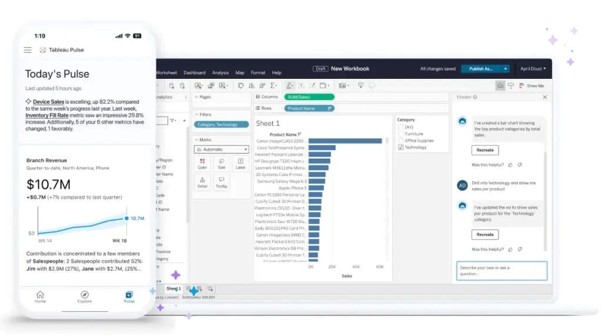
Tableau has long been associated with data visualization and business intelligence. Analysts use it to connect data, explore patterns, create visualizations, build dashboards, and communicate findings. But modern BI is moving beyond visualization alone. Tableau's product direction increasingly includes AI-assisted analytics, conversational experiences, proactive insights, and more agentic approaches to working with business data. This changes the role of the platform.
The question is no longer simply: “Can Tableau create this dashboard?”
It becomes: “How can Tableau make trusted analytics available when and where people need it?”
This is where MCP becomes particularly relevant. The Model Context Protocol provides a standardized approach for AI applications to interact with external systems and capabilities. Rather than treating an AI model as an isolated system, MCP can help connect it with information and tools outside the model itself. In the Tableau context, this opens the possibility of AI applications working with Tableau's analytical environment and business context. The user may not need to start inside a dashboard. They may start with a conversation. That does not make dashboards irrelevant. Instead, it changes the way users can reach them and interact with the information behind them.
Trusted Data: Why the Source Behind the Answer Matters
A fast answer is useful only when the answer can be trusted. Consider a finance executive asking: “How much did our business grow this quarter?”
An AI assistant could potentially provide a number very quickly.
But the executive still needs to know:
Which data source was used?
What does “growth” mean?
Which quarter was considered?
Were returns included?
How were currencies handled?
Is the metric approved by the finance team?
These questions are about data governance, not language generation.
In an enterprise environment, business data usually has rules around ownership, access, definitions, security, and quality. Those rules cannot simply disappear because users are interacting with information through an AI assistant. In fact, AI can make governance even more important. When users work directly with a dashboard, they can usually see the surrounding context. With a conversational AI interface, much of that complexity happens behind the scenes. The answer may appear simple, even though several layers of data processing and business logic support it.
This is why connecting AI to a governed analytics environment can be more valuable than simply connecting AI to a collection of spreadsheets. The objective is not just access to data. The objective is access to trusted data.
Semantic Context: Does AI Understand What the Data Means?
Raw data tells you what exists. Semantic context helps explain what it means. Consider a field called revenue. At first glance, the meaning seems obvious. But an organization may have several versions of revenue:
Gross revenue
Net revenue
Recognized revenue
Recurring revenue
Revenue after returns
An analyst who understands the business knows which definition belongs to a particular question. An AI system needs that context too.
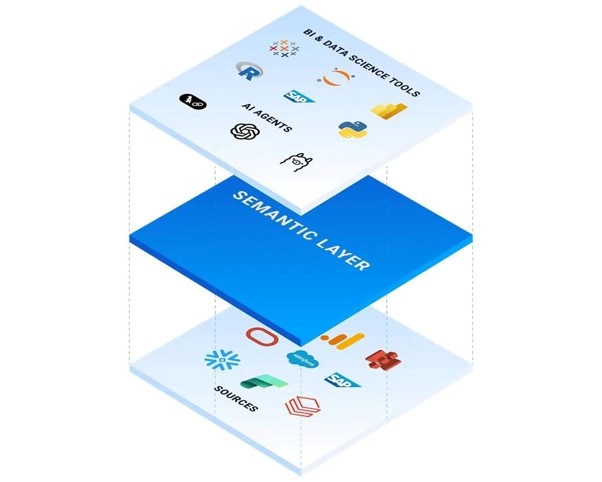
A semantic model can provide a layer between technical data structures and business language. Instead of forcing users or AI systems to understand every underlying table and field, business concepts can be represented in a way that reflects how an organization actually thinks about its data. For example, the organization might define revenue as: Recognized sales minus returns and approved adjustments. Now, when someone asks about revenue, there is a clearer business definition behind the calculation. This becomes particularly important when AI is involved.
AI can understand natural language, but enterprise data often speaks a very different language. Semantic context helps connect the two. This is also why learning Tableau today involves more than knowing how to build attractive dashboards. Data modeling, calculated fields, relationships, business metrics, governance, and analytical thinking are becoming increasingly important skills. For anyone exploring a tableau course online, understanding these fundamentals can be more valuable than simply learning where individual features are located in the interface.
How Can Tableau MCP Connect AI With Business Analytics?
At a high level, Tableau MCP can be understood as a bridge between an AI application and an analytical environment. The basic flow is User → AI application → MCP → Tableau → Trusted analytical context → Response. A user asks a question in natural language, and the AI determines whether answering that question requires access to business analytics. Through an appropriate MCP connection, the AI can interact with capabilities made available by the connected system, while Tableau provides the relevant analytical context and information. The AI can then use that information to help answer the user's question.
The important point is that AI is not expected to magically know a company's latest sales figures from its training data. Instead, it can work with connected information. This distinction is fundamental because a general AI model may understand how businesses calculate growth in theory, but it does not automatically know your company's approved definition of growth. Connecting AI with governed analytics creates a pathway to that organization-specific context, and that is where much of the real value lies.
Can ChatGPT and Other AI Tools Work With Tableau Analytics?
The broader appeal of MCP is that it is not limited to one conversational experience. AI applications are increasingly becoming working environments where people analyze information, create content, investigate problems, and complete tasks. Imagine a manager asking, “Which regions are currently behind their quarterly targets?” The AI could work with connected analytical information to help answer the question. The manager could then continue the conversation by asking, “How does that compare with last quarter?” and then, “Which product categories contributed most to the decline?” Instead of performing a series of disconnected searches, the user can interact with analytics through a continuous conversation.
However, this does not mean that every analytical task should be handled through conversation. Dashboards may still be the better choice for monitoring KPIs throughout the day, while visualizations can be more useful when presenting trends to an executive team. Analysts may also continue to use Tableau directly for deeper exploration. The important change is that AI can become another interface to analytics. A modern analytics environment may therefore combine conversation for discovery, dashboards for monitoring, visualizations for exploration, governed data for trust, and human judgment for decisions.
From Insight to Action: Where Agentic Analytics Comes In
Finding an insight is not the final objective of business intelligence. Businesses ultimately want to understand what they should do next. Suppose an analysis reveals that sales in one region have dropped significantly. The next questions naturally become: Why did sales decline? Which products were affected? Was the decline related to pricing, demand, supply, or customer behavior? What should the business investigate next? These questions move analytics beyond simply identifying what happened and toward understanding what action may be required.
Traditional BI often follows the sequence Data → Dashboard → Human analysis → Decision. AI-enabled analytics can potentially make the workflow more interactive by moving toward Question → Data → Analysis → Insight → Recommendation → Action. This is where the concept of agentic analytics becomes important. An AI agent can potentially participate in multiple stages of an analytical workflow rather than simply generating a written summary.
There is, however, an important distinction. AI should not automatically become the final decision-maker. A business decision may depend on factors that are not visible in the dataset. For example, a regional sales decline could be caused by a temporary market event that an AI system cannot fully understand. The more realistic future is therefore one where AI handles more of the repetitive analytical work while people retain responsibility for judgment and accountability.
What Does This Mean for Tableau Analysts?
The rise of AI does not necessarily make Tableau analysts less important. In many ways, it changes what makes an analyst valuable. If AI can automatically create some charts or summaries, analysts can spend more time evaluating whether the analysis itself is meaningful. Important questions include Is this the right metric? Is the data reliable? Does this visualization actually explain the problem? What business decision should this analysis support? Could the AI have misunderstood the question? These questions require analytical thinking rather than simply technical dashboard-building skills.
As a result, the role of a Tableau professional can gradually move from dashboard production toward analytical design and decision support. Modern Tableau professionals may increasingly work across data modeling, business metrics, semantic models, data governance, AI-assisted analytics, dashboard design, analytical storytelling, and insight validation. These capabilities complement traditional visualization skills and help analysts understand the complete journey from data to business decision.
For learners taking tableau classes online, this broader skill set is worth keeping in mind. Tableau remains a visualization platform, but modern analytics increasingly requires an understanding of the data and business logic behind the visualization. The strongest analysts are not simply people who know how to build a chart; they understand why the chart should exist in the first place.
Where Could Tableau MCP Be Useful in the Real World?
The potential applications of Tableau MCP are broad because almost every business function works with data. In sales, teams could investigate regional performance, pipeline movement, customer trends, and product performance through conversational questions. In marketing, teams could explore campaign results, conversion rates, customer segments, and channel performance without manually searching through multiple reports. In finance, professionals could investigate changes in revenue, expenses, forecasts, and financial performance while maintaining consistent metric definitions. In operations, teams could analyze inventory, delivery performance, service levels, production trends, and operational bottlenecks.
Executive teams could also ask high-level business questions and then move from the resulting insight into more detailed dashboards when required. The common factor across these departments is not the specific function but the question-driven workflow. People want to spend less time finding information and more time understanding what the information means.
The Risks: Can Businesses Really Trust AI-Generated Analytics?
There is a natural temptation to assume that connecting AI to trusted data automatically solves the accuracy problem. It does not. AI can still misunderstand a question, data can still contain errors, a semantic definition can still be incomplete, permissions can still be configured incorrectly, and a technically accurate result can still be irrelevant to the actual business question. Connecting AI to analytics therefore does not remove the need for governance, validation, and human oversight.
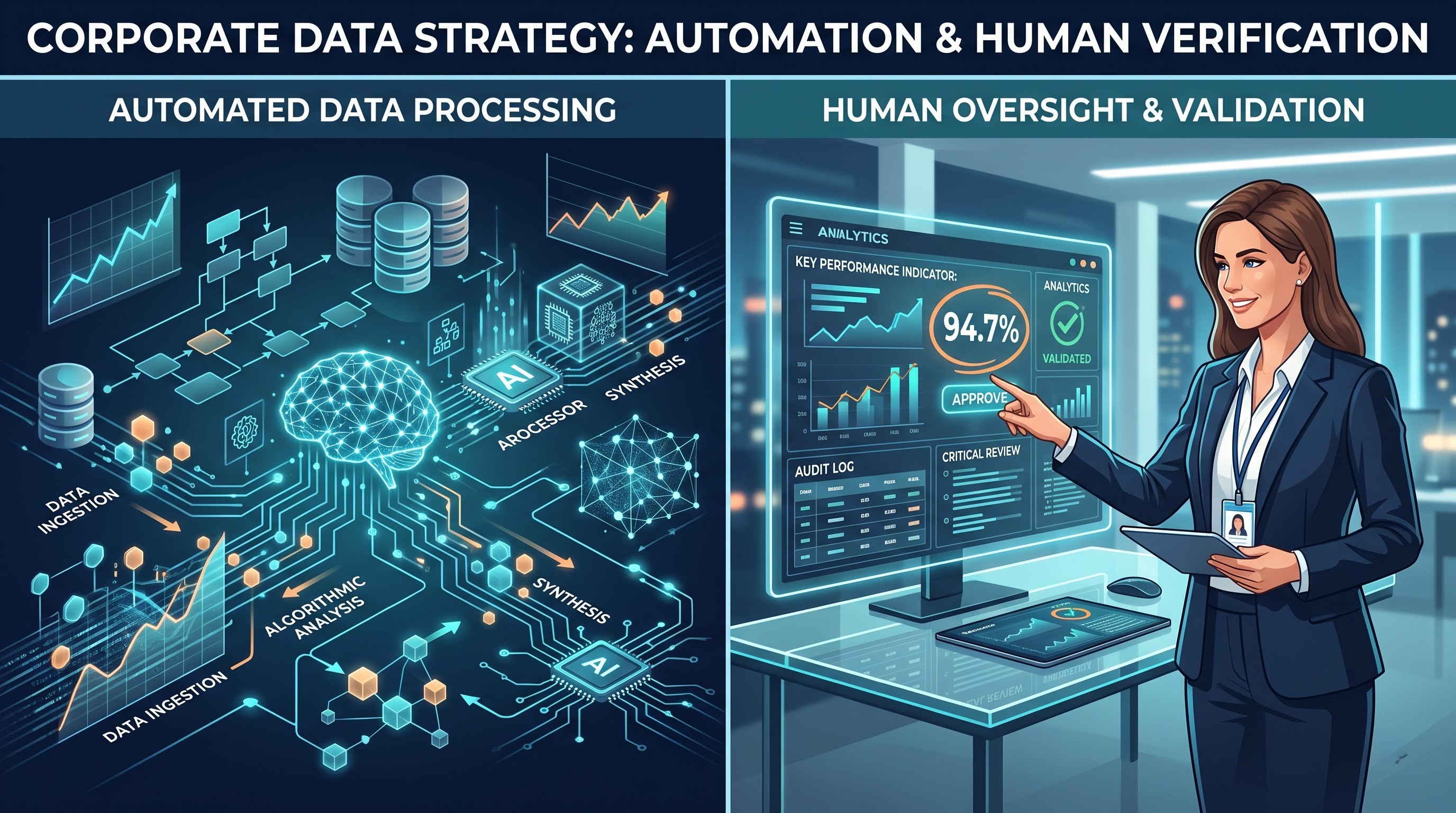
Organizations need to approach AI-powered analytics with the same discipline they apply to other enterprise technologies. They need to understand where the answer came from, which data source supports it, what business definition was applied, whether the user has permission to access the information, whether the result can be validated, and who is responsible for acting on it. These questions may not sound as exciting as AI agents, but they are critical. The future of enterprise AI will depend not only on how intelligent a system appears, but also on whether organizations can trust its connection to business reality.
How Should People Learn Tableau in the AI Era?
The changing technology landscape also changes the way people should approach Tableau skills. Learning how to connect a dataset and create a dashboard is still useful, but it should be treated as the foundation rather than the entire skill set. Modern Tableau learning can progress from Data preparation → Data modeling → Calculations → Visualization → Dashboards → Business metrics → AI-assisted analytics → Decision-making. This progression creates a much stronger understanding of business intelligence.
For someone considering tableau online training, the most useful approach is to learn Tableau as a problem-solving tool rather than as a collection of interface features. A good analyst should be able to take an unclear business problem, identify the relevant data, determine what needs to be measured, build an appropriate analysis, communicate the result, and evaluate whether the conclusion makes sense. AI can assist with parts of this process, but the ability to ask the right question remains a human skill.
From Question to Decision
Let's return to the original question: “Why did sales decline in the North region last month?” In a traditional workflow, a manager might open a dashboard, select the region, change the date range, compare previous periods, inspect products, and investigate the results. In a more AI-connected analytics workflow, the process could begin with the question itself. AI helps interpret the request, Tableau provides the analytical environment, trusted data provides the foundation, semantic context explains what the metrics mean, analysis reveals patterns, AI helps communicate those findings, and the business user decides what action makes sense.
This brings us back to the complete journey: Question → AI → Tableau → Trusted Data → Semantic Context → Insight → Decision. This is perhaps the most important way to think about Tableau MCP. It is not simply about putting another connection between two pieces of technology. It represents a broader movement toward making business intelligence available inside the workflows where people already work.
Conclusion: Is Tableau MCP More Than an AI Integration?
The most interesting part of Tableau MCP is not simply the ability to connect Tableau with AI. The bigger story is the changing relationship between people, business data, and intelligent systems. Traditional BI asked users to navigate toward information, while generative AI has made people increasingly comfortable with asking questions conversationally. MCP can help provide a standardized pathway for AI applications to interact with external systems and capabilities.
However, the quality of the final experience depends on what sits behind that connection. AI needs trustworthy data, meaningful semantic context, appropriate governance, and users who can question and validate important results. Tableau's role in this environment can therefore extend beyond creating dashboards. Its governed analytics, business metrics, visualization capabilities, and emerging AI-oriented features can provide the analytical foundation that makes conversational interaction with business data more useful.
Ultimately, the goal is not an AI system that simply produces an impressive answer. The goal is an AI-assisted analytics environment that helps people move from a business question to a trusted insight and, ultimately, a better decision. That is why the future of Tableau may not be about choosing between dashboards and AI, but about bringing these experiences together in a way that combines AI assistance, governed analytics, trusted data, and human judgment.