
Complete Guide to Workday PECI and PICOF Integrations
Last updated on Nov 18, 2026
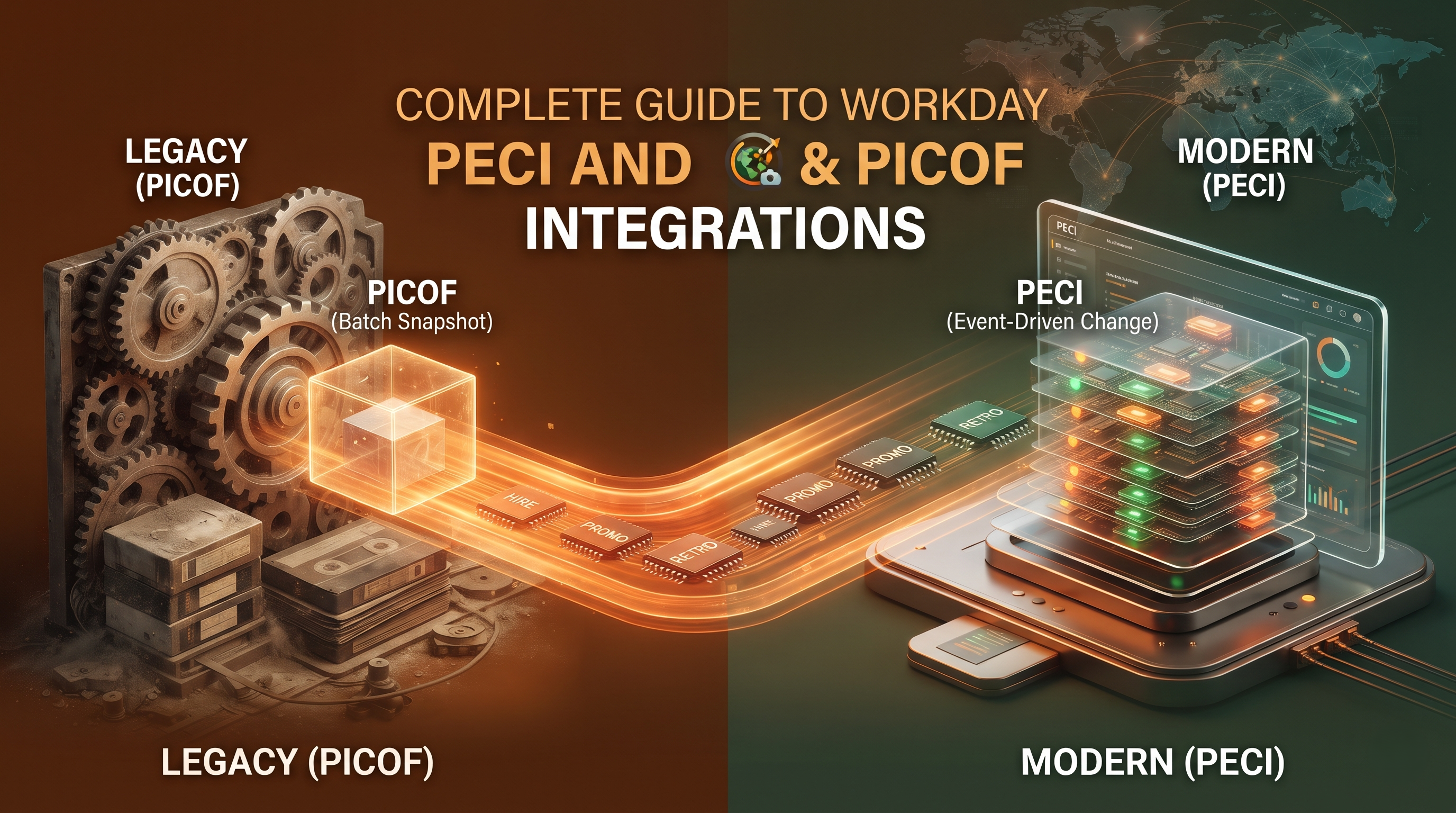
Workday Payroll Integration Architecture Overview
The technology ecosystem of today’s enterprise relies on accurate, secure and seamless flow of data between Human Resources (HR) and external systems to drive business success. For organisations that use Workday as their core Human Capital Management (HCM) system but rely on third-party vendors to handle local or regional payroll processing, integration is the invisible thread that holds the puzzle pieces together. Companies are noncompliant, pay inaccurately, have delayed entries and a massive administrative burden without a structured way to exchange data.
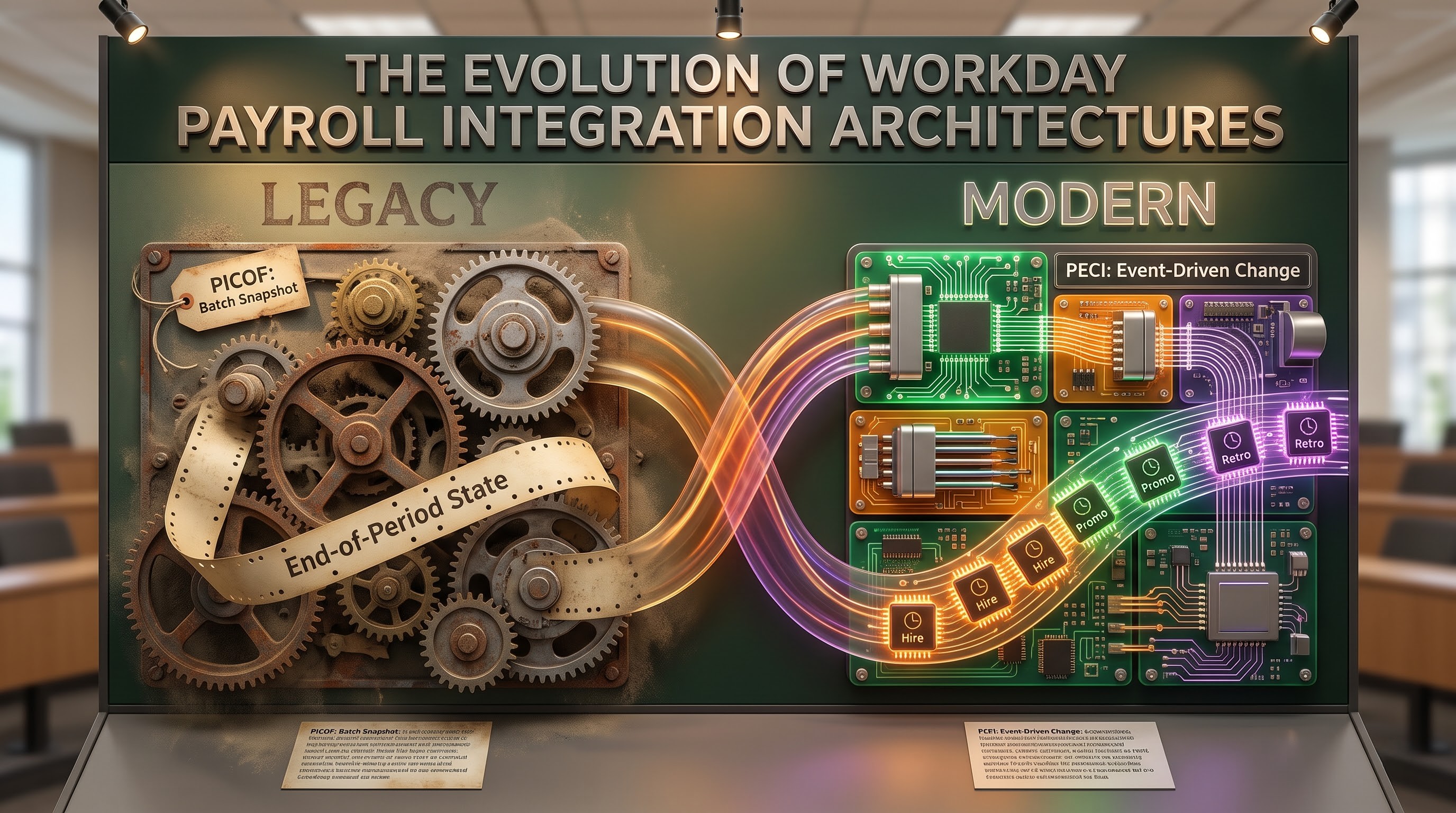
To address this challenge, Workday has built native integration frameworks to bridge the gap between core HR definitions and external payroll engines. When talking about enterprise deployments there are two dominant acronyms for these frameworks. They are PECI (Payroll Effective Change Interface) and PICOF (Payroll Interface Common Output File/Payroll Interface for Costing of Financials). Both frameworks are intended to support the extraction and exchange of payroll data, but they are based on very different underlying philosophies, architectural capabilities and lifecycle stages.
Enterprise architects, functional payroll leads and IT directors need to understand the mechanics, nuances and strategic implementations of PECI and PICOF. In this guide we will explore both frameworks, their architecture, how they work, how they detect changes, how they have evolved, and best practices for long term operational success.
For those professionals who want to acquire relevant experience in creating the framework, analyzing data payloads, and dealing with the intricacies of the international payroll process, enrolling in workday online integration training is the best way out.
Workday Evolution Payroll Integration
To understand the importance of PECI and PICOF, you need to understand how the Workday integration ecosystem evolved through the years. When Workday first came to market, companies needed a trusted way to send worker data, compensation changes, and organisational assignments to multi-country or legacy third party payroll systems. This need led to the legacy Payroll Interface (PI) framework, which used outputs like the Payroll Interface Common Output File (PICOF).
PICOF was designed as a batch extraction engine . The objective was to get a "top of stack" view of worker data for a given pay period. PICOF, deployed thousands of times globally, was limited by its architecture. It was not well designed to gracefully handle retro-active changes, multi-layered data corrections, rescinded transactions and complex effective-dating sequences without a lot of manual effort. It was mostly about what's active at the end of a window, or snapshots of data.
Snapshot-based outputs were clearly not sufficient for increasingly complex global companies with remote employees, multi-jurisdictional tax rules, and regular mid-period job changes. In fact, Workday created PECI (Payroll Effective Change Interface), a modern solution, to address these kinds of issues. PECI has been built from the ground up to be event driven, sequence aware and highly granular, capturing every single effective-dated transaction in chronological order, not just a summarised final state. PICOF is nowadays mostly regarded as a legacy framework, not much is going on in terms of development. PECI is the new standard for sending outbound payroll data.
What is the Payroll Effective Change Interface (PECI)?
Basic philosophy and architecture
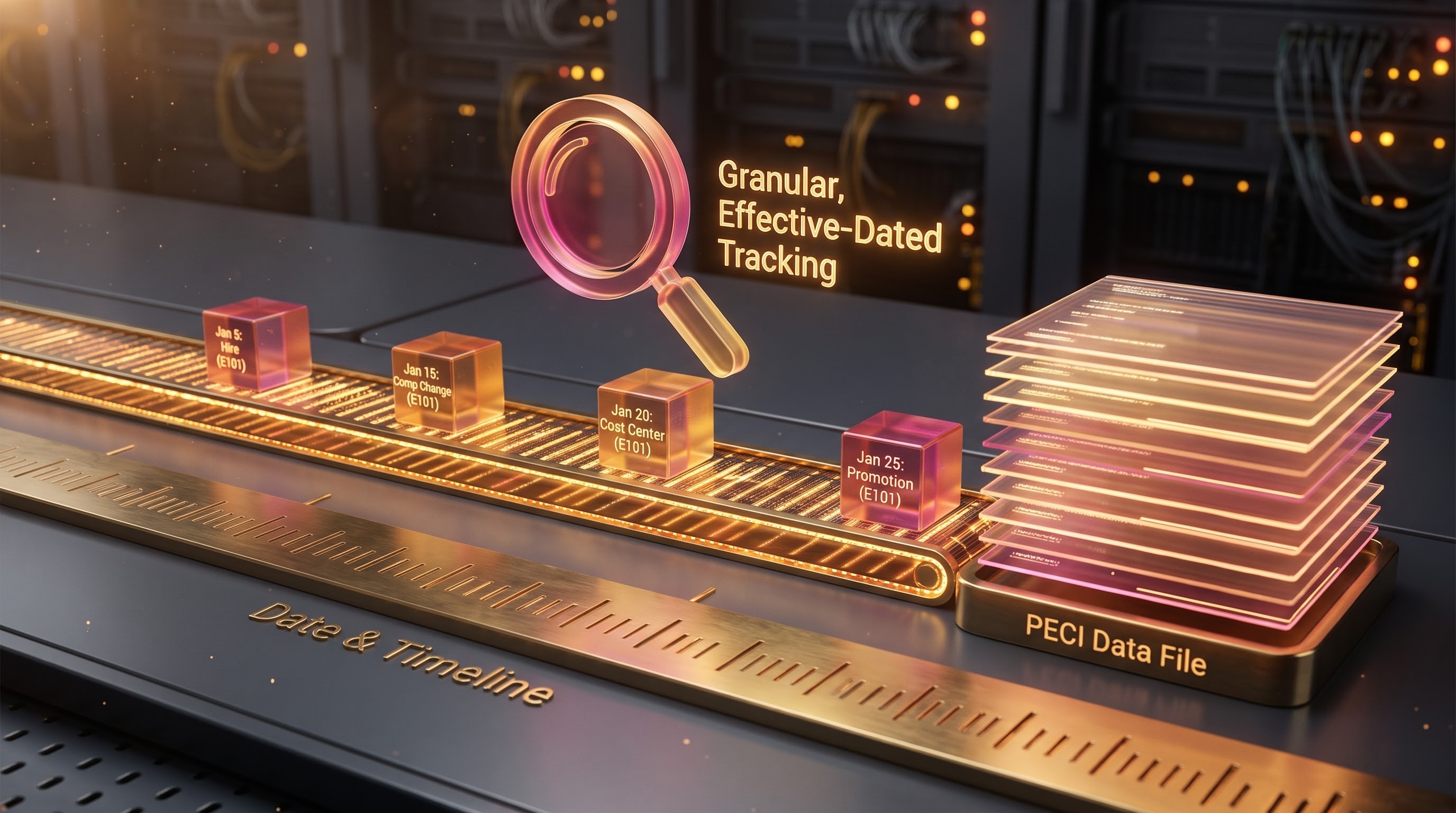
PECI is a highly structured, comprehensive integration framework that delivers employee and payroll related changes to third-party payroll providers from Workday. The main architectural differentiator for PECI is its focus on effective-dated change tracking. PECI does not provide a full file snapshot of all active employees for each payroll run. It only identifies and pulls changes that occurred during a specific time period, sorted by their effective dates and times of data entry.
All transactions processed in Workday are time stamped, such as, but not limited to, a hire, compensation grade change, promotion, cost center change, jurisdictional transfer or benefit election change. PECI captures these changes including derived event codes, effective time and entry time . So the outside payroll vendor knows the what, the when, and the why of every data change.
PECI Fundamentals
Full-Stack and Change-Only Processing PECI runs in change-detection mode by default, sending only workers and data fields that have changed in an actionable way since the last successful run. But it also provides full initial loads or resynchronisations as necessary.
Automated Change Labelling and Retroactive Management One of PECI's strongest features is the ability to handle complex scenarios including retro-active adjustments, corrections and rescinds. PECI will automatically catch any backdating of salary increases or cancellations of terminations in the output file by a manager. The third party payroll engine then takes these corrections and processes them systematically, eliminating the need to create tickets manually or use off-line spreadsheets.
Worker Level Tracking PECI tracks state at the individual worker level by inserting Last Successful Run (LSR) markers into the integration map. This removes duplicate transmissions and enables errors on any one worker record to be isolated and corrected without invalidating the entire payroll batch.
Event-Driven Integration (EDI) Support Modern PECI implementations can take advantage of event-driven architectures, where the completion of specific Workday business processes can immediately trigger data staging or outbound notifications, enabling fast synchronisation of time-sensitive changes.
What is PICOF (Payroll Interface Common Output File)?
Core Architecture & Philosophy
PICOF is a standard payroll interface format. It is based upon retrieving employee state data for a particular pay period. Integration with PICOF When the system is integrated with PICOF, it checks the pay group and pay period parameters selected at launch and retrieves the worker records that are in sync with these parameters.
PICOF likely uses a top-of-stack output model, rather than the granular, chronological change-stack model of PECI. So it's very much the net effect of the transactions in the pay period. An employee is promoted on the 5th of the month and another adjustment is made on the 15th. A typical PICOF extraction summarises the reality at the top of the stack for that period. This might conceal intermediate steps, or require secondary audit reports to confirm intermediate state changes.
Dynamics and constraints of operation
PICOF can be run in either regular or ad-hoc mode, passing parameters such as specific pay groups, options to select the pay period (earliest open pay period or current pay period) and also explicitly include or exclude members.
But PICOF is older than Workday's advanced global payroll enhancements and there are inherent architectural limitations in the:
Complex situations such as rescinds and historical corrections are often not natively flagged with the same diagnostic clarity as PECI, often requiring the use of additional HTML audit reports and human review.
Workday views PICOF as a stable and mature framework but it is not getting the ongoing feature enhancements, modern API hooks and sophisticated event-driven triggers that are being built into PECI. If you are an organization just starting to implement it is highly recommended that you skip PICOF and go straight to PECI to future proof yourself.
Comparative Analysis: PECI and PICOF
For us to understand why the industry standard is PECI we need to consider the core structural and operational differences for these two frameworks:
Data Extraction Methodology: The model PECI uses is based on a chronological, effective-dated change sequence. Each transactional event is recorded in sequence. The PICOF is essentially based on the model of a snapshot of the top of the stack a summary of the net position of the worker for the period in question.
Retroactive Adjustments & Corrections: Our data file schema includes tags to flag retroactive entries, corrections, and rescinded events, enabling payroll engines to natively adjust calculations. PICOF often needs human intervention for complex corrections i.e. the administrator has to look at secondary audit outputs.
Future Proofing and Innovation: Support PECI is natively built to work with the latest Workday features including advanced calculated field optimisations, worker level LSR tracking and Event Driven Integrations. PICOF is static and we see little architectural change as Workday shifts development resources to PECI and Global Payroll native capabilities.
Error Management: PECI allows for deep error diagnostics at the worker level. It's much easier to filter data sections to see why a record failed validation. PICOF error resolution is not as simple and usually requires additional log analysis to backtrack structural differences.
Design and Configuration of Outbound Payroll Integration
With strong outbound payroll integration using PECI, you need to do careful planning, design patterns and rigorous testing methodologies. Workday's configuration process has many important structural steps.
1. System Integration Start-up
Build new integration system in workday with correct out of box PECI template. The architect will set this up and the integration will be assigned to selected Pay Companies or Pay Groups. Workday offers a set of configurable integration services for data types such as personal data, contact data, compensation, base pay, and tax elections. The implementer activates only the services that the downstream payroll vendor needs to achieve peak performance and minimise unnecessary data exposure.
2. Field Overrides and Integration Properties
Integration attributes define the format, content rules and runtime behaviour of the integration at the top level. Integration field overrides and calculated fields allow administrators to map Workday internal data fields to the specific requirements of third-party payroll partners. Calculated fields allow organisations to manipulate data on the fly, for example phone number formatting, name concatenation and specific location codes without changing core business objects. However, the architect needs to design these calculated fields so that they do not impact performance during large batch runs.
With the knowledge of integration attributes, field override, and XML-to-text conversion requiring a certain structure, most developers and functional consultants get ahead in their careers through workday integration training online in the workplace.
3. Delivery & Exchange
When Workday produces the structured XML output file from the PECI run, it normally needs to be transformed into something readable by the external vendor. This could be a fixed-width text file, a proprietary CSV format, or an encrypted package. This is done via Workday Document Transforms or an integration middleware like Mule Soft or Workato. Once the transformation is done, the file is then securely transmitted to the vendor’s Secure File Transfer Protocol (SFTP) server or API endpoint.
Closing the Loop: Inbound Integration
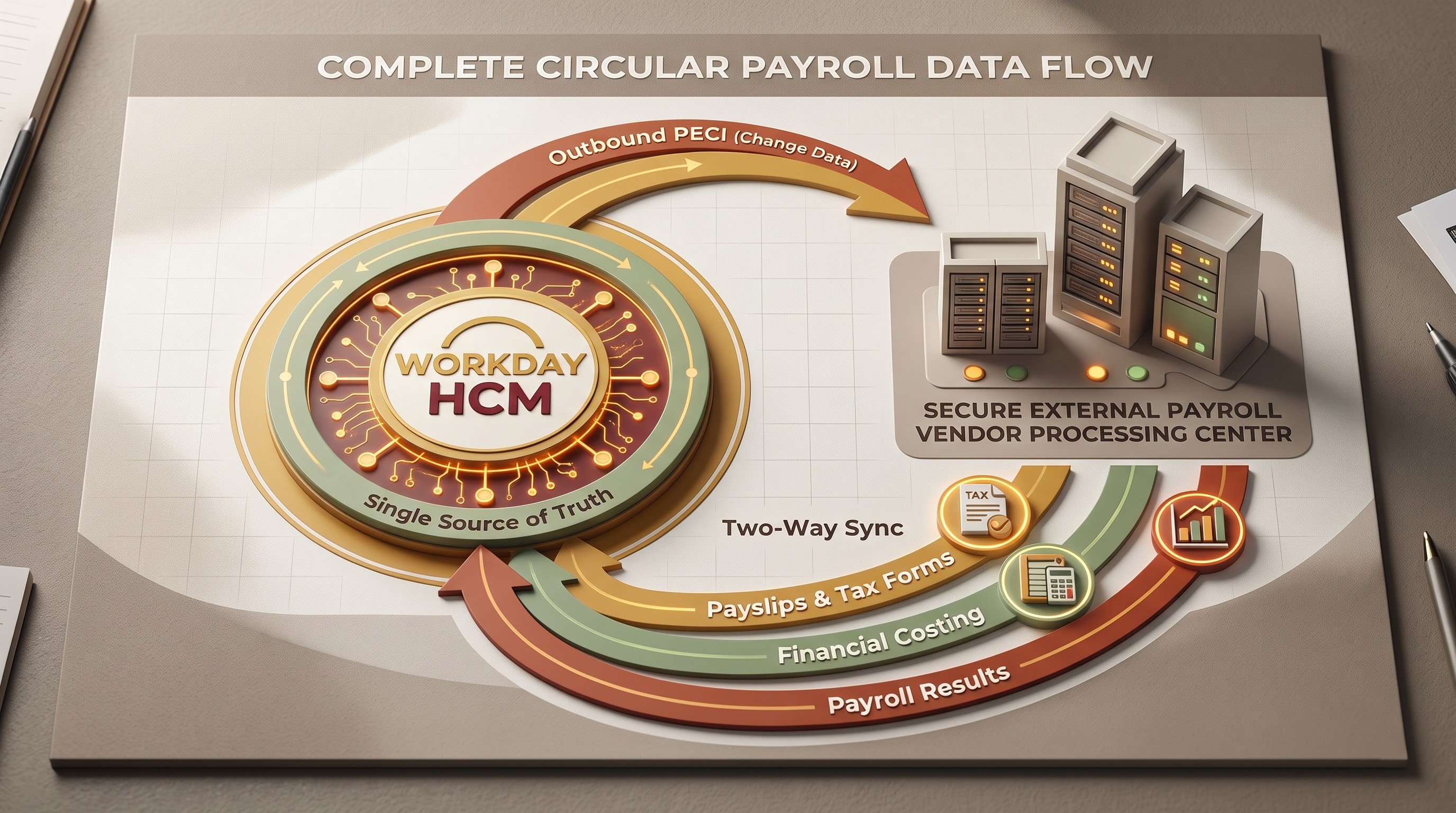
You can’t close the loop on an enterprise payroll architecture. PECI and PICOF are outbound Workday data flows to payroll vendors. The payroll cycle also requires inbound data flows.
When a third-party payroll provider has processed the payroll, calculated gross-to-net, applied taxes and made payments, critical financial and operational data needs to flow back into Workday. The inbound process generally consists of:
Payroll Results and Payslip Details: Furnish Workday with comprehensive information on earnings, deductions, taxes and net pay, giving employees the ability to view their payslips directly via the Workday portal.
Year-End Tax Documents: Access previous tax reporting documents to maintain compliance and manage employee records.
Financial costing results: Send summary data from the general ledger and costing allocations to Workday Financials for the purpose of creating accounting journal entries and maintaining alignment between human resources and corporate finance.
Inbound integrations are usually done through Enterprise Interface Builders (EIBs) or payroll partners’ packaged connectors. They can be automatically triggered when the vendor drops a results file on an SFTP server for Workday to pull, or they can be triggered via web service calls. “The two-way sync means that Workday is the single source of truth for the organisational metadata, trusted and accurate but also aligned to actual financial results in the real world.”
Implementation, Testing & Governance Best Practice
Payroll integrations need an ongoing operational investment to build and support. To protect data integrity and avoid costly downstream errors architects and administrators need to follow tried and true enterprise best practices:
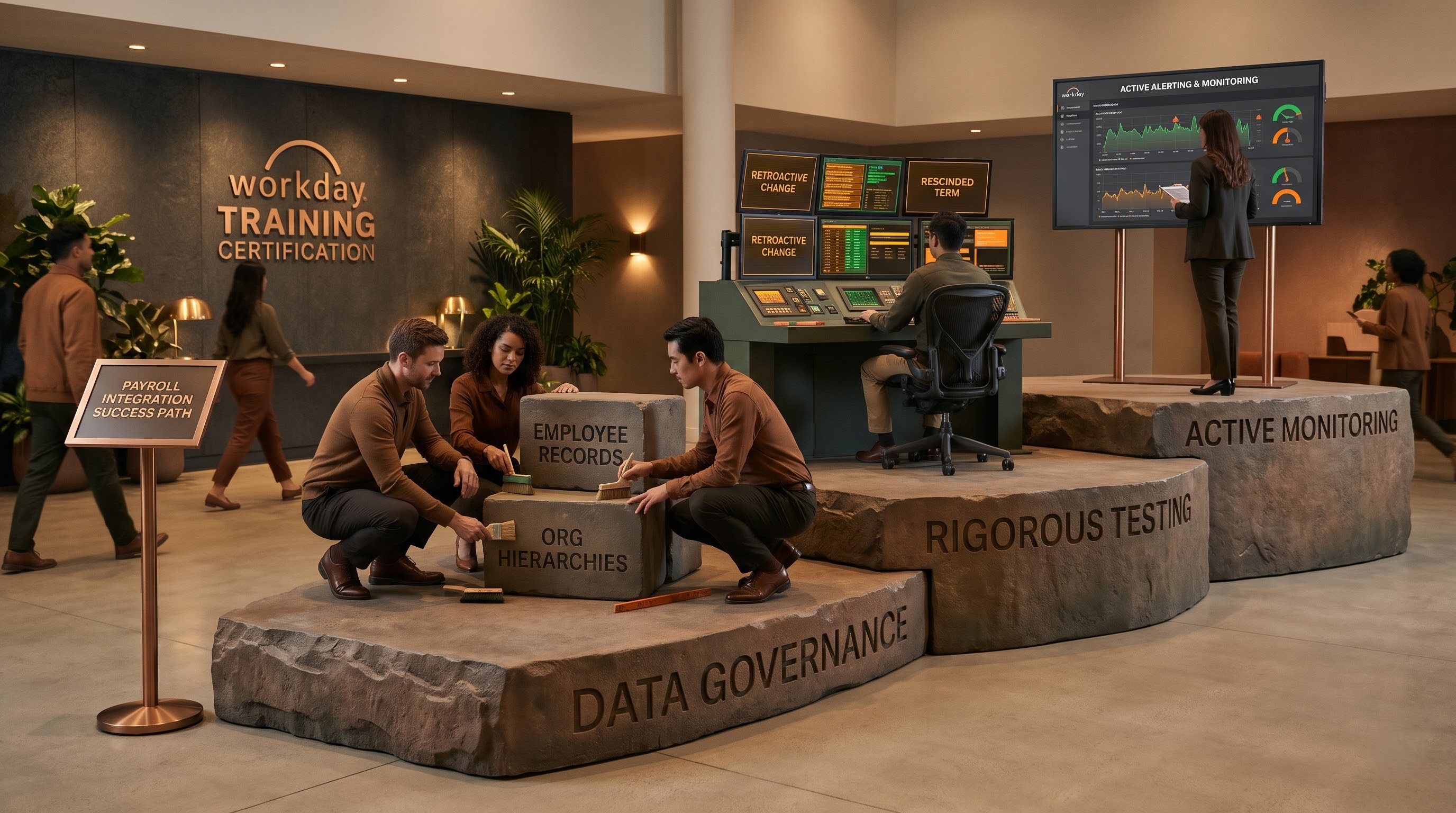
1. Creation of complete test scenarios
Do not test the “happy path”. All outbound payroll integrations need extensive edge case testing:
Multiple pay or employment changes within a pay period.
Pay changes made after the payroll cut-off date are retroactive.
Cancellation of appointments, dismissals or leave of absence.
Transactions are recorded, dated forward well in advance of the effective date. Workday’s Payroll Data Audit reports are intended to assist implementation teams to make sure all workers and all data fields needed in the output file are included correctly before going live.
2. Data Cleanliness & Governance Rigid
But while tech platforms can automate workflows, they can’t fix underlying data quality problems. Organisations need strong data governance policies for position management, supervisory organization hierarchies and effective dating. If an integration fails post go-live, it’s almost always because you waited till implementation to clean the data.
3. Active Alerting & Monitoring
Some of the most dangerous risks in Enterprise IT Architecture are the silent integration failures. A network timeout or expired credential may prevent an outbound PECI file from reaching a vendor’s SFTP server, bringing payroll processing to a grinding halt. Organisations need strong monitoring, automated error alerts and notification workflows that alert integration administrators within minutes of a failure – not days. No log diving, fast root cause analysis with an immutable audit trail.
Conclusion
The fundamental strength of strong data integration frameworks is at the heart of the complex universe of global enterprise payroll connectivity. Organisations operate across multiple jurisdictions, with complex local tax laws, different benefit plans and changing regulatory requirements. One HCM (Human Capital Management) system such as Workday is essential. But Workday is not often a complete island. Most multinationals and mid to large sized businesses use third party payroll engines that specialise in local tax filing, disbursements and country specific compliance calculations. The overall health of an organization’s financial operations is therefore determined by the quality, security and accuracy of the data bridge between Workday and these external engines.
The development history of these integration mechanisms is a mirror of a radical paradigm shift in the enterprise software ecosystem. The legacy era provided us with a working baseline for batch-oriented data extraction, with frameworks such as the Payroll Interface Common Output File (PICOF). PICOF would allow organisations to take snapshots of the worker data at the top of the stack for the indicated pay periods and allow for the automatic management of payroll across a number of countries.” But as business accelerated, remote employees became commonplace and mid-period personnel changes became commonplace the limitations of static, snapshot-based extractions became painfully obvious. Complex transactions like retro-active salary adjustments, back-dated promotions, rescinded terminations and multi-layered corrections often pushed legacy frameworks to their limits. These required extensive manual intervention, intensive audit reporting and massive administrative overhead to reconcile discrepancies.
To address these operational bottlenecks, Workday created the Payroll Effective Change Interface (PECI) – the modern replacement and gold standard for sending payroll data. PECI changed the nature of enterprise integration architecture from a static snapshot to a granular, chronological, effective-dated change tracking model. PECI records each transaction event, including the exact time stamp of the event, the event code generated, and life cycle flags. This gives downstream payroll vendors not only the summary of the current status, but the entire chronological story of each worker’s lifecycle. PECI also automatically tags corrections and backdated changes and tracks worker level Last Successful Run (LSR) to reduce batch failures and make errors easier to fix. That moves from reactive auditing to proactive automated accuracy.
And to expand these outbound capabilities, it needs a holistic architectural vision that completes the cycle in effective inbound integrations A truly resilient payroll ecosystem is a two-way street. That critical financial telemetry, where gross-to-net, tax withholdings and net disbursements are calculated by third-party vendors, needs to flow back into Workday seamless. Detailed payslip records, historical tax documents and financial costing summaries are all inbound feeds that help employees be transparent with their earnings data while corporate finance is able to keep the general ledger alignment correct . The outbound PECI streams and the inbound reconciliation loops reconcile, and Workday remains the trusted single source of truth for all organisational metadata that accurately reflects real-world financial results.
But the lasting operational success of these frameworks is more than the technical setup. “It takes a high level of commitment to data governance, rigorous testing against a range of scenarios and active monitoring. Technology can help automate delivery pipelines but it can’t fix the underlying data quality issues or messy organisational hierarchies. Implementation teams will have to invest time in cleaning master data, testing complex edge cases such as overlapping effective dates and late adjustments, and setting up real-time alert mechanisms for integration delivery failures.
Because knowing the ins and outs of Workday PECI and PICOF Integrations is not just an IT or admin exercise, but a huge strategic differentiator. Payroll integrations are built for accuracy, robustness and security to help organisations avoid costly pay discrepancies, maintain strict regulatory compliance and mitigate operational risk. Most importantly, perfect payroll data synchronisation enables total trust throughout the business – ensuring employees are paid correctly and on time, providing HR leaders with reliable workforce analytics and delivering finance executives transparent, auditable fiscal control.
In other words, information on Workday PECI and PICOF integration can be considered a tremendous strategic asset to the person’s career in IT. In case you want to stay ahead of your competitors and gain some practical skills in building these data links, you might take a relevant course, like workday hcm integration training by OnlineITGuru.