
Essential Salesforce Admin Skill Every Beginner Should Learn
Last updated on Nov 14, 2026

The role of a Salesforce Administrator has changed a lot from the days of managing users, resetting passwords and doing routine maintenance tasks. In today's fast-paced, hyper-competitive enterprise environment, Administrators are the vital, irreplaceable link between complex business needs and the powerful configuration capabilities of the Salesforce platform. These are strategic partners who take the goals of the organization and turn them into functional and lean technical workflows. In case you are new to this dynamic, ever-expanding ecosystem, the absolute key to building a successful, long-lasting and rewarding career is to learn the foundational competencies.
Salesforce is a very powerful and highly customisable platform that is heavily based on declarative point and click configuration rather than heavy coding so If you know everything about the skill set that you are supposed to learn very fast, then you will be able to make a very quick transition from being a novice to becoming a certified professional. One of the best steps that you can undertake to make the transition is by taking a salesforce admin training course.
These are the most important skills to learn for any new Salesforce Administrators. We’ll break down each of these in detail, why it’s critical for business success, and how to learn each skill to maximise your professional growth within the cloud ecosystem.
Platform configuration and customisation
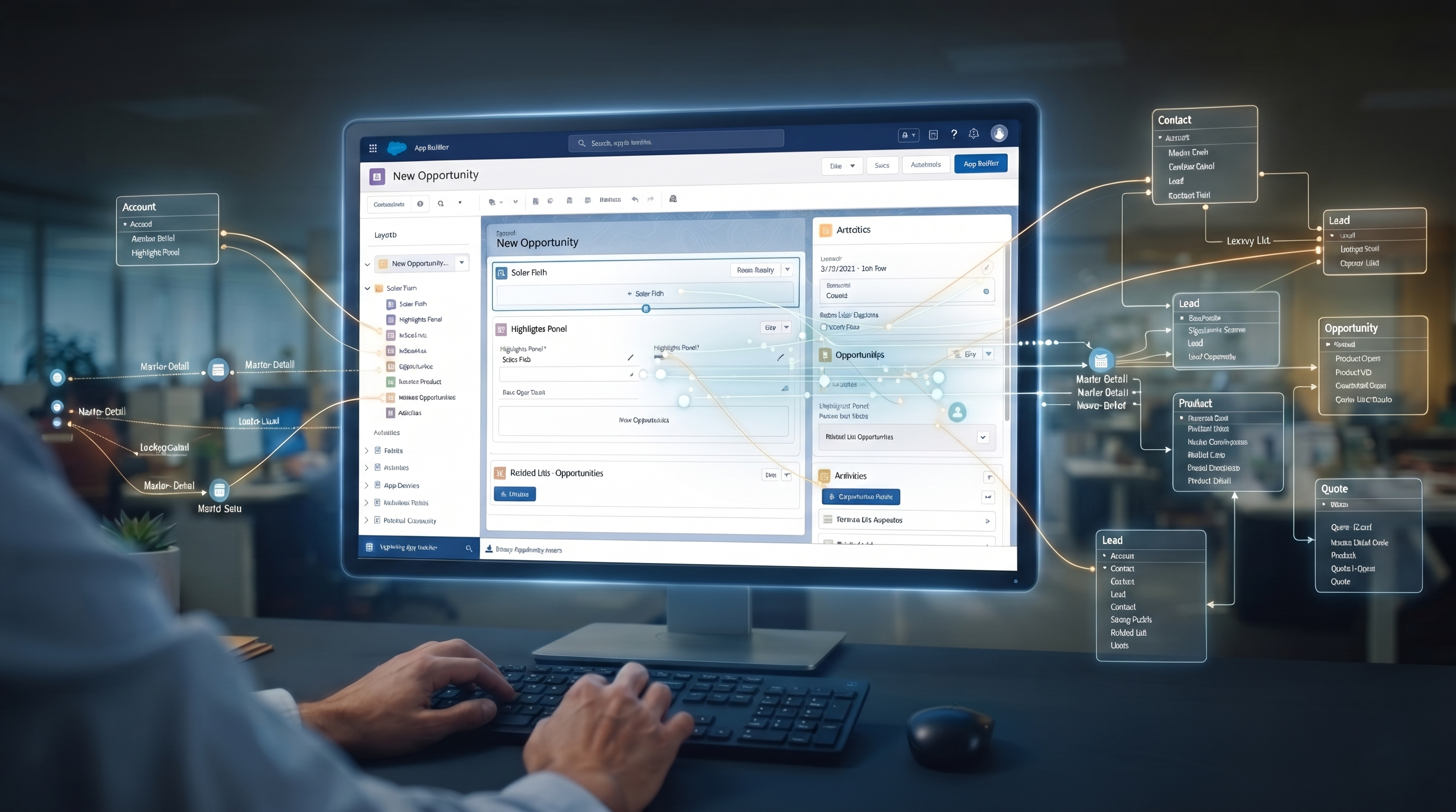
At its simplest, Salesforce administration is the ability to shape the platform to match the way a business works. With declarative, point-and-click tools (i.e. no code needed), platform configuration is building out the data architecture and user interfaces that teams use every day.
Understanding the Data Model
Salesforce is built on a relational database architecture of objects, fields, and relationships. As a beginner you need to be very well versed with:
Standard Objects These are the tables that are available out of the box like Leads, Contacts, Accounts, Opportunities, Cases and Solutions which are provided to support standard business processes.
Custom Objects: Tables designed to hold information about an organization that is not available in standard objects (e.g. Equipment, Project, or Shipment).
Fields and Data Types: Create and configure fields for text, number, date, picklist, checkbox, and formula. Understanding the difference between dependent picklists and multi-select picklists is important so that you can keep your data clean.
Relationships: Associate Objects Using Lookup Relationships and Master-Detail Relationships. Master-Detail Roll-up Summary Fields Roll-up summary fields automatically calculate and roll up values from child records to the parent record (sum, average, min or max).
Deeper understanding of relational architectural dynamics
“Database normalisation is more than just creating fields and objects. Reporting capabilities, record sharing and performance need to be known directly to administrators. If you are a newbie, consider if you really need a many-to-many relation with a junction object for your custom solution. A junction object lets you create complex multi-way associations by bridging two master-detail relationships, without writing any custom code. Learning formula fields, especially advanced cross-object formula, also allows admins to dynamically pull data from parent records onto the child layouts without having to enter duplicate data.
Customising the user interface
The administrator should also furnish to the users over the data storage an intuitive and efficient interface. This consists of:
Page Layouts and Record TypesCustomize fields and related lists on a page. Utilise record types to provide varying business processes and picklist values to different user profiles.
Lightning App Builder: Build and arrange custom Lightning Record Pages with components to display important information for different teams (for example, Sales vs. Support).
Responsive Layouts to Enhance User Experience
Today, users want data entry to be as quick and frictionless as possible. Dynamic Forms and Dynamic Related Lists are powerful tools in the Lightning App Builder that allow skilled admins to conditionally display fields and related records based on things like the status of a record or the profile of a user. This means you don’t have to build dozens of individual page layouts and record types. This keeps the platform clean and streamlined, and much easier to maintain down the line.
Identity Security and Access Management
The biggest concern in any enterprise environment is Data security and integrity. One misconfigured security setting can lead to data leaks, compliance violations, and a catastrophic loss of customer trust. All admins should know that Salesforce has a strong multi-layered security model.
Access Level Controls
Salesforce security is built in concentric circles, from the very wide open organization wide access, down to individual field level security:
Organization-Wide Defaults (OWD): This is the security level that determines the default access a user has to a record they don’t own. OWDs can be private, public read only or public read/write.
Role Hierarchies: This is mainly used for vertical access to reports and records through management structures so that managers automatically have access to records owned by their subordinates regardless of the OWD setting.
Sharing Rules Rules that use declarative language to give access to specific groups of users across the organization based on record ownership or criteria.
Profiles and Permission Sets – Controls what users can do in the system. Profiles define baseline configurations such as object permissions, app visibility, and login hours. So you can have flexible use cases where you can add extra permissions to an underlying profile for individual users. That’s Permission Sets and Permission Set Groups.
Field Level Security (FLS) Limits the fields on a record that a user can view or modify. This way users won't see sensitive information (like salary information or social security numbers) unless they have permission to see it.
Moving on to permission set based models
Salesforce is transitioning from monolithic user profiles to a permission set based security model. If you are a beginner, bloat profiles with permission sets, permission set groups, and object permissions through permission sets. Because it's modular, administrators can adhere to the principle of least privilege, giving access only to those who need it, and it also makes it easier to provision users as organisations change.
Automation Software

Speed and efficiency are demanded by modern businesses, and one of the most exciting and impactful skills in a Salesforce Admin’s toolbox is workflow automation. Automation reduces human error by eliminating repetitive manual tasks, speeds up deal cycles and provides consistent operational execution.
"Salesforce Flow Mastery"
Salesforce Flow (also known as Flow Builder) is the heavyweight champion of the declarative automation world. Salesforce has officially killed Process Builder and Workflow Rules and Flow is the new gold standard for all things modern automation. What beginners really need to learn is:
Record Triggered Flows: Automations triggered on record create, update or delete events. Such automation may be used for updating records, automatic notifications, and complex business validation.
Screen Flows: Interactive flows that guide users through complex business processes that involve input of information, data collection, and back-end processing.
Scheduled flows: Automation that occurs at pre-determined intervals of time in order to process multiple records.
Best practices for creating scalable flows
Building an automated process is simple. Building one that scales and doesn't hit governor limits is discipline. If you're new to this, learn how to build bulkified flows that process collections of records, not actions in loops. Knowing when to order your execution, how to tune your triggers, and how to correctly handle fault paths means that when your automation encounters an unexpected database error, the user receives a clean message and the exact point of failure is logged in system logs.
Supported Automation Capabilities
Newcomers should also explore some other automation tools that integrate with Flows, such as Assignment Rules (for automatically assigning incoming leads or cases to designated queues or agents), Escalation Rules (for automatically escalating unresolved customer support cases), and Approval Processes (for automating multi-tiered corporate sign-off workflows for discounts, contracts or expenses).
Data Quality, Governance, and Management

Data is the life blood of any CRM. You can configure a Salesforce instance to the Nth degree, but if the underlying data is wrong, outdated or duplicated it won’t deliver business value. Administrators are the first line of defence in ensuring an organization’s data health.
Utilities for Data Transfer and Manipulation
One thing that beginners have to know how to get data in and out of Salesforce quickly.
Data Import Wizard A built-in, browser-based tool for importing smaller volumes of standard objects (Contacts, Accounts, Leads, custom objects) with built-in duplicate matching.
Data Loader—powerful client application for bulk data operations. Data Loader allows administrators to insert, update, upsert, delete and export millions of records in CSV formats.
Data Integrity Assurance
To maintain a clean and reliable database administrators need to implement:
Validation Rules : Formulas that validate data entered by a user before it is saved in the database. If the data does not meet the criteria an error message is displayed and the record cannot be saved. This guarantees that data is formatted in a standard way (for example phone numbers or postal codes follow a certain regex pattern).
Duplicate Management: Establish matching and duplicate rules to notify users, or even prevent duplicate customer records from being created.
Data Governance Policies: Regular data audits, backup and archiving schedules to ensure system performance and compliance over time.
Validation Rules That Can’t Be Broken and Data Hygiene Plans
Validation rules are your first line of defence against messy data but badly written rules can frustrate users and stall productivity. Newbies, learn to write clear and concise error messages that are directly related to the offending field. Organisations can also use Data Loader to associate matching and duplicate rules with regularly scheduled exports of data to aid in compliance with regional data protection regulations while managing storage costs.
Reports & Dashboard
Executives and stakeholders seldom look at raw database records. They use visual information to assess performance, monitor pipeline velocity and measure key performance indicators (KPIs). You will be responsible for actionable reporting and dashboarding. It’s also a direct way to demonstrate Salesforce ROI to the business leader.
Turning insights into value
This is something a pro should be able to do like a novice:
What is the difference between Tabular, Summary, Matrix, and Joined reports? – Types of Reports Another important skill is knowing when to leverage custom report types to relate data across multiple objects.
Filters, Groupings and Bucketing: You can use bucket fields to group continuous data into ranges (e.g. tiering deal sizes) and use cross filters to find exceptions (e.g. Accounts with no Opportunities).
Dashboard Design Build executive dashboards with live charts, metrics and tables. Administrators also need to be careful to configure running user permissions so that viewers only see data that they are permitted to view per the security model.
Actionable Business Metrics to Make Decisions
A good admin doesn't report, they turn raw metrics into business intelligence. Dashboard filters, conditional highlighting and dynamic components provide sales and support managers visibility into bottlenecks like stalled opportunities in the pipeline or recurring spikes in support tickets, so they can take corrective action before missing quarterly goals.
AppExchange Ecosystem Management and Thought Leadership
Salesforce rarely stands on its own. The Salesforce AppExchange is a massive marketplace of certified third-party apps, components and consultants offering pre-built add-ons for core platform functionality.
Solutions Evaluation and Implementation Steps
Effective Administration involves knowing how to make appropriate use of the AppExchange for oneself:
Needs Assessment: Identify any business bottleneck that can be addressed more effectively/affordably by using existing solutions on AppExchange than building them customarily.
Security Assessment & Due Diligence: Assess third-party applications based on their publisher’s reputation, security issues, cost structure and user feedbacks
Test Drive on Sandbox: Always run the AppExchange solution on a sandbox environment before putting into production. Administrators should install into a Sandbox prior to installing into a production org to verify that the installation will not conflict with existing configurations, custom code or governor limits.
Change Management – User Adoption Support
You could build the most beautiful, highly automated Salesforce instance in the world, but if it’s confusing or frustrating for your end users, they’ll go back to spreadsheets, sticky notes and email threads. User enablement & change management are the people-focused pillars of governance.
Driving Adoption & Engagement
User Training: Develop training materials, hands on workshops, video tutorials and cheat sheets for each department (Sales, Marketing, Customer Support).
In-app Guidance & Documentation Leverage prompts, helpful tooltips, field-level help text, and centralised internal knowledge base to guide users through new interface features.
Feedback Loops: enable users to report bugs, suggest improvements, and give feedback easily and simply. The system evolves to meet business needs by assigning priority to requests that match that profile.
Troubleshooting, Debugging and Maintenance

The daily life of an administrator is composed of system problems, failed automation runs, login blocks, user error reports, etc. The novice and the expert differ in that the expert has a systematic approach to trouble shooting.
The Diagnostic Procedure
Good admins have a process when something breaks or starts acting funny:
Divide the problem Break the problem into smaller pieces. Is it impacting just one user, profile or the entire organization?
Review Error Messages and Debug Logs Analyse system error emails, flow interview fault paths, and debug logs to determine the specific line or condition that led to an automation failure or a security rule blocking an action.
Testing in Sandboxes: Always replicate and debug issues in a sandbox before changing your live production org.
Join the Trailblazer Community: Explore the official documentation, Trailhead help articles and global Trailblazer Community forums where thousands of seasoned pros share how to overcome common platform challenges.
This means that every time your automated process encounters something unexpected within the database, the user receives an easy-to-understand message, while the location of the error will be logged in the system logs. Understanding such complicated declarative statements becomes a lot easier when you enroll in professional salesforce admin classes.
Conclusion and Moving Forward
A Salesforce Administrator is a lifelong learner fuelled by intense curiosity, hands-on practice, and flexible adaptation. The enterprise cloud computing world is evolving fast and not evolving is falling behind. Salesforce releases three major releases each year. Each release includes hundreds of new innovations, better automation capabilities, and improved user interfaces. It’s just as important to learn the core administrative competencies as it is to stay current on new tools and platform enhancements.
This reality may seem daunting to the aspiring beginner at first, but this is also what makes the career path so intellectually stimulating and lucrative. The technology landscape is changing rapidly and companies are constantly looking for agile professionals who can deliver real business value from emerging platform capabilities.
If you are a beginner, begin your journey with interactive learning platforms for free, such as Salesforce Trailhead. Trailhead is the great equaliser in tech, offering learners from all walks of life the opportunity to earn badges, complete challenging hands-on superbadges and prepare for foundational credentials such as the world-renowned Salesforce Certified Administrator exam. Certifications are a formal recognition of your skills and can help you get interviews, promotions and leadership roles. But certificates are only part of the story.
True professional excellence is to be good at technical declarative skills and at the same time to know the business processes deeply and empathetically. When you sit down with sales leaders, customer support managers or finance executives, your job is not just to create fields and objects, but to listen to their operational pain points, diagnose workflow bottlenecks and architect scalable, declarative solutions that save time, reduce human error and drive revenue growth. Bridging the gap between the raw technology and the human workflow by way of simple communication, active listening and structured problem solving.
The resilient troubleshooting mentality and connection to the dynamic global Trailblazer Community means you’ll never be alone in your educational journey. Combine this with a constant drive for self-education, a good business head and a focus on empowering users, and you will be a strategic asset to any organization dealing with the complexity of the modern cloud-powered enterprise landscape, not just a back-office system administrator. The Salesforce Admin career is an infinite canvas of opportunities – enjoy the learning process, be curious and build your future one release at a time.