
Hybrid Automation on Salesforce: When to Use Flow vs. Apex vs. External Services
Last updated on Sep 2, 2026
Every experienced developer on the Force. com platform has lived through this scenario: You inherit a Salesforce org that feels like a house built by five different architects who never spoke to each other. In one corner, you find a massive, 800-line Apex trigger running on the Opportunity object. In another, a tangle of 14 Record-Triggered Flows executing on the exact same event. Meanwhile, a third-party integration pushes updates directly into custom fields via the REST API without any transaction control.
The result? Intermittent UNABLE_TO_LOCK_ROW errors, CPU limit exceptions during end-of-quarter batch runs, and a delivery team terrified of pushing new features.
For years, the rule of thumb was dogmatic and simple: "Declarative first, code second." But as Salesforce Flow evolved to handle complex loops, HTTP callouts, and subflows, while enterprise integration demands exploded, that simple rule turned into a dangerous oversimplification.
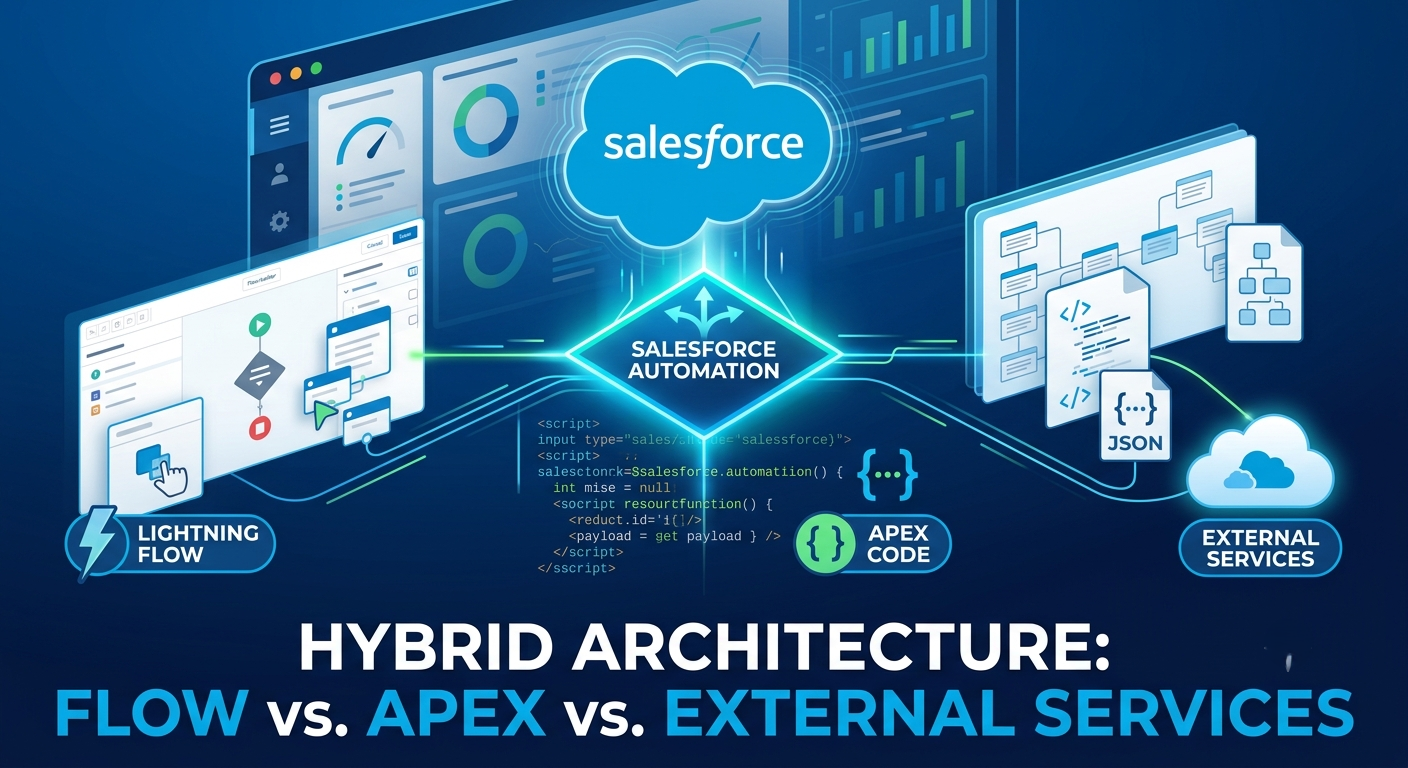
Today, building scalable systems isn't about choosing Flow OR Apex OR External Services. It's about designing a Hybrid Automation Architecture where each tool handles what it does best without getting in the way of the others.
The Automation Engine Spectrum
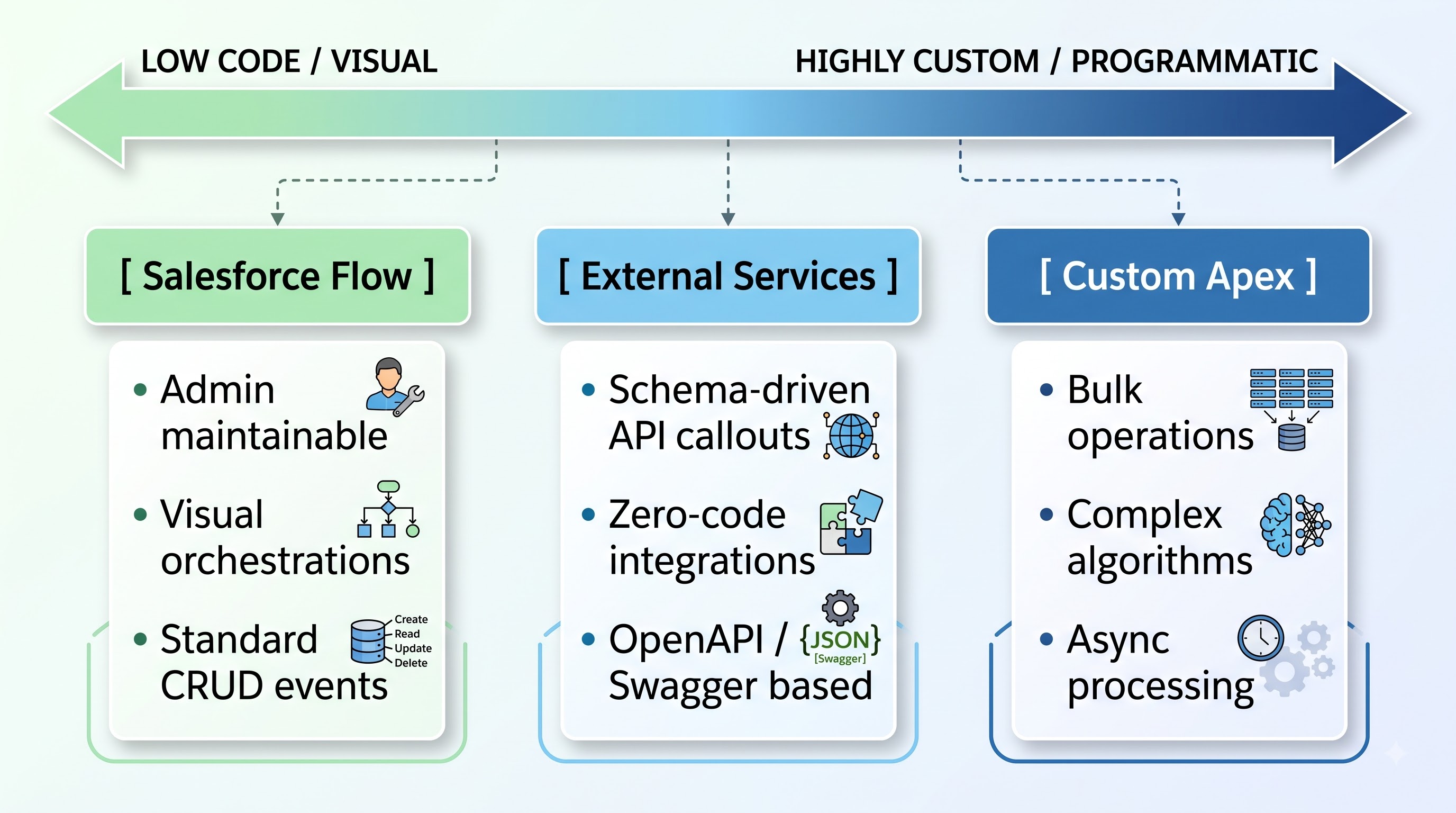
To choose the right tool for the job, you first need a clear mental model of where each automation technology excels and where it hits physical platform limits.
Salesforce Flow: The Orchestrator
Flow is the native visual automation engine. It is ideal for sequence orchestration, user-guided wizards (Screen Flows), simple-to-medium record updates, and triggering declarative notifications.
Strengths: Rapid development speed, visual debugging, easy handover to administrators, native UI integration.
Weaknesses: Inefficient memory footprint during complex iterative loops, limited collections processing, hard-to-maintain complex business logic across enterprise teams.
Custom Apex: The Enterprise Workhorse
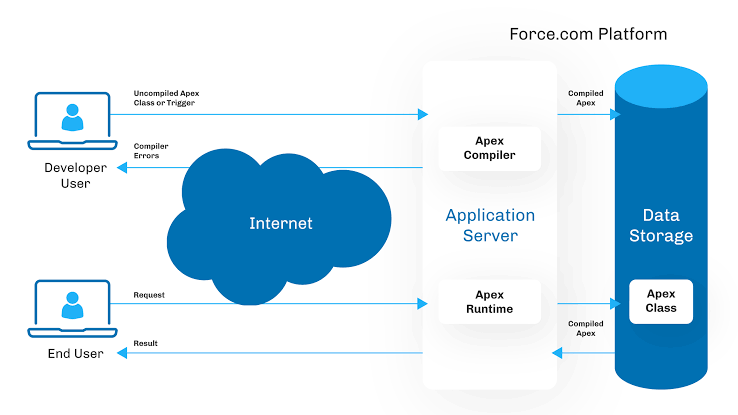
Apex is Salesforce’s proprietary object-oriented programming language. It executes directly on the multi-tenant application server and gives developers granular control over execution order, memory management, and transaction boundaries.
Strengths: Bulkification handling, complex data structure manipulation (Maps, Sets), precise exception handling, high performance on large datasets.
Weaknesses: Higher development and maintenance cost, deployment dependencies, requires 75%+ unit test coverage, opaque to non-developer stakeholders.
External Services: The Low-Code Bridge
External Services allow you to import OpenAPI (Swagger) specifications directly into Salesforce and automatically turn external API endpoints into usable actions inside Flow Builder—without writing a line of HTTP Callout code.
Strengths: Declarative integration, zero APEX HTTP Boilerplate, auto-generated dynamic types, maintainable via schema updates.
Weaknesses: Strictly dependent on valid, well-structured OpenAPI specs; restricted payload transformation capabilities; bounded by Flow governor limits.
The Decision Matrix: Evaluating Your Enterprise Scenario
When deciding how to build a specific feature, evaluating your requirements against key operational axes ensures you don’t end up refactoring six months down the line.
Evaluating Your Automation Strategy
When deciding between Salesforce Flow, Apex, and External Services, Transaction Volume serves as a primary baseline. Flow is designed primarily for single records or small batch updates containing fewer than 200 records per transaction. For large-scale data operations—such as processing 10,000 records or more—Apex is necessary to handle bulk operations efficiently through Batch able or Queueable frameworks. External Services sits in the middle, making it ideal for low-to-medium event volumes that trigger actions in third-party systems.
Logic Complexity and Maintainability further define which tool fits your team's skillset. Flow handles basic branching logic, dynamic record routing, and standard field updates, allowing Admins and Declarative Developers to maintain the system easily. Apex is built for complex tasks like matrix calculations, multi-level map lookups, and explicit recursion prevention, requiring a Senior Technical Team or Software Engineers. External Services excels at orchestrating multi-step API payloads without heavy transformations, serving as a sweet spot for hybrid Admin and Developer integration teams.
Finally, consider Integration Patterns and Performance Sensitivity. Flow relies on native platform capabilities, simple HTTP callouts, and standard Outbound Messages for near real-time UI interactions or basic background jobs. Apex is required for complex payloads, custom authentication flows, XML parsing, or GraphQL endpoints that demand sub-second real-time calculations and heavy database mutations. External Services simplifies REST API integrations by leveraging standard OpenAPI 2.0 or 3.0 JSON specifications, offering an effective solution for asynchronous third-party synchronization.
Deep Dive: Architecture Patterns for Hybrid Automation
The real power of modern Salesforce architecture lies in hybrid patterns—combining tools so each performs its specialized role within a single unified execution context.
Pattern A: Flow Orchestrating Invocable Apex
Instead of writing an entire trigger framework in Apex or forcing Flow to handle a complex calculation inside a loop, use Flow as the high-level orchestration engine and call out to specialized Apex @InvocableMethod blocks for heavy lifting.
If you are looking to master these architectural decisions hands-on, enrolling in structured sales force developer training provides real-world scenarios that teach you how to write bulkified Apex invocable methods that integrate seamlessly into declarative Flow triggers.
Why This Works:
Admins can adjust the entry conditions and execution order in Flow Builder without redeploying code.
Developers write focused, testable, reusable Apex modules that execute in milliseconds.
If your business updates discount tiers often, hardcoding them in formulas or Apex is bad practice. Storing discount matrices in a Custom Metadata Type allows non-developers to update tiers without touching code or Flows.
Create Custom Metadata Object: Name it Discount_Tier_Matrix__c with fields: Tier__c, Min_Amount__c, and Discount_Percent__c.
Flow Lookup: Inside your Flow, use a single Get Records element to query Discount_Tier_Matrix__c where:
Tier__c equals $Record.Account.Tier__c
Min_Amount__c is less than or equal to $Record.Amount
Assign Value: Store the retrieved Discount_Percent__c directly onto your target record.
Pattern B: Flow + External Services for Zero-Code API Integrations
Before External Services, making an HTTP callout to an external ERP (like SAP or NetSuite) required writing custom HTTP Request classes, handling JSON serialization manually, and handling mock responses in Apex unit tests. With External Services, the architectural pattern shifts completely:
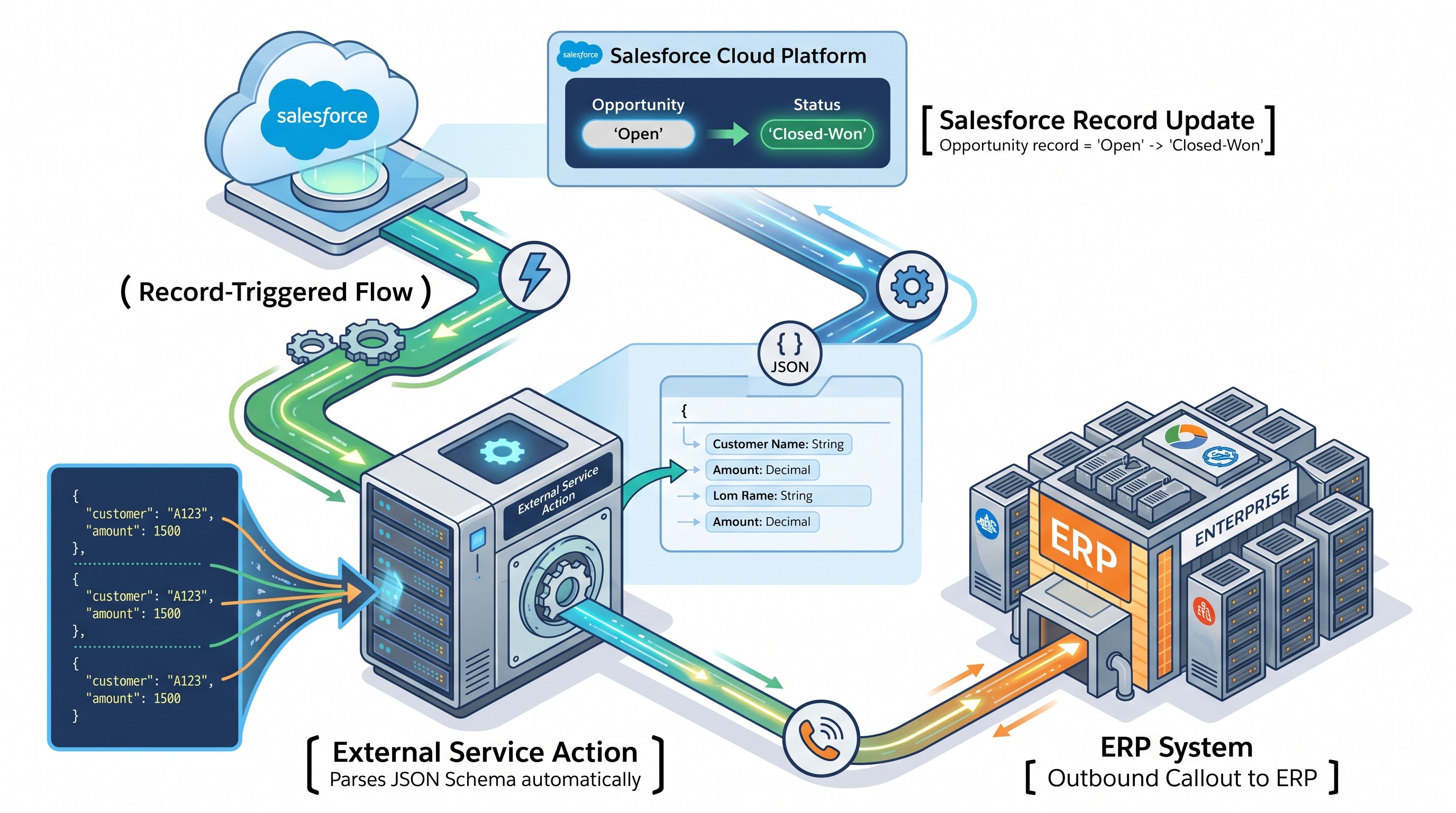
API Schema Definition: The external team provides an OpenAPI compliant JSON schema.
Register External Service: Upload the schema into Salesforce via Named Credentials and External Services settings.
Invoke in Flow: Drag and drop the dynamic External Service action directly into an Asynchronous Path in Flow Builder.
This pattern cuts integration development time by up to 70% while keeping your codebase lean.
Governor Limits & Performance Pitfalls
Understanding platform limits is what separates junior implementers from enterprise architects. When building hybrid solutions, watch out for these execution pitfalls:
1. The Iteration Trap in Flow
Flow loops are not equal to Apex for loops. When a Flow loops over a collection of 500 records and executes a Get Records or Update Records element inside the loop, it consumes governor limits linearly.
The Apex Way: Memory pointers allow scanning thousands of map key-values in microseconds.
The Fix: Never put DML or SOQL inside a Flow loop. If you must iterate and perform multi-object processing, delegate that step to an Invocable Apex class.
2. Transaction Control & Mixed DML
If a Record-Triggered Flow invokes an External Service callout, you cannot perform DML operations in the same synchronous transaction prior to making the callout. Doing so triggers an Uncommitted Work Pending exception.
The Solution: Use the Run Asynchronously path in Flow Builder or separate the callout step using Queueable Apex with transactional state separation.
Completing a comprehensive sfdc developer course will give you deep insight into managing these asynchronous transaction boundaries and mastering Governor Limits under enterprise workload stress.
Future-Proofing Strategy: Building a Sustainable Ecosystem
When scaling an enterprise Salesforce instance, follow these architectural principles to keep your technical debt under control:
One Trigger Orchestration Pattern: Don't mix legacy Process Builders, Workflow Rules, and multiple unmanaged Record-Triggered Flows on the same object. Standardize on one Flow per object event (Before-Save / After-Save) or use a consolidated Apex Trigger Framework.
Decouple Business Logic from UI: Keep screen flows light. Use component-driven architectures (Lightning Web Components) for interactive UIs, with Apex backends processing heavy business logic asynchronously.
Document Your Decision Boundaries: Establish a clear rulebook for your team. For example: "Flow handles record routing and task creation. Apex handles financial math and bulk syncs. External Services handles standard REST endpoints."
If your engineering team wants to stay ahead of platform updates and master modern design patterns, enrolling developers in specialized salesforce developer classes ensures everyone builds against the latest platform standards and performance benchmarks.
Real-World Case Study: Transforming an Enterprise Order-to-Cash Pipeline
To see how hybrid automation functions in practice, consider a global B2B manufacturing company processing 50,000 orders monthly. Originally, their setup relied on a single monolithic Apex trigger that handled everything from credit checks to ERP syncs. Every minor business logic change required full deployment cycles, and end-of-quarter spikes regularly caused CPU time limit exceptions.
By refactoring their setup into a Hybrid Architecture, the engineering team split the pipeline across all three automation engines:
Flow for Visual Orchestration: A Record-Triggered Flow acts as the main entry point when an Order status changes to "Submitted." It manages basic field updates, sends standard email notifications to account managers, and routes the transaction downstream.
Apex for Heavy Calculations: When the Flow evaluates that an order requires dynamic volume discounting and tax compliance verification, it invokes a bulkified Apex class (@InvocableMethod). Apex handles the heavy mathematical algorithms and complex multi-object queries across past order histories without hitting governor limits.
External Services for Zero-Code Sync: Once discounting is calculated, the Flow triggers an External Services callout built from the company's SAP OpenAPI specification. This pushes the sanitized payload directly to the external ERP system asynchronously, avoiding any uncommitted work pending issues.
The Impact
By moving from a single-tool approach to a tailored hybrid strategy, the company achieved:
85% reduction in Apex code deployment frequency for minor business logic tweaks.
Zero CPU limit timeouts during peak end-of-quarter ordering surges.
60% faster development time for connecting new third-party logistics APIs using External Services.
Conclusion
Choosing between Flow, Apex, and External Services is no longer an all-or-nothing decision—and treating it as one is often how enterprise orgs end up burdened by technical debt. Modern Salesforce development is inherently hybrid. The real magic happens when you stop asking which tool is "best" overall and start designing system architectures where each tool plays to its exact strengths.
By leveraging Flow for visual orchestration, Apex for high-volume data processing and complex matrix calculations, and External Services for clean, schema-driven API integrations, you create a balanced ecosystem that scales effortlessly. This hybrid approach gives administrators the agility to modify business rules on the fly, while giving developers the control they need over transaction limits and execution paths. Ultimately, building with this balanced mindset ensures your platform stays resilient, maintainable, and ready to deliver rapid business value for years to come.