
Salesforce Flow Builder: No-Code Automation Guides
Last updated on Nov 14, 2026
Introduction to Automation in Modern Business
In today’s hyper-competitive corporate world, companies are always under pressure to improve operational efficiencies, reduce human error by leaps and bounds, scale complex processes and deliver outstanding customer experiences all the way. The traditional software development life cycles can not satisfy the dynamic and changing needs that modern business units often have. Often, companies wait weeks or months for IT to write custom code, test deployment scripts and push patches for routine workflow updates. It’s a frustrating bottleneck, creating operational friction between business stakeholders who know what they need to automate, and technical teams who have the specialised programming skills to build it.
These platforms are key to closing this critical organisational gap and allow administrators, business analysts and operational leaders to visually build complex digital solutions, entering the age of change with low code and no code platforms. Salesforce Flow Builder is the most powerful, leading declarative automation tool in the Salesforce ecosystem that takes care of wide range of business requirements without writing a single line of traditional programming language. Flow Builder has changed the way companies approach automation. Cross-functional teams can build anything from simple field updates to complex, multi-system enterprise integrations with amazing speed and confidence using an intuitive, visual drag and drop canvas.
Salesforce Development Automation Tools
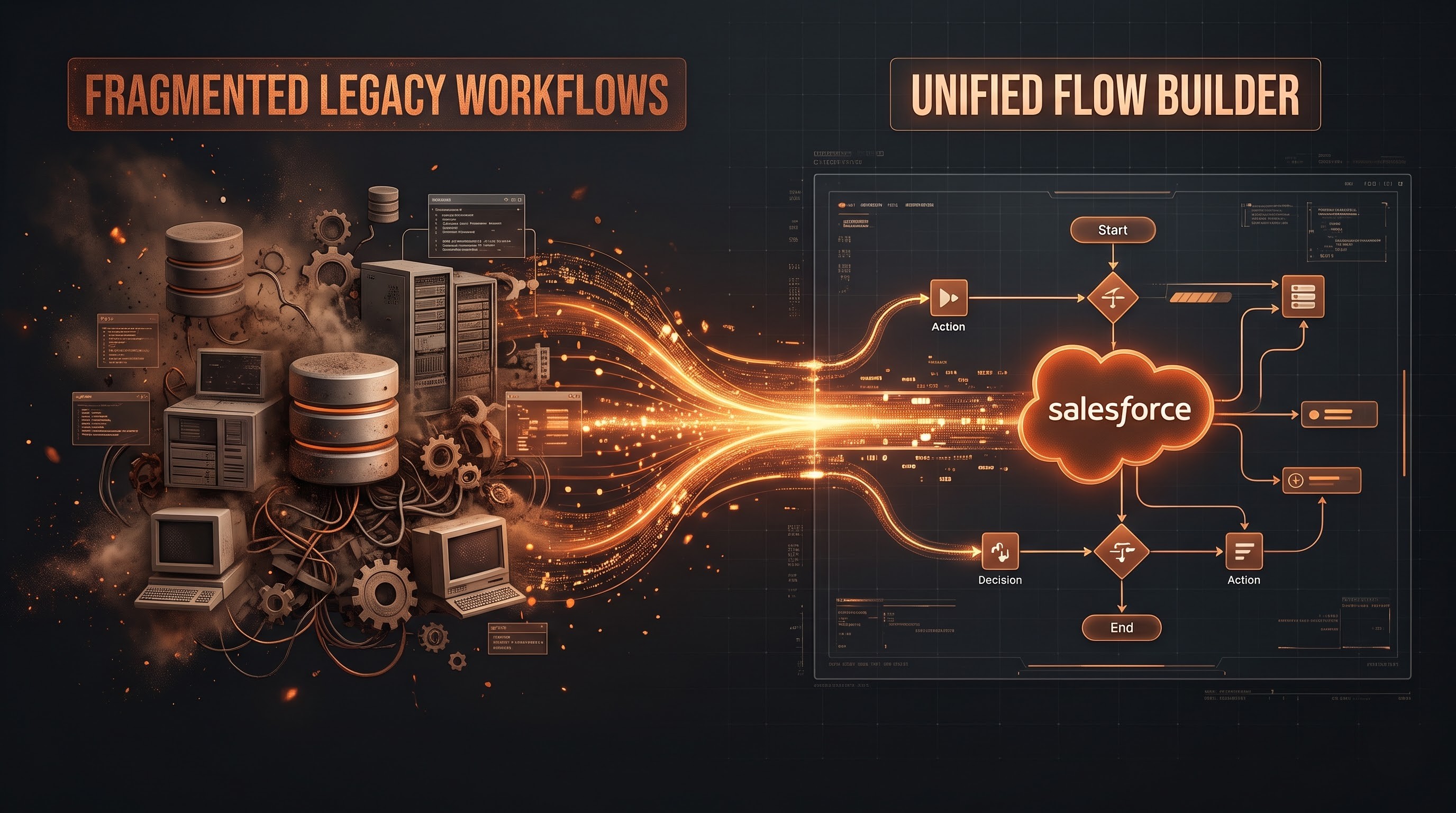
To appreciate the power and importance of Flow Builder, you need to understand the evolution of workflow automation on the Salesforce platform. Salesforce has had a number of legacy automation tools such as Workflow Rules, Process Builder and Apex triggers. These tools worked well for many years but created a fragmented environment where an administrator had to look at multiple tools to get a complete picture of the end to end automation life cycle of a single object.
Workflow Rules were quick and lean, but only went so far — they were limited to simple field updates, email alerts and outbound messaging. Process builder was more visual with branching logic but had performance bottlenecks especially when handling high volume data operations and complex object relationships. If admins wanted custom graphical interfaces to get user input, or do complex data loops and manipulations, they had to rely on developers to write custom Apex.
Salesforce recognised the need for a single, scalable automation engine. Flow Builder was the last nail in the coffin for these legacy tools. Salesforce has combined the power of Workflow Rules and Process Builder into a powerful framework that can easily handle simple record updates, user guided actions, scheduled tasks and background processes. Today, Flow Builder is the de-facto declarative automation standard on the platform and can solve the vast majority of enterprise use cases without writing a single line of custom code.
Basic Flow Builder Architecture
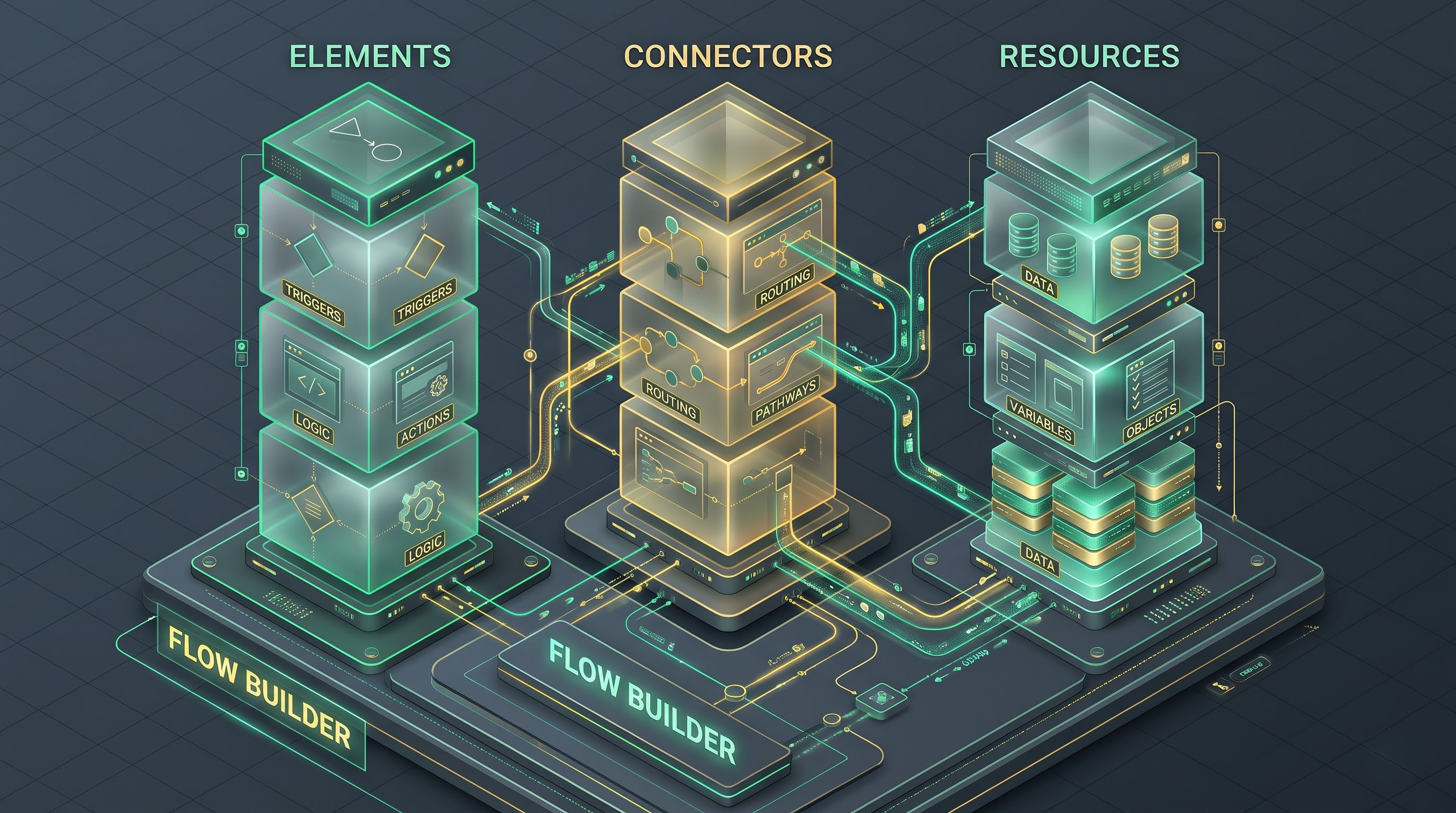
Salesforce Flow Builder enables creators to build logic using graphical elements, connectors, and variables instead of syntax-based code. A flow structure is constructed with three pillars: elements, connectors and resources. Together, these components enable creators to build complex paths of logic, mimicking human decision making and database transactions.
Elements are what a flow actually does. They fall into different categories based on their function. Data Elements allow the flow to interact directly with the Salesforce database to create, read, update, or delete records. The flows can perform condition checks, branch decisions, iterate over data collections, or suspend processes with wait conditions by using logic elements. The system may present screens and action calls as interactive elements for the user interface or for calls to external services.
Through the use of the user-friendly drag-and-drop interface, Flow Builder has changed the way in which organizations approach automation. For those individuals who are interested in becoming well-versed in these declarative technologies and showing off their skills, there is no better way than signing up for a salesforce course.
Connectors define the direction and modality of flow between elements. They can establish the order of execution. Or by conditions. That means they will not go any way unless the exact conditions are fulfilled . With this branching capability, a flow can address many scenarios in a single run-through.
Resources are the variables and containers that store, manipulate and read data throughout the lifecycle of a flow. A variable can contain a single value or a set of records. Constants are fixed values that do not change during execution. Formulas can be used to compute dynamically. You can create your own text templates to format messages or e-mail messages. Together, these architectural elements give creators immense flexibility and precision.
Understanding flow types
Flow Builder isn’t a “one size fits all” tool, but there are a number of flow types that are designed for specific operational scenarios. The first step to building a high performing and scalable automation solution is choosing the right type of flow.
Flows Screen Flows
Screen Flows are interactive graphical interface wizards that guide users through a business process. Background automations are not screen flows. Screen flows require user interaction and can be added directly to Lightning record pages or Experience Cloud portal sites, or launched from utility bars. These are great for complex customer onboarding flows, guided support intake forms, dynamic surveys and multi-step data entry flows where the user needs to provide input before creating or changing records.
Triggered Flows (Record - Triggered Flows)
Record triggered flows are the backbone of background automation. These triggers are automatically called when a Salesforce record is created, updated or deleted. These flows now take the place of the legacy workflow rules and process builders. You can have them run before the record is saved to the database (very fast for field updates and validation checks on the same record) or after it has been saved (good for cascaded updates to related records, sending email notifications or posting updates to chatter feeds). Record-triggered flows also allow for asynchronous processing and scheduled paths, allowing organisations to delay some actions or integrate with external systems without adding latency to the main user transaction.
Induced Flows Schedule
Scheduled-triggered flows are scheduled to run. They run automatically at times and intervals you set, e.g. daily or weekly. They run batch processes (routine data clean-ups, subscription renewal reminders, contract expiration notices, periodic customer follow-ups, etc.) by applying some criteria to a subset of records. No more legacy scheduled Apex jobs for standard admin house keeping.
Flows that auto-run
Autolaunched Flows are database-triggered, do not require user interaction, and run in the background. They can be called from other flows, Apex code, REST APIs or custom action buttons. These are reusable pieces of business logic that can be called from many different contexts ensuring consistency across different automation processes and reducing duplication.
“Business Real World Use Cases & Application”

With Flow Builder any organization, in any industry, can change the way they work, every day. It allows companies to take complex business requirements and translate them into visual logic, and simplifies processes that required a lot of manual intervention in the past.”
Sales operations teams commonly use record-triggered flows to automate lead routing and account management. With flows, you can instantly see the geography, company size and product interest of a new inbound lead you capture and automatically assign ownership to the correct sales rep via email or internal chat notification. When a lead is converted to an opportunity, tasks can be automatically created to remind the sales team to follow up on certain milestone dates.
Screen flows and record triggered flows improve the customer service teams’ support experience. For example, when a call comes in a screen flow can guide a support agent through a systematic troubleshooting questionnaire so that all the required diagnostic steps are followed. If the case is flagged as escalated, record-triggered flow can also automatically update key metrics, notify account managers and even change service-level agreements to ensure timely resolution at the same time.
Workflow processes such as compliance, document generation and patient onboarding are automated by financial services and healthcare companies. With screen flows, intake specialists can gather all required regulatory disclosures and identity verification documents prior to submitting client profiles for approval. Profiles are then routed through multi-tier approval paths (auto-triggered in the background) to ensure strict adherence to internal policies and external regulations.
Benefits of Declarative Automation

Salesforce Flow Builder is a favourite tool because of the many powerful benefits it offers to business stakeholders and technical teams alike.
“Flow Builder democratises automation, which is huge,” he said. This gives business analysts, administrators and operational leaders, or citizen developers the ability to create and manage their own digital processes by swapping out complex syntax for a simple visual interface.This helps reduce the time-to-market process of any new business. Given the rising need for declarative skills, those who want to ascend the career ladder normally take a salesforce certification course.
Secondly, declarative automation is faster and cuts development cost dramatically. The time to write, test and deploy custom code is a fraction of the time to build a solution visually. also visually flows are kept which is very helpful for future updates & maintenance . A trained administrator can open up a flow, read the visual logic path, and make adjustments without having to reverse engineer the lines of code a departing developer has left behind.
Thirdly, Flow Builder offers a level of standardisation and governance. Flow Builder has built in debugging, version control and testing tools to help organisations maintain quality and reliability. Declarative automations are designed to operate within the limits of system resources and to offer a predictable and secure environment for enterprise data management.
Building Robust Flows – Best Practices
Flow Builder democratises automation, but you must follow architectural best practices to build scalable and reliable enterprise solutions. Poorly designed automation can cause performance degradation, errors in the system and data corruption.
The most important rule for successful flow development is to plan before you build. Before even putting brush to canvas, creators should define business requirements, map out logic pathways, identify required data sources and define expected outcomes using flowcharts or written specifications. “You cannot develop directly in a production environment. All development and heavy duty testing have to be done in isolated sandbox environments.
If you are working with big data sets you want to make sure that you optimise performance. In flow design, as a rule of thumb, avoid doing data operation manipulations like create, update or delete inside loops. If you're doing database operations in a loop, you will hit system governor limits very quickly and your transactions will fail. Rather, the developer has to gather records into variables, manipulate them in memory, and do bulkified database operations outside the loop.
Error handling and fault paths matter too. Business processes are complex and have edge cases you didn't expect. For example, validation rules fail, required fields are missing or an integration times out. If a process fails you want to know about it , otherwise silent failures and data discrepancies can occur . Include fault paths to critical data items . Creators should make sure that errors are caught gracefully, that diagnostic information is logged, and that administrators or users are notified.
Ultimately, it is documentation and maintenance that sustain automation portfolios over the long term. Future admins will be able to easily understand, audit and scale the automation infrastructure by providing clear element descriptions, consistent naming conventions, and breaking complicated logic into smaller reusable subflows.
7. The Future of AI and Automation Collaboration
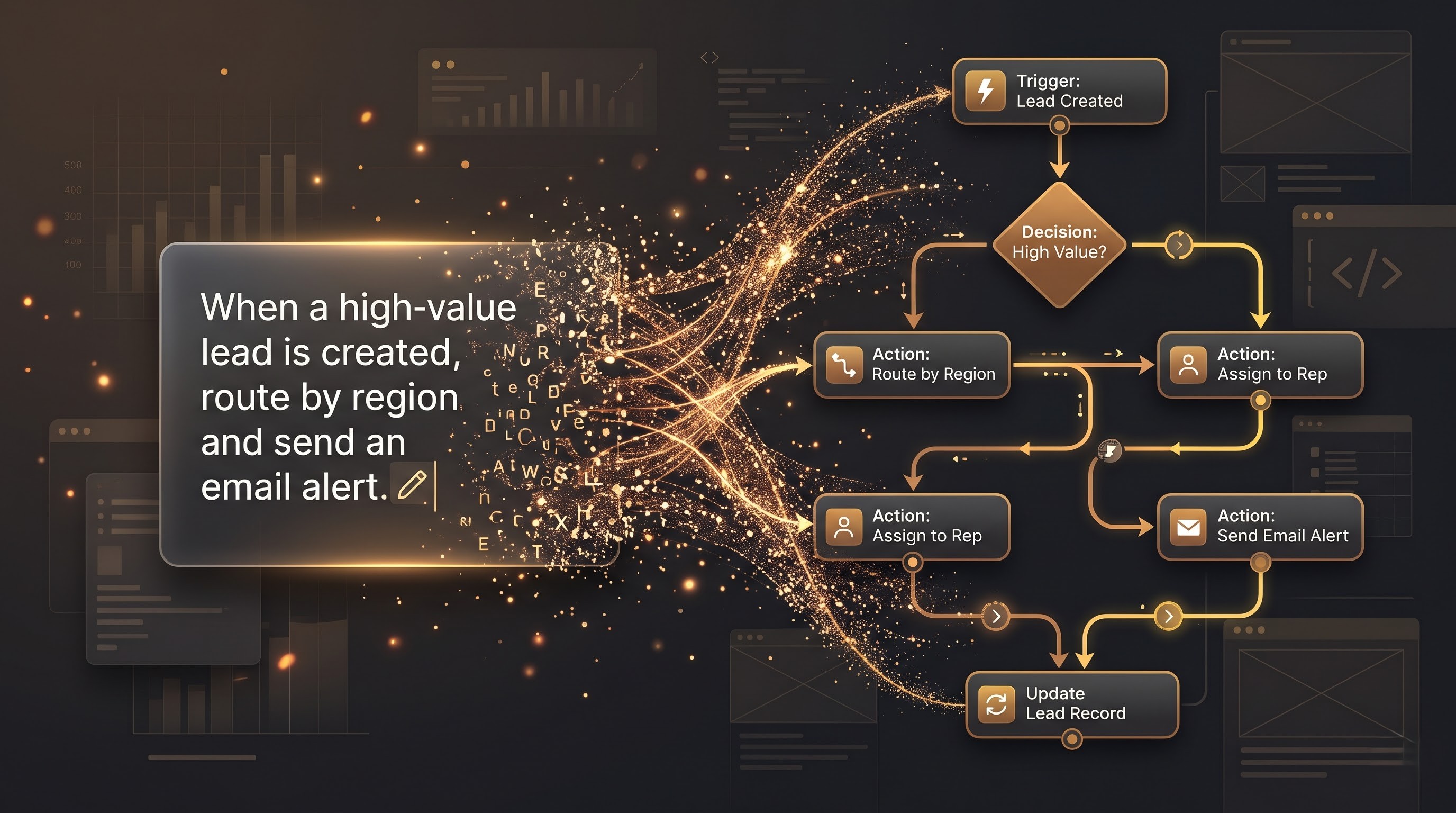
With the evolution of enterprise technology, the addition of artificial intelligence has taken declarative automation to new frontiers. With the latest releases, Salesforce is bringing AI capabilities like Agentforce that are so powerful they will completely change how we think about and develop automation.”
Rather than having to drag and drop elements onto a canvas, creators can describe the business process they want to automate via natural language prompts. The artificial intelligence models will analyse the descriptions and automatically generate the underlying flow structure, propose logic paths and suggest optimal configuration parameters. “Bringing together human intent and smart automation makes it so much easier to begin. Teams can have complex workflows up and running in record time.”
The platform also offers AI-generated insights for admins to assess their existing automation portfolios for performance bottlenecks, duplicated processes, and upgrade recommendations. With the convergence of intelligent agents and automated workflows, Salesforce Flow Builder continues to be the centrepiece of enterprise digital transformation, allowing organisations to respond to changing market conditions with agility, accuracy and confidence.
Conclusion
The Salesforce Flow Builder evolution is a big deal for how modern companies are doing digital transformation and business process automation. It closes the gap between business strategy and technical execution and it enables anyone to create complex workflows. There is no longer need for specialist developers who turn operational requirements into automated systems. Instead, administrators, business analysts and operational leaders are empowered with a powerful, flexible and intuitive declarative framework that transforms complex logic into visual, manageable solutions. This democratisation speeds up innovation, removes operational friction and ensures that those closest to the business problems can build the solutions to solve these problems themselves.
That empowerment is from a rich set of capabilities that can address nearly any enterprise scenario. Flow Builder is the most flexible. From guiding a customer service rep step-by-step through a complex troubleshooting process with interactive screen wizards, to running lightning fast background operations with record-triggered flows that update related records the moment data is created or changed. It reduces the need for manual inputs for repetitive tasks, chances of human errors and ensures that data flows smoothly and accurately between departments. Salesforce's declarative automation solutions have all been brought under one roof, which allows for getting rid of all old tools, and provides for a more clear-cut and easy to deploy solution.
However, only through discipline, foresight, and architecture can the full potential of the Flow Builder be unleashed. Building scalable enterprise solutions is not a sprint, it’s a marathon. That means a lot of planning, a lot of testing in isolated sandboxes and a lot of focus on performance optimisation. Design: Developers need to think about the design, for example, not doing manipulation of data operations in loops to follow system governor limits and designing for a good fault path to handle unexpected errors gracefully. Companies that combine best practices with clear documentation and consistent naming conventions can help keep their automation portfolio healthy, resilient and easy to audit as the company scales.
With AI becoming increasingly embedded in the Salesforce ecosystem, declarative automation will only get better in the days ahead. Workflows will shift from manual drag and drop design to intuitive natural language collaboration and generative capabilities and intelligent agents will be more deeply embedded. Creators can define their business objectives and AI assistants can help build, optimise and fine-tune the logic paths beneath. Combining human creativity with machine intelligence will further break down barriers to allow organisations to respond to changing market dynamics with unprecedented agility.
It is due to the fact that Salesforce Flow Builder is not only a configurator. It smartly boosts operational efficiency in businesses and customer satisfaction simultaneously. Businesses can optimise their processes, data integrity and scalability without any shortcomings of legacy code writing methods. Successful application of Flow Builder requires proper planning, learning and mastery in its use.