
ServiceNow Admin Instance Cloning: Plan, Execute & Post-Clone
Last updated on Nov 26, 2026
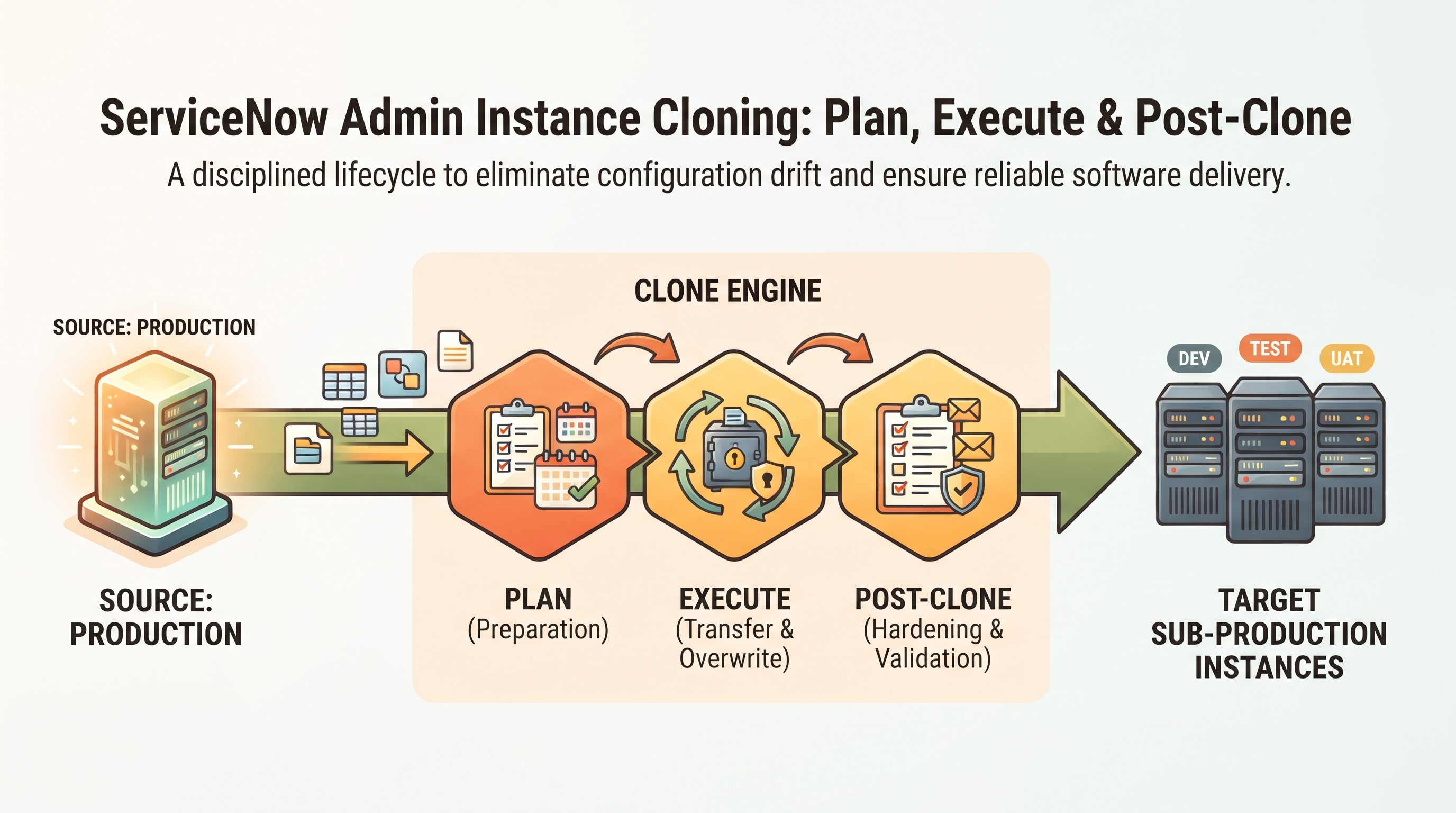
In an enterprise ServiceNow environment, it’s critical to keep development, testing, staging and production instances in parity to ensure reliable software delivery. Over months of active development, bug fixes, hotfixes and experimental configurations, lower environments naturally drift away from the reality of production. When a development or quality assurance instance is out of sync with production data, business rules, controls over access, or integration states, testing can become unreliable and deployment risks can increase dramatically.
ServiceNow instance cloning is the fundamental administrative discipline to remove this environmental drift. Organisations refresh their lower environments to a clean, realistic baseline by copying the database and application files from a source instance (most commonly Production) into a target sub-production instance. But cloning overrides the target database completely, and if it’s not treated as a structured lifecycle and just a routine button click, it can lead to lost dev work, broken integrations, unintended outbound emails to real end users, and compromised security.
A disciplined cloning lifecycle requires proper preparation, precise execution, and thorough post-clone verification. Managing these three steps successfully, which is one of the most crucial skills in full servicenow admin online training, ensures that each refresh would improve the stability of the platform instead of disrupting the service delivery.
How Instance Cloning Works & Why It’s A Smart Move
Instance cloning is basically a database level replication process controlled by the ServiceNow cloud infrastructure. Once a clone request is made, the platform engine will create a backup snapshot from the specified source instance (usually this will be the latest nightly backup), and copy that data set across the target instance, overwriting any existing tables, records and configurations unless otherwise noted.
Organisations depend on the frequent cloning cycles, typically on a quarterly basis or at major release milestones, to achieve several key operational goals:
Eliminating Configuration Drift Over time, aborted update sets, experimental prototypes and temporary workarounds accumulate in sub-production environments. Cloning eliminates technical debt and restores a single source of truth.
High-Fidelity Testing: Only by running against realistic data volumes, active user hierarchies and current production business logic can meaningful results be obtained from user acceptance testing and automated test frameworks.
Fast-Tracking Root Cause Analysis: A critical defect is only observed in production. By replicating that exact state in a new cloned staging or test instance, engineers can safely reproduce, diagnose, and validate fixes without putting live operations at risk.
Preparing for Platform Upgrades: To prepare for upgrading production to a new ServiceNow family release, administrators clone production down to sub-production instances, so upgrade previews, skipped record reviews, and regression tests reflect true production complexity.
It is just as important to know the direction of the clone and the order of environments. Most mature organisations follow a cascading refresh pattern, cloning Production down to User Acceptance Testing or Staging first, then Quality Assurance or Test, and finally Development. The ordering ensures that active test and release validation pipelines are stabilised before developers start building new features on top of the refreshed baseline.
Phase 1: Full Clone Planning and Pre-Clone Preparation
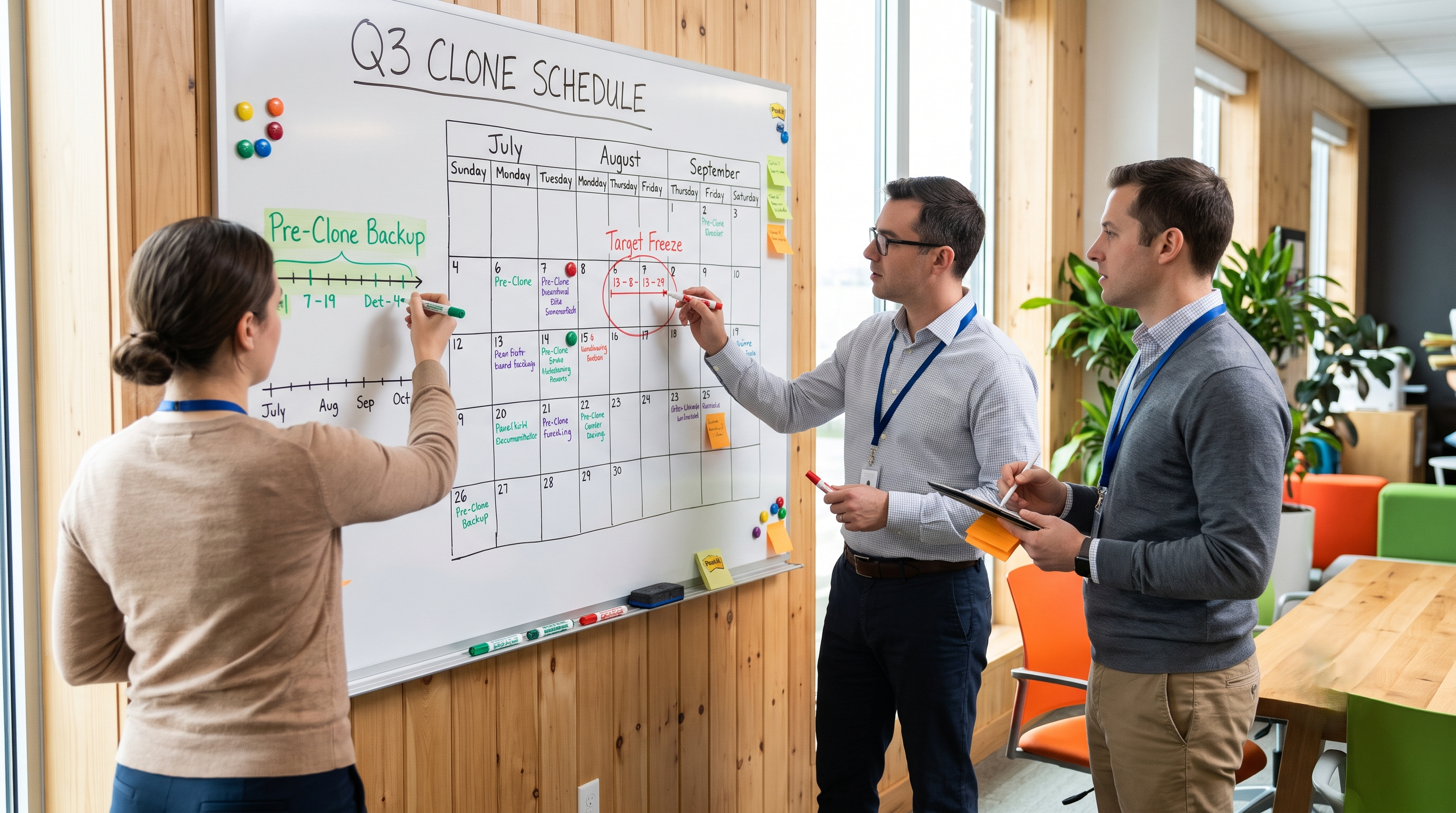
The success or failure of a ServiceNow clone is determined well before the clone request is submitted. As the clone engine effectively replaces the target instance, pre-clone planning is centred around three pillars: stakeholder alignment, work-in-progress protection, and surgical configuration of clone rules.
Setting governance, communication and scheduling
Anyone working within the target environment is affected by the cloning. Active user sessions will be disconnected, background jobs will be killed and any unbacked local changes will be lost forever. So that means admins need to set a predictable cloning calendar and communicate clearly across all engineering, testing and business teams.
Good communication starts at least one to two weeks prior to the planned clone window. Stakeholders need to know which target instance is being overwritten, the exact cut-off deadline for saving in-flight work, the expected downtime window when the target instance will be unavailable and when the environment will be handed back for normal use. Also, ServiceNow needs a minimum lead time (usually at least four hours) when scheduling a clone request, and administrators should schedule executions during off-peak hours or weekends to minimise operational impact and use the freshest nightly backup.
Securing In-Flight Development and Target Artefacts
Before the clone engine touches the target database, each developer and administrator must back up any work that has not yet been promoted to production. If you rely on memory or informal tracking, you will almost certainly lose effort.
Update Sets: All local update sets in progress or completed on the target instance must be exported to external XML documents and stored in a secure version control repository or shared drive. Administrators must check the list of local update sets on the target instance to ensure there are no uncommitted changes in the Default update set left by a developer.
Scoped Applications and Source Control: For custom scoped apps that are connected to Git repositories, developers should commit and push all local changes to remote branches before cloning. If an application is not connected to source control, it must be published to the application repository, or exported as an update set, so it can be cleanly reinstalled later.
Environment Specific Configurations: Some records are only in sub-production instances and should not be overridden by production counterparts. Even with data preservers configured, admins should export xml backups of target specific system properties, MID Server configurations, Single Sign-On certificates, integration endpoints, credential aliases, and local test user accounts as a secondary safety net.
Active plugins: If developers have activated new ServiceNow plugins on the target instance that are not yet activated in production, these plugins will disappear during the clone. The active target plugins are recorded in a list in advance so that they can be quickly reactivated after the refresh.
Create Clone Profiles, Exclusions and Data Preservers
ServiceNow offers a declarative framework, which is set up on the source instance, typically through the Clone Admin Console or System Clone modules. This allows for automatic reconfiguration post-clone, without manual effort. Cloning can be considered highly technical when it comes to how the relationship among Clone Profiles, Exclusions, and Data Preservers is managed. This is one of the modules covered servicenow admin full course.
Clone Profiles are reusable templates that associate certain clone options, exclusion lists, data preservers and cleanup scripts for a specific target environment. Instead of having to manually reselect rules for each request, administrators maintain dedicated profiles (for example one for Development and one for Quality Assurance) ensuring consistent behaviour across every refresh cycle.
Clone Exclusions tell the clone engine to exclude copying specific tables from the source instance to the target instance. Removing unnecessary or sensitive tables saves time in cloning, saves storage space on sub-production instances and avoids operational noise from production propagating to lower environments. Typical candidates for exclusion are
Large transactional log tables such as system logs, event logs, email logs, transaction audit histories, etc. bloating the database size without providing any testing value.
Large attachment data, no need to attach historical production files when testing workflows.
Production-specific MID Server records and orchestration queues that should never forward sub-production traffic to production infrastructure.
Sensitive compliance tables or PII tables where corporate governance restricts copying raw production records to non-production tiers.
One important nuance that frequently takes administrators by surprise is the fact that a Clone Exclusion, by itself, does not protect existing target data. If you exclude a table, the clone engine does not copy data from the source, and the target table will be empty, unless you also specify a corresponding Data Preserver.
Data Preservers address this issue by capturing certain records from the destination instance just before the database overwrite and then restoring them into the destination database after the copy phase is complete. Data preservers are essential to preserving the environment identity and administrative continuity.
Theme and Instance Branding: By maintaining system attributes like those for instance banner color, header title, and favicon, it is easy to tell if a sub-production instance or production, which helps to minimize chances of unintended changes being made through the wrong browser tab.
Authentication and SSO Settings: Maintaining records of the local identity provider, SAML certificates, and local administrators user accounts are crucial to avoid locking out the administrator users who are overwritten by the production SSO URLs.
Developer and Tester Access: In most cases, developers are more empowered than testers in the development and testing environment when compared to production environment. Therefore, it is important to maintain user records, group memberships and roles to allow engineering teams to access the cloned instance immediately without violating least privilege production security principles.
Integration Endpoints and MID Server Maintenance: Records of MID servers in target systems, OAuth entity profiles and REST/Soap endpoint settings might be needed to ensure that sub-production instances don’t make API calls to production systems like ERP, HR, or Identity Management Systems.
Preparing Post Clone Cleanup Scripts
Existing records on the target are protected by Data Preservers and Cleanup Scripts run automatically on the target instance after the copy and preserve phases of the data load are completed. Source instance cleanup scripts with defined execution orders automate repetitive post-clone adjustments. For example, administrators can write cleanup scripts that automatically deactivate outbound email properties, point integration system properties to sandbox URLs, mask sensitive customer email addresses or phone numbers in user tables, and reset scheduled job node associations. Custom cleanup scripts should have robust error handling, because an unhandled exception in an early cleanup script can stop later scripts in the sequence from running.
Phase 2: Execute and Monitor the Clone Process
Once preparation is complete, in-flight update sets are safely backed up and clone profiles have been reviewed, it is time to execute. Doing this correctly avoids some disastrous mistakes, most notably cloning in the wrong direction.
Verifying Target Registration and Credentials
You always start a clone from the source instance, or environment you want your data copied from. Before submitting a request, administrators ensure that the target instance is properly registered under the Clone Targets module on the source. To register a target, you need to provide the URL of the target instance and valid credentials for a user that has the administrator or clone administrator role on that target instance.
By default, ServiceNow prevents any attempts to clone over a production instance, which is an important safety measure. However, administrators should still review source and target fields carefully to make sure a staging instance is not overwritten by an active user acceptance testing environment.
Submit Your Clone Request
The administrator sets the final execution parameters in the Clone Admin Console or the Request Clone interface on the source instance:
Source and Target Selection: Confirm the source instance and select the target instance you want from the list of registered instances.
Clone Profile Attach the pre-configured: Clone Profile so all vetted exclusions, data preservers and clean up scripts are enforced automatically.
Reviewing Clone Options: Check the checkboxes on the request form carefully. Options such as “Don’t copy audit and log data,” “Don’t copy large attachment data,” and “Preserve theme properties” directly affect what gets copied to the destination database. Administrators should know the exact behaviour of the options such as ensuring that excluding audit and log data corresponds to their defined exclude table rules.
Scheduling and Notifications: Schedule the start time , while observing the minimum lead-time window , and define a distribution list of administrators and release managers to receive automated status notifications when the clone starts , encounters warnings , or completes .
Authentication and Confirmation: When the submission is made, the system will ask the target administrator for credentials to authenticate the destructive overwrite. If the clone request was authenticated, it is then put in the scheduled queue.
What Are the Various Stages of Internal Clone Execution?
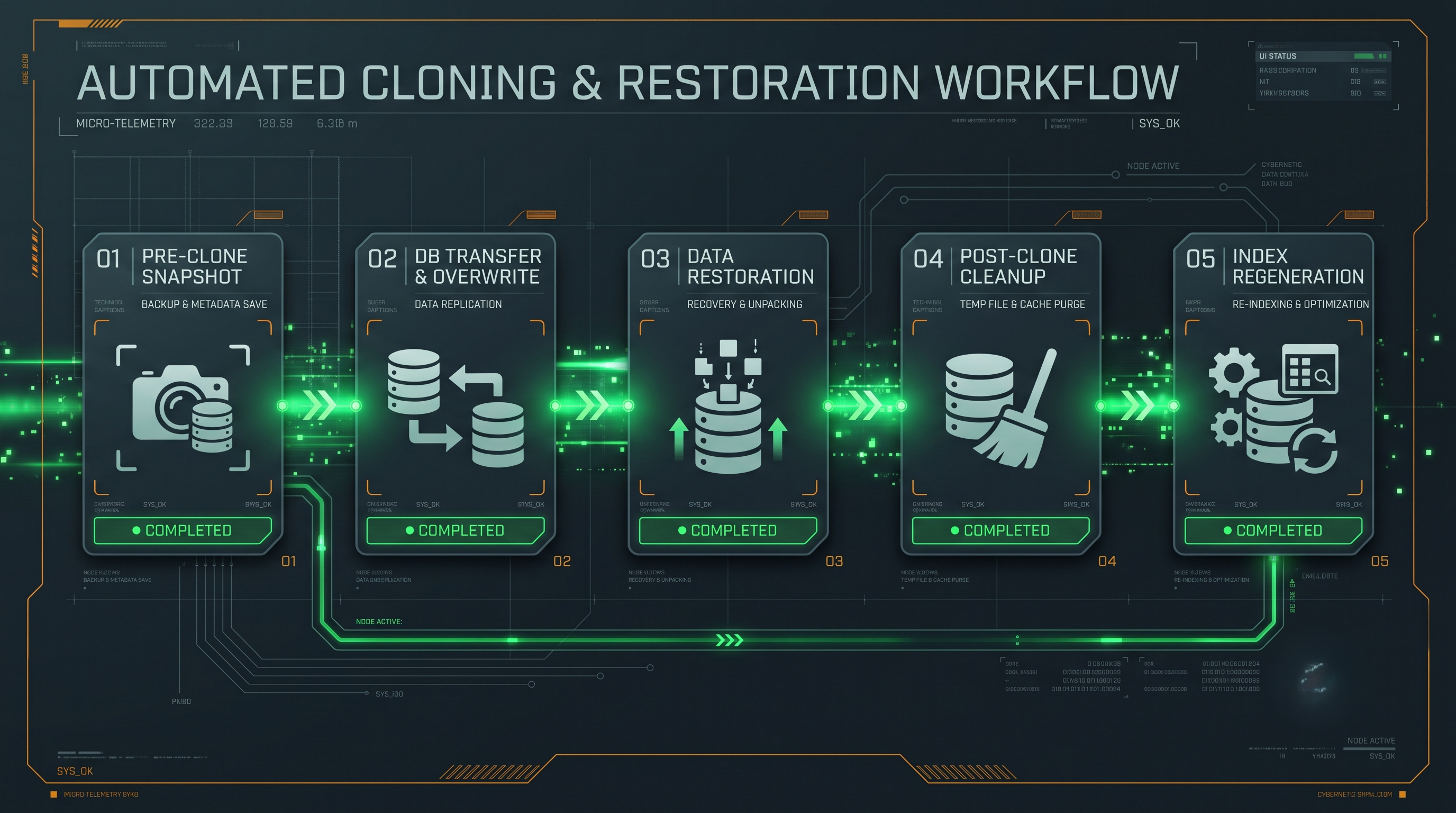
During the preconfigured window, behind the scenes, the ServiceNow cloud infrastructure choreographs a few different phases:
Pre-Clone Snapshot and Validation: The clone engine validates network connectivity, storage capacity and version compatibility between source and target. It then collects and saves all target data matching the configured Data Preservers.
Database Transfer and Overwrite: The engine uses the latest eligible backup on the source instance to transfer the database schema, application files and records in non-excluded tables to the target instance and overwrite the target database. The target instance is at this time not available for the end users.
Data Restoration: Once the core database transfer is complete, the engine injects the saved target records into their respective tables.
Run Post-Clone Cleanup: The target instance starts and runs in sequence all active post-clone cleanup scripts from the clone profile and built-in cleanup tasks from the platform (such as clearing old scheduled job node associations and scheduling the removal of temporary pre-clone backup tables).
Text Index Regeneration: Text search indexes are not replicated over to the database. To make sure search functionality works properly, the platform creates background jobs to regenerate global text indexes.
Error Handling and Progress Monitoring
The administrators can use the Active Clones or Clone History modules on the source instance to monitor progress during execution. Modern ServiceNow releases offer a centralised Clone Admin Console with real-time progress indicators, stage logs, and visibility into cleanup script statuses.
If an urgent business need arises with a clone still running, administrators can cancel the active clone from the clone request record. Please note: Additionally, if a finished clone suffers from severe corruption or an unrecoverable configuration mistake, ServiceNow keeps temporary pre-clone backup tables for a short period of time, usually up to 24 hours, and administrators can request an emergency rollback via ServiceNow Customer Support.
Phase 3: Post Copy Hardening & Validation Activities
Just because you get a completion email from ServiceNow does not mean the target instance is ready for developers or testers. When a clone is done the target instance is essentially a carbon copy of Production sitting inside a non-prod URL. If left alone it will behave like Production: sending emails to real customers, calling outbound integrations against live enterprise systems and running scheduled batch jobs.
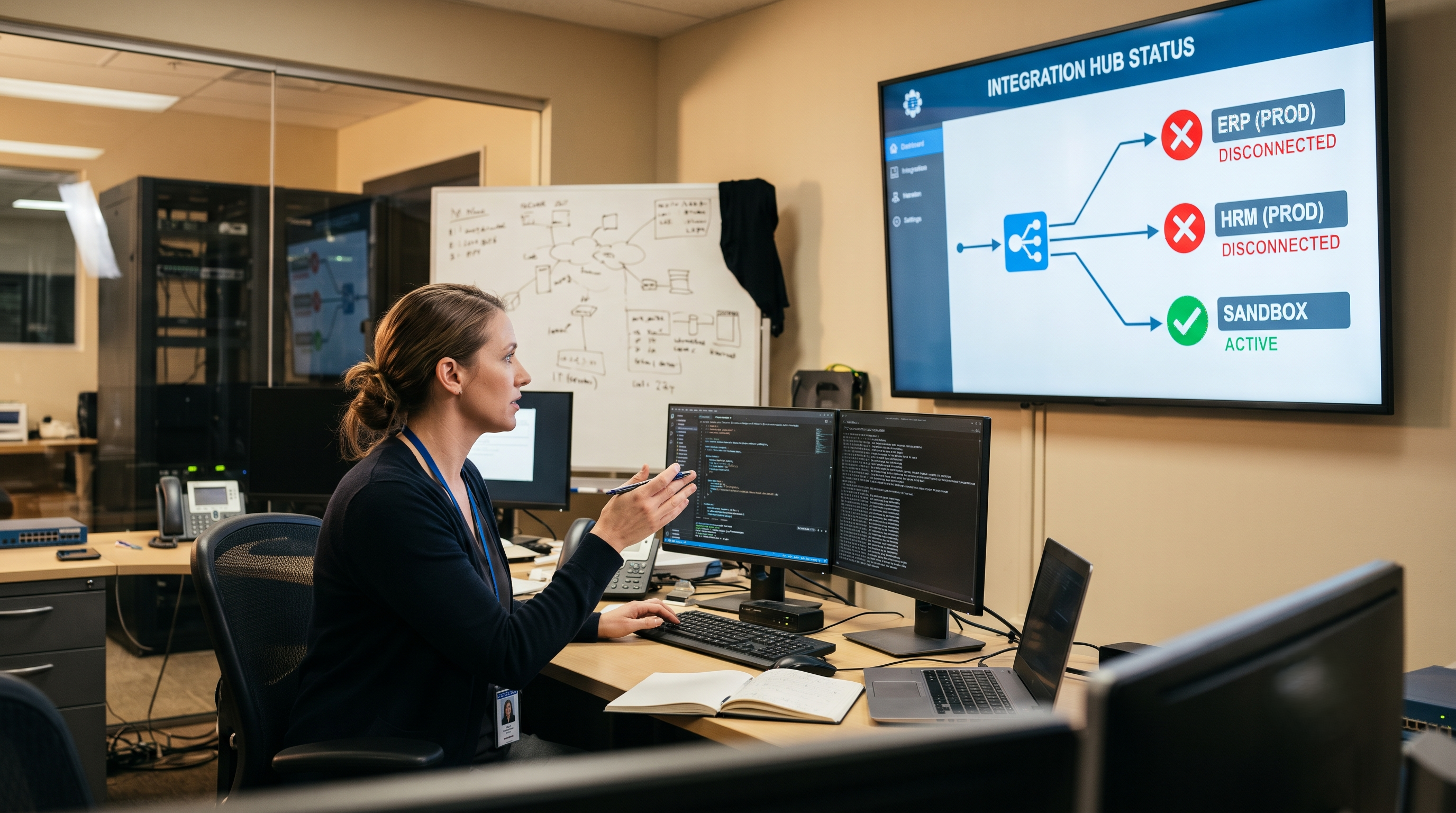
Before the instance is opened up to general users, there needs to be a comprehensive post-clone hardening and validation checklist.
Instant containment: email, integrations, background jobs
In the first 15 minutes after clone completion, the highest priority is to prevent the cloned instance from communicating externally with production systems or real end users:
Check Outbound and Inbound Email Controls: Administrators should immediately check the Email Properties module to ensure that sending and receiving of email is disabled or a test email address override is enabled. Even if a cleanup script is configured to disable outbound email, manually verifying this and purging any queued emails in the outbox that were captured during the source snapshot prevents accidental mass notifications to employees or external customers.
Audit external integrations and endpoints: Audit all REST Message, SOAP Message, JDBC Data Source, LDAP Server, and Integration Hub spoke alias connections. Credential aliases will generally be found to be empty since credentials are stripped when cloning the instance for security reasons. The key thing for the administrator to ensure is that the URLs used by all the integrations are sandbox endpoints and that all non-production API keys, OAuth tokens, and service account passwords are updated.
Revalidate and Restart MID Servers: Cloned MID Server records often get into a down or unvalidated state because the authentication credentials or configuration parameters are different between environments. Administrators should review the MID Server dashboard and resolve any credential issues that have been flagged, validate the MID Servers so that they communicate securely with the target instance, and update any discovery schedules or orchestration workflows that specify particular MID clusters.
Review Scheduled Jobs and Background: Workers Production instances run dozens of scheduled scripts, data imports and automated report distributions. Administrators should review active scheduled jobs and deactivate non-essential production batch jobs or report schedules that may generate unnecessary system load or external file transfers in a lower environment.
Checking Controls of Access, Security, and Cleanup Scripts
When the external boundaries are secure, administrators ensure that internal platform configurations and access restrictions are in line with sub-production governance:
Review Cleanup Script Execution Logs: On the target instance, check the Cleanup Script Execution status view, or on the source, check the Multi-Instance View and verify that all post-clone cleanup scripts completed without errors. If a script failed or was skipped because of a prior failure, fix the issue and run the script manually.
Check Data Masking and Compliance: If your company’s policy requires personally identifiable information to be anonymised in non-production environments (e.g., social security numbers, bank account information, home addresses, or personal phone numbers are masked), ensure that the data masking jobs or cleanup scripts have effectively scrubbed those fields in the user, HR, and customer service tables.
Validate Authentication, SSO and User Roles: Try logging in with both Single Sign On and local admin accounts. Verify that the preserved developers and QA analysts have the needed elevated roles on the target instance and that general end users cannot accidentally log in and submit live tickets into a testing environment.
Check Visual Instance Identifiers: Ensure that the target instance has its unique sub-production banner colour, instance name label and system properties to give users unmistakable visual confirmation they’re working in a non-production environment.
Re-implementing In-Flight Work and Target-Specific Features
Once the baseline environment has stabilised and been hardened, the administrators bring back the legitimate target-specific work backed up during Phase 1:
Re-enable Target Plugins: Re-enable any ServiceNow platform plugins or store apps that were enabled on the target instance before the clone, but are not yet live in production.
Connect Source Control Again and Reapply Scoped Apps If you have custom apps that are managed by Git, check the source control repository configuration. If the clone rolled back the application to an older production version, pull the latest changes from the remote branch or reinstall the newer customisation version from the application repository.
Import and Commit Backed-Up Update Sets: Export the XML update sets prior to the clone, detect conflicts in the update sets with the new production baseline refresh and commit the approved updates. This will allow us to migrate the active development onto the refreshed production baseline.
Smoke Testing and Functionality Handover
Before making the declaration about completed clone, the administration team, in conjunction with the QA team, performs an official smoke testing of the critical functionalities of the platform:
Core Work Flow Testing: Creation, assignment, approval, and closure of the core records such as incidents, change requests, and service catalogue items through an entire cycle.
Execution of the Automated Test Framework Running the automated test framework test suites will help in the quick testing of business rules, client scripts, UI policies and ACLs on the refreshed data set.
Text Search Index Checking Once the regeneration of text index is completed, check that the global text searches and portal searches provide the correct results.
All smoke tests pass, all post-clone checklists are signed off. The administrators then publish a completion announcement to all stakeholders. This communication will confirm the unlocked environment, summarise any specific changes or updated update sets, and remind teams of any updated test credentials or sandbox endpoints.
Conclusion
ServiceNow instance cloning is not just a routine maintenance task; it is the foundation of a healthy and predictable release management lifecycle. By considering cloning as an end-to-end discipline with proactive communication between stakeholders, prudent backups, well-governed clone profiles, controlled execution and solid post-clone containment, organisations can prevent environment drift and protect data integrity and operational security. Provided that everything is done with utmost precision, then the platform foundation will be refreshed on each and every clone, thus everyone will have all the confidence to implement these changes. In case one would like to learn how these processes operate in reality, then one should enroll for servicenow admin certification training.