
Top Skills Required to Become a ServiceNow Administrator
Last updated on Nov 12, 2026
Introduction to ServiceNow Administration and Modern Platform Scope
The ServiceNow System Administrator position has evolved quite a bit over the years. In the early days of enterprise cloud computing the administrator role was basically limited to basic user provisioning, password management, form maintenance and simple incident queues. ServiceNow today is a lot more than a traditional ITSM tool. It is a full-featured enterprise workflow platform for human resources, customer service operations, security operations, software asset tracking and custom application development.
Since the platform is at the heart of the digital operations of global enterprises, the skills required to administer the platform successfully must encompass technical configuration, operational governance, process understanding and cross-functional communication. They count on their admins to do more than just keep the lights on. They use them to optimise workflows, maintain data integrity, protect sensitive corporate assets, and ensure smooth platform upgrades. This is a high-demand career path, requiring a well-rounded portfolio of competencies for aspiring and practicing administrators.
This is just one of the professions which call for different skills on the part of an individual aspiring to be an administrator. For all those who want to build skills, it would be wise if you took up a servicenow admin course.
Build Your Instance and Explore the Core Platform
An administrator must possess a minimum knowledge of ServiceNow environment architecture and navigation. Whenever you interact with the platform, whether building custom applications, auditing security logs, or responding to user requests, you must understand how instances are structured, configured, and personalised.
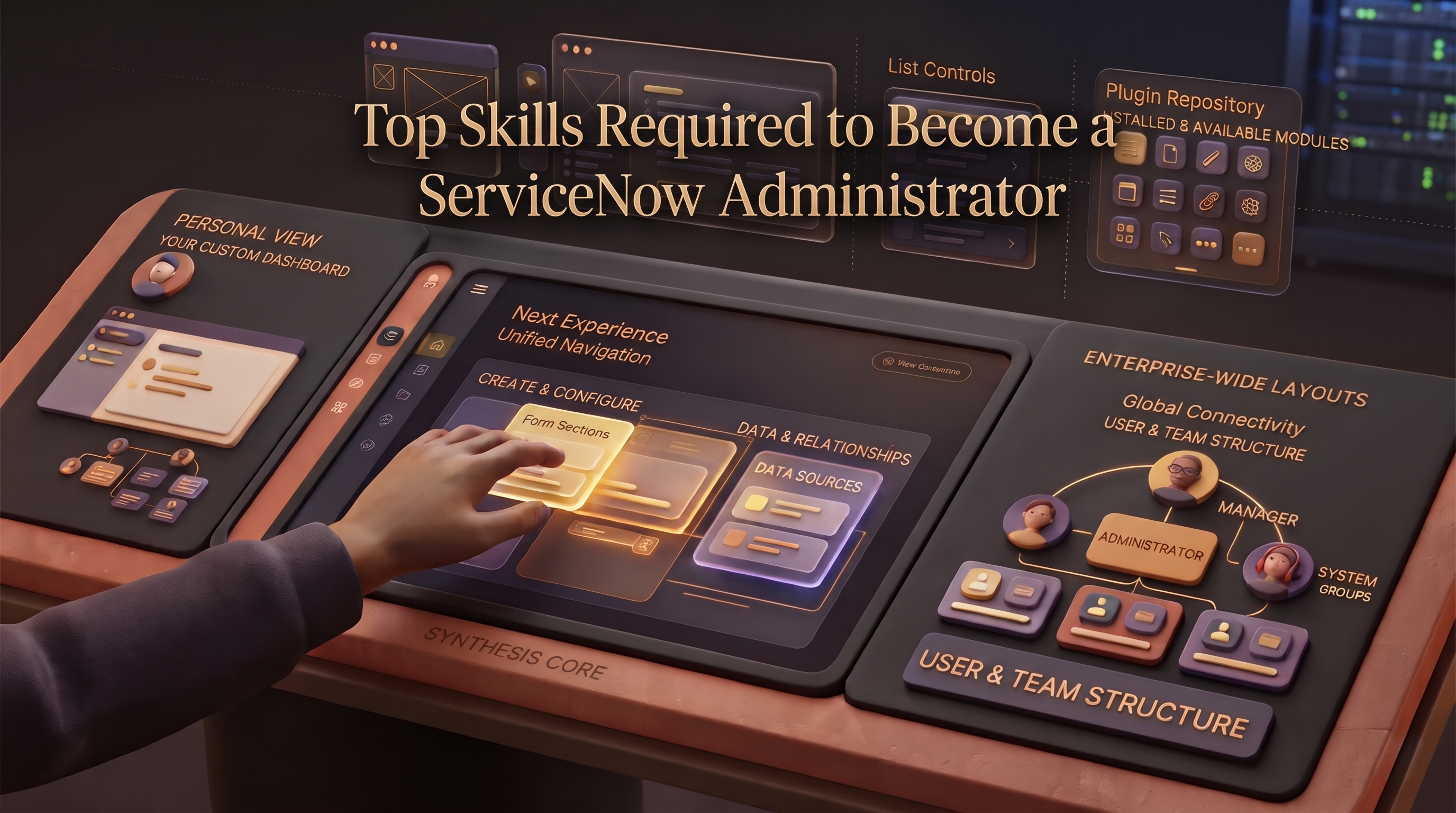
Administrators must be very comfortable with the Next Experience Unified Navigation interface and know how to quickly find applications, modules, lists and forms. This includes list controls, filter builders, tags and personalised views, enabling business units to interact with data efficiently. Beyond the daily navigation, administrators will need to know how to install, manage and configure plugins and applications from the ServiceNow store or internal repositories.
Configuration management also allows you to tailor forms, lists and view rules without creating performance bottlenecks. Administrators need to know the difference between personalising an interface for a single user, and configuring it for a department or enterprise role. They should be skilled in working with form layouts, related lists, and form sections, following best practices to minimise user interface clutter and ensure fast page load times for users in global offices.
User, Role & Access Management
Security is a key consideration for any deployment of enterprise software, and the ServiceNow administrator is the first line of defence for an organisation’s data. Careful attention to detail, following the principle of least privilege, and a good understanding of the ServiceNow security model are key to getting the right people to the right things inside the platform.
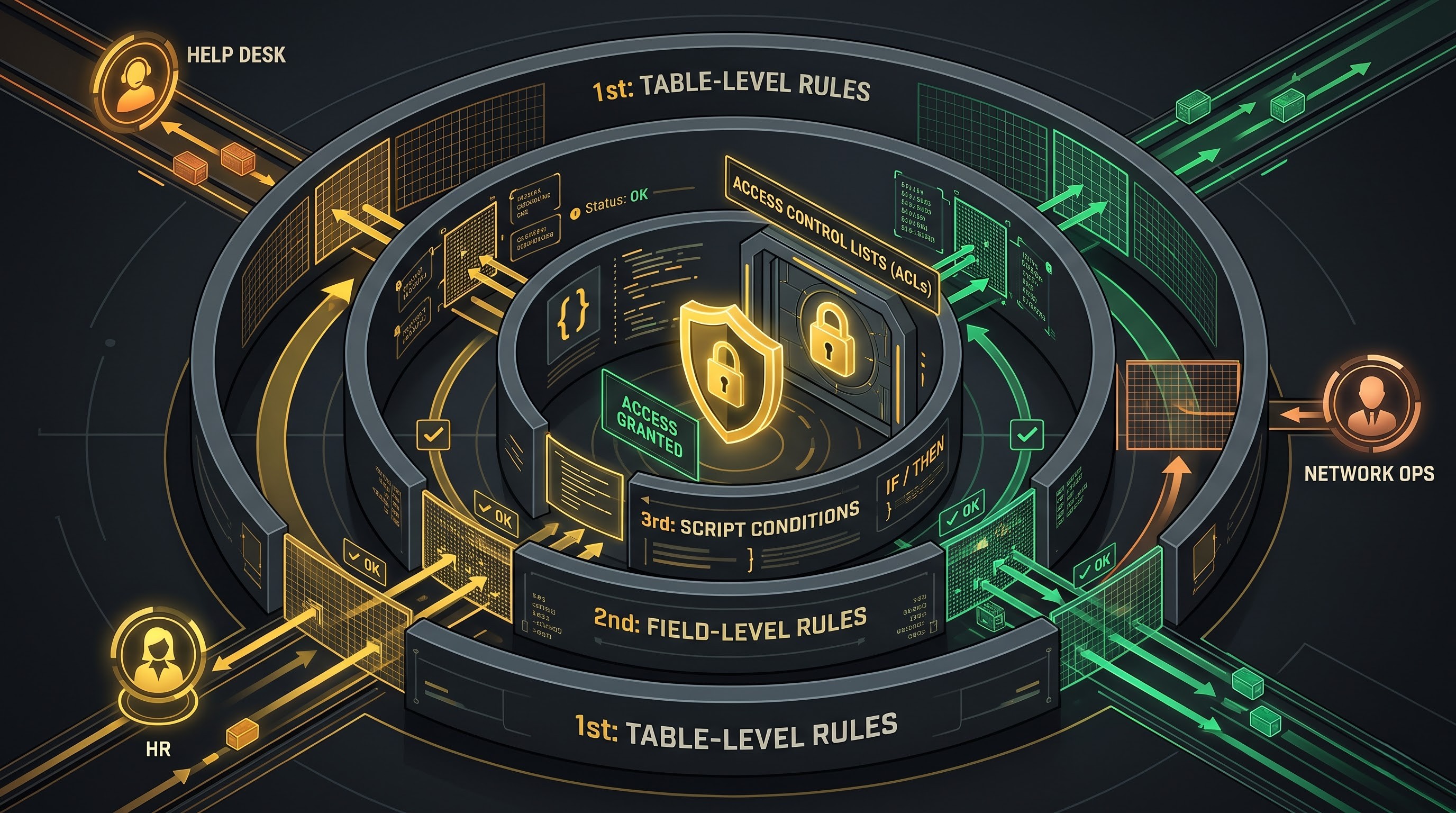
Administrators spend a lot of time setting up and maintaining users, groups, and roles. Instead of assigning permissions to individual user accounts, administrators should create functional groups for users based on their business units, such as Network Operations, Help Desk Tier 1, or Human Resources. These groups are then given roles that provide the appropriate level of access across applications and modules.
Administrators also need to be aware of Access Control Lists (ACLs). An ACL rule checks whether a user is allowed to perform a specific operation like Create, Read, Update or Delete on a particular object, record or field. A skilled administrator will be able to trouble shoot complex visibility issues to ensure that sensitive financial, personal or security records are not visible to unauthorised eyes, but are available to those who have legitimate operational needs. One of the big skills that distinguishes novice operators from expert administrators is knowing the order in which ACLs are evaluated (table-level rules, field-level rules, and script conditions).
Database Schema and Data Governance Understanding
ServiceNow is a relational database architecture. Tables, records and fields store data. You don’t need to be a database engineer to be an administrator, but you do need to understand things like data structures, table hierarchy and schema relationships to keep the system healthy and the reporting accurate.
It helps to understand parent/child table relationships, like how the task table extends to incident, problem, change_request and sc_req_item. Administrators must be very aware of how these schema changes impact downstream processes, as schema changes in the parent table cascade down to children tables. They need to be able to create custom tables, add custom fields with the correct data types (like reference fields, journal fields, or choice lists), and apply data validation rules.
“Another important duty is data hygiene. Lots of organisations have to import legacy data into ServiceNow from spreadsheets, external databases or other ITSM products. Administrators should know the data import framework, including data sources, transform maps, coalescing fields to avoid duplicate records, and how to handle errors in import sets gracefully. Referential integrity, regular data audits and archiving of old records keep the instance performant and uncluttered through years of heavy enterprise usage.
Configuration of IT Service Management (ITSM) Process
ServiceNow was born as an IT Service Management solution so most of the administrative roles require a good functional understanding of core ITSM processes like Incident Management, Problem Management, Change Management and Request Fulfilment.
The administrator must understand how these processes work in the real world, and how to map business requirements to platform configurations. For example, an Incident workflow configuration consists of assignment rules, priority matrices based on impact and urgency, Service Level Agreements (SLAs) and trigger conditions for email notifications . Similarly, Change Management should be configured with approval gates, risk assessment calculators and blackout windows to prevent unauthorised or risky changes to infrastructure.
The administrator must also be aware of how to handle SLAs beyond the default configuration. It is crucial for an administrator to be able to create SLAs, create SLAs retroactively using record modifications, and configure breach notifications for support managers before deadline expiration. By integrating platform behaviour with ITIL (Information Technology Infrastructure Library) best practices, the organization can maximise the value it receives from its ServiceNow investment.
Service Catalogue Design and Process Automation

In today’s organisations, service delivery should be quick and automatic. Users want to order hardware, request software licenses and onboard new employees in a user-friendly digital marketplace similar to those used for consumer e-commerce. So, managing the Service Catalogue and workflow automation are important skills for any ServiceNow admin.
Administrators create and maintain service catalogue items, producers, order guides and variable sets. They need to know how to set up catalogue variables that capture the exact information required for fulfilment without over burdening the end user. This is where you use ui policies and client scripts to show/hide questions dynamically based on previous selections.
These requests are automated by administrators using modern workflow orchestration tools such as Flow Designer and Workflow Studio . With Flow Designer, administrators can build powerful reusable automated logic with visual drag-and-drop interfaces rather than legacy static workflows. They can generate auto-approvals, alert external parties, distribute linear or parallel tasks to different departments, and generate simple subflows. These automation tools enable administrators to remove manual handoffs and greatly reduce fulfilment times across the enterprise.
Configuration Management Database (CMDB) and CSDM Fundamentals
The Configuration Management Database (CMDB) is often described as the single source of truth for an enterprises’ IT infrastructure. It includes information about hardware, software, virtual machines, cloud resources and the complex relationships between them. One of the most difficult and important tasks given to a ServiceNow administrator is keeping a functioning CMDB.
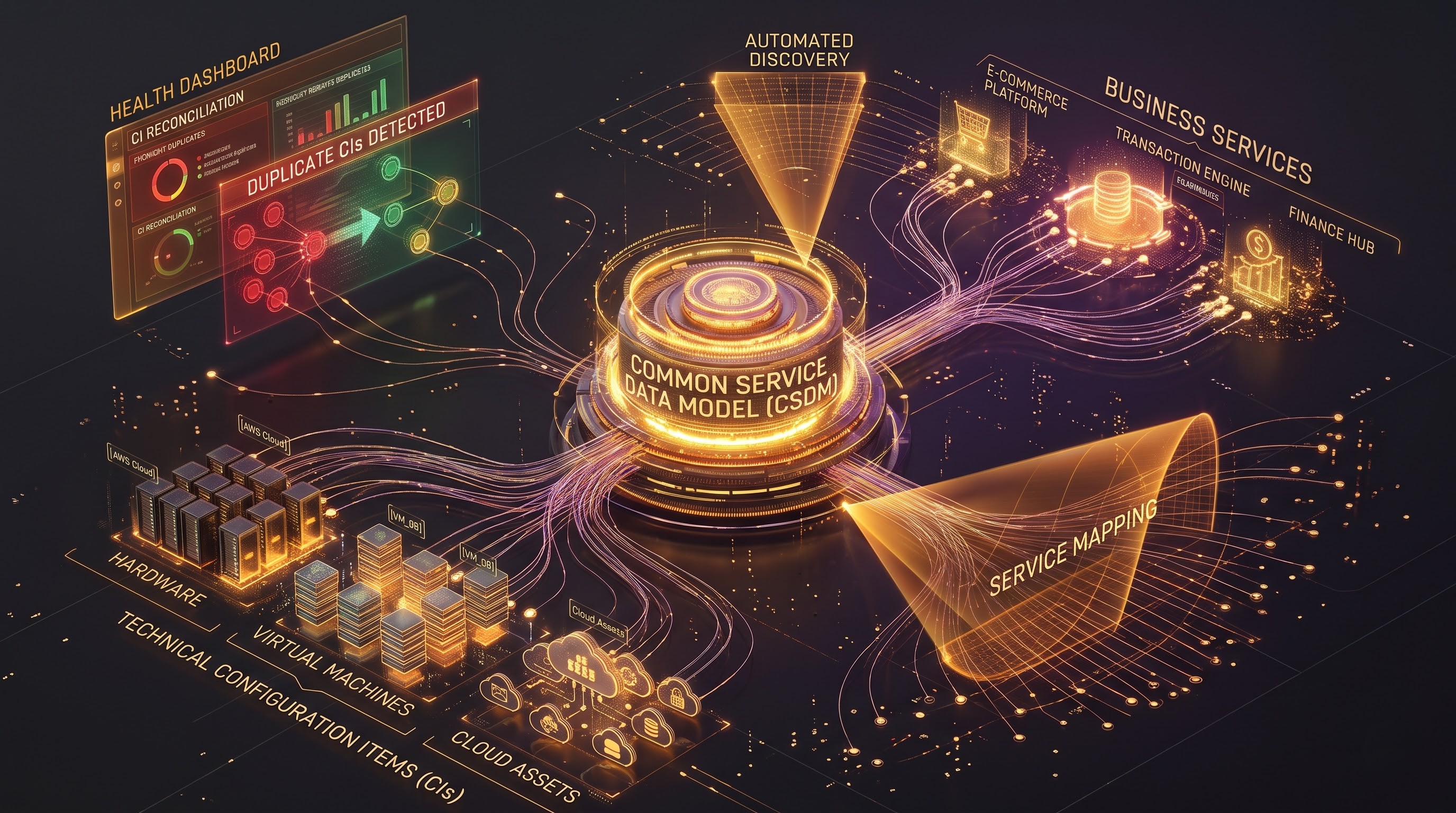
Configuration Items (CIs), classes and relation types should be familiar to administrators. They need to be aware of the Common Service Data Model (CSDM) which is a prescriptive approach to mapping technology assets to business services and organisational units. With a CSDM structure in place, leaders can do deep root cause analysis during major incidents, evaluate the business impact of proposed changes, and get the most out of technology investments.
Administrators also typically control data population mechanisms such as Discovery, Service Mapping, or scheduled import integrations that populate the CMDB with data. They need to watch the identification and reconciliation engines to make sure the database doesn't get polluted with duplicate or conflicting data. They have to run health dashboards on a regular basis to find orphaned CIs, stale records, or missing relationships.
Reports, Dashboards and Platform Analytics
Data collection is only useful if you can turn it into useful information for the leadership and operations teams. ServiceNow has great out-of-the-box reporting and analytics features, and it’s common for admins to be asked to build dashboards that provide real-time views into business performance.
Reports come in many forms. Administrators need to know how to create many forms: bar charts, pie charts, pivot tables, time-series graphs, and lists. They need to know how to build complex filters, group data by relevant attributes and schedule automated distribution of reports to executive stakeholders.
Advanced administrators use Platform Analytics and Performance Analysis to look at trends over time, beyond standard transactional reporting. Instead of just seeing how many incidents are open today, administrators can use Performance Analytics in order to measure velocity, watch historical trends, create targets and identify systemic bottlenecks in service delivery. Then you want to organise those reports into clean dashboards by role so your technicians can see their daily task queues and your executives are seeing high level Key Performance Indicators (KPI’s).
Client-Server Logic and Basic Scripting Explained
While a lot of ServiceNow administration can be handled with low-code and no-code configuration tools, professional administrators can’t avoid scripting altogether. Basic literacy of JavaScript and the ServiceNow proprietary Glide APIs is needed for troubleshooting existing customisations and implementing minor enhancements.

All layers of the platform must be readable, interpretable and debuggable through scripts by administrators. They include:
Client Scripts and UI Policies: Execute on the client-side (the user's browser) to alter form behaviour, validate user input, or present warning messages right away.
Business Rules: Server-based execution on insert, update, delete, query of records. Administrators must understand database transactions, synchronous and asynchronous rules, and when to use current vs previous object references.
Script Includes: Server-side script libraries that can be re-used and invoked by client scripts or workflows using ClientCallable mechanisms.
Heavy custom software development is usually restricted to certified application developers. But a knowledgeable administrator with strong scripting skills can diagnose why a business rule isn’t working, fix a broken client script, or write lightweight logic to help with form interactions without having to consult the development team for every small matter. Knowing how to acquire information about these basic concepts is the key to any extensive servicenow administrator course, which will guide you from configuration to customization.
An enterprise grade platform should fix fast when an error happens. The hallmark of a great ServiceNow admin is the ability to troubleshoot effectively. Is the ability to systematically isolate a problem - bad script, ACL misconfiguration, corrupted update set, or platform bug? – is priceless.
Administrators ought to be log sailors. They should be able to investigate system logs, transaction logs, email logs, web services logs and workflow execution histories to pinpoint the exact point and reason of failure. Tools such as the Script Debugger, Field Watcher and Flow Execution details help administrators trace variable values across complex transactions in real time.
In addition, administrators may want to monitor the overall health of the instance using the System Diagnostics and Diagnostics Center tools. They keep close watch on semaphore thread counts, memory usage, slow database queries and background job queues. Proactive monitoring keeps the platform stable during peak business hours and avoid performance degradation.
Release Management & Upgrade Discipline, Update Sets
ServiceNow instances are frequently not isolated. Most organisations will have a multi-instance architecture, Development instance, Test or Quality Assurance instance and Production instance. The administrator is responsible for migrating configurations between these environments safely using Update Sets.
Administrators should be aware of the entire life cycle of update sets, including creating local update sets, automatically or manually capturing configuration changes, reviewing the retrieved sets for conflicts or missing dependencies, committing them to target instances, and confirming functionality after migration. Use consistent naming conventions for update sets. Group related changes together. Avoid circular dependencies. You can prevent environment drift and deployment failures.
In addition to routine configuration releases, ServiceNow also delivers major platform upgrades (e.g. Washington DC, Xanadu, or later family releases). The upgrades need to be planned by the administrators. They must review release notes, use Upgrade Center tools to scan for skipped changes or customised out-of-the-box records, coordinate extensive regression testing, and use automated testing tools like the Automated Test Framework (ATF) to ensure custom workflows continue to run smoothly after an upgrade.
Integration and Inbound Processes Basics
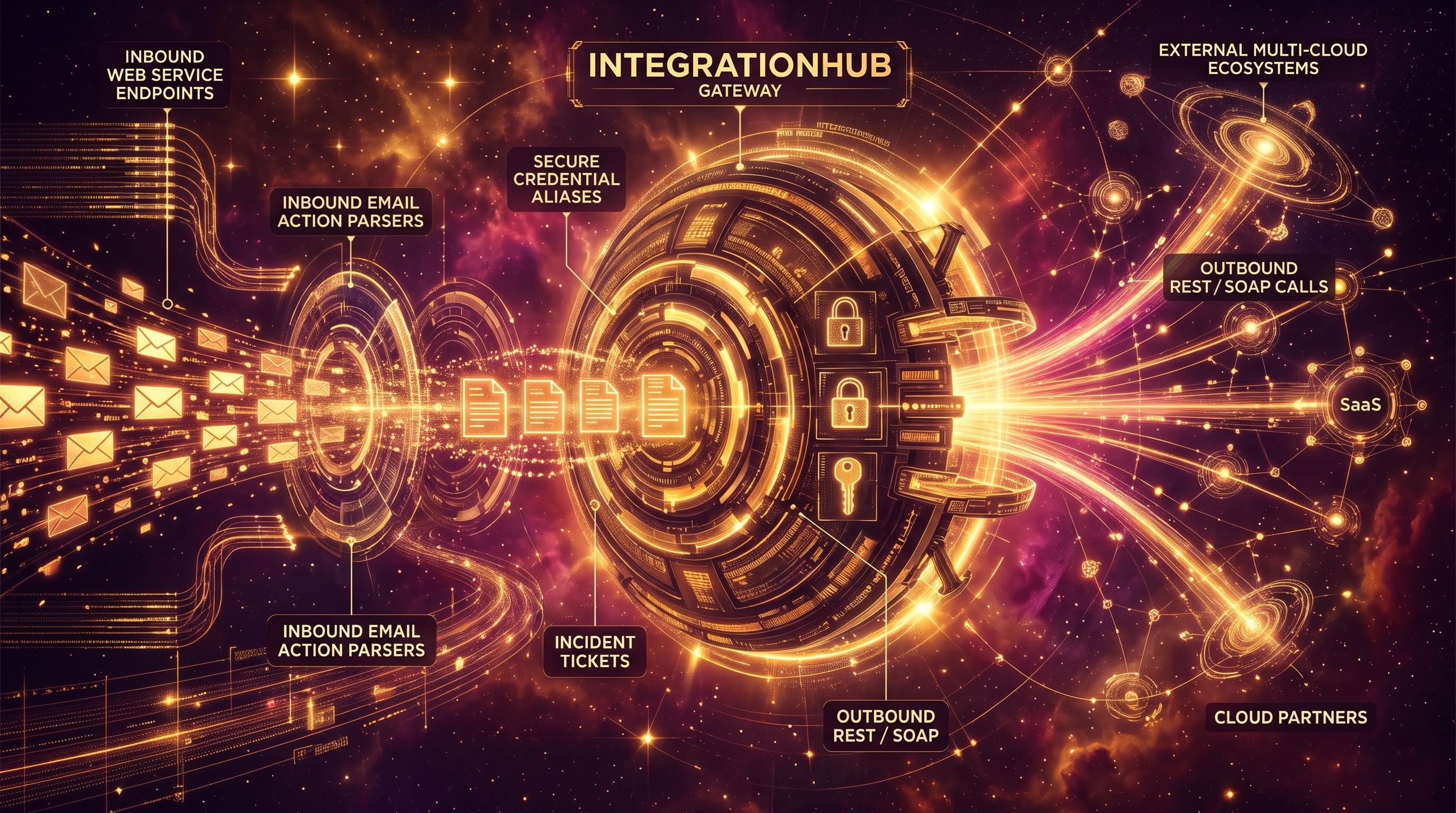
There is no enterprise platform in a vacuum. ServiceNow needs to integrate with other external tools such as monitoring tools, human resource information systems, customer relationship management software and security orchestration tools in today’s IT environments.
Administrators need to understand that platform integration is a fundamental. This includes outbound REST and SOAP integrations, IntegrationHub spokes for invoking actions in third-party cloud services, and secure credential and connection alias management. In contrast, admins should know how to set up inbound web services and REST endpoints to enable external apps to create or update records in ServiceNow.
Another common need is handling incoming email. Administrators configure Inbound Email Actions to process incoming email directed to support alias addresses, automatically creating incidents, updating existing request tickets or triggering notifications based on the content of the email and sender verification. If you know how to write those regex patterns and understand the payloads then automatic data ingestion will work like a charm without error logs or dropped messages.
Soft skills, operational ownership and continuous learning
It’s not enough to have technical knowledge to become a successful ServiceNow administrator. The platform connects the technical infrastructure to the business operations, so behavioural and interpersonal competencies are also very important.
Operational ownership is built on a culture of reliability, vigilance and accountability.
Administrators run mission-critical systems. One misconfigured business rule or overly restrictive ACL can bring an entire enterprise to a halt. Good admins document everything, have good runbooks for routine maintenance tasks, have a disciplined testing plan for making changes, and communicate with interested parties before making disruptive changes.
Gathering requirements and collaboration are important too. These administrators have to be a translator between non-technical department heads and technical development teams. They have to take high level business requests and translate them into structured platform configurations.
Lastly, the evolution of the ServiceNow ecosystem is relentless. Each new bi-annual release brings hundreds of new features, AI-driven capabilities and architectural improvements to the platform. A person who works in an administrative position and who is devoted to self-development through certification, community developer programs, and training a specialized service now admin course will remain up-to-date in his/her field throughout his/her professional life.