
Workday Integration Maps: Transforming Data Across Systems
Last updated on Nov 11, 2026
Enterprise Integration and Workday Launch Modern
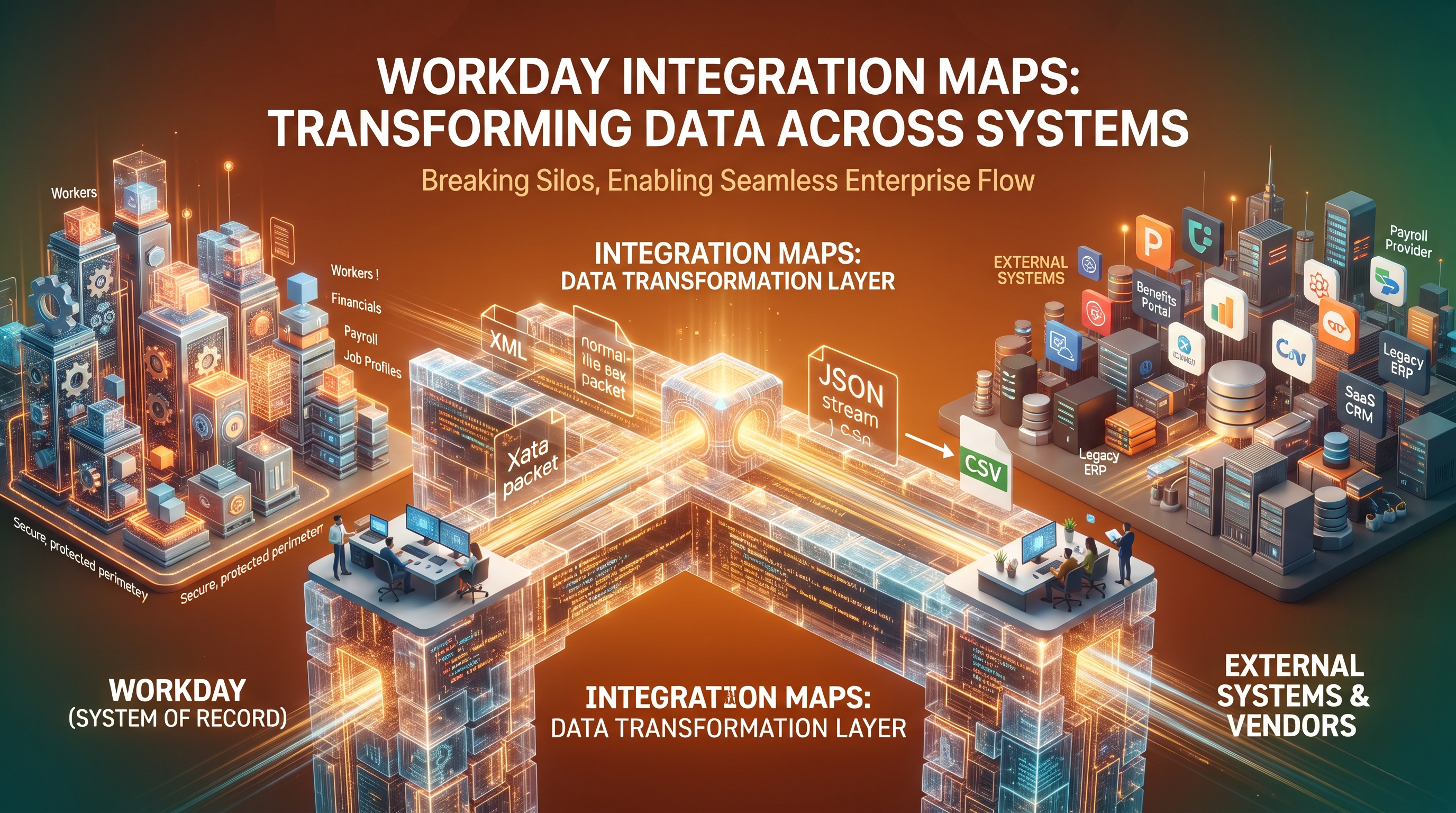
It’s not often that organisations in today’s world of enterprise technology run on one software platform. Even organisations that have built a full cloud architecture still have to orchestrate a complex ecosystem of specialist applications. Often best-in-class cloud and on-premises systems are siloed in different systems for Human Resources, Payroll Management, Financial Management, Supply Chain Management, Customer Relationship Management and Identity Access Management. In this multi-vendor environment Workday is the system of record for human capital management, financial planning and operational analytics.
But a system of record is only as good as it can talk to the rest of the enterprise architecture without a hitch. Data locked in siloed databases quickly loses its contextual relevance, resulting in operational friction, compliance risks and misaligned decision making. Organisations need to build strong, reliable and smart integration pipelines to break these silos and connect Workday to the external vendors, legacy databases and third-party SaaS applications.
Successful enterprise integration is all about data mapping. Integration maps are the blueprints and translation dictionaries that will tell you how to pull information from Workday, translate it into a format that both parties will understand and safely ingest it into the target systems or how to clean, reformat and write data from external sources back into Workday objects. Integration architects, integration developers, and IT leadership all need to know how these integration maps work, how transformations happen across different data structures, and how to manage this architectural layer.
Workday Core Data Architecture
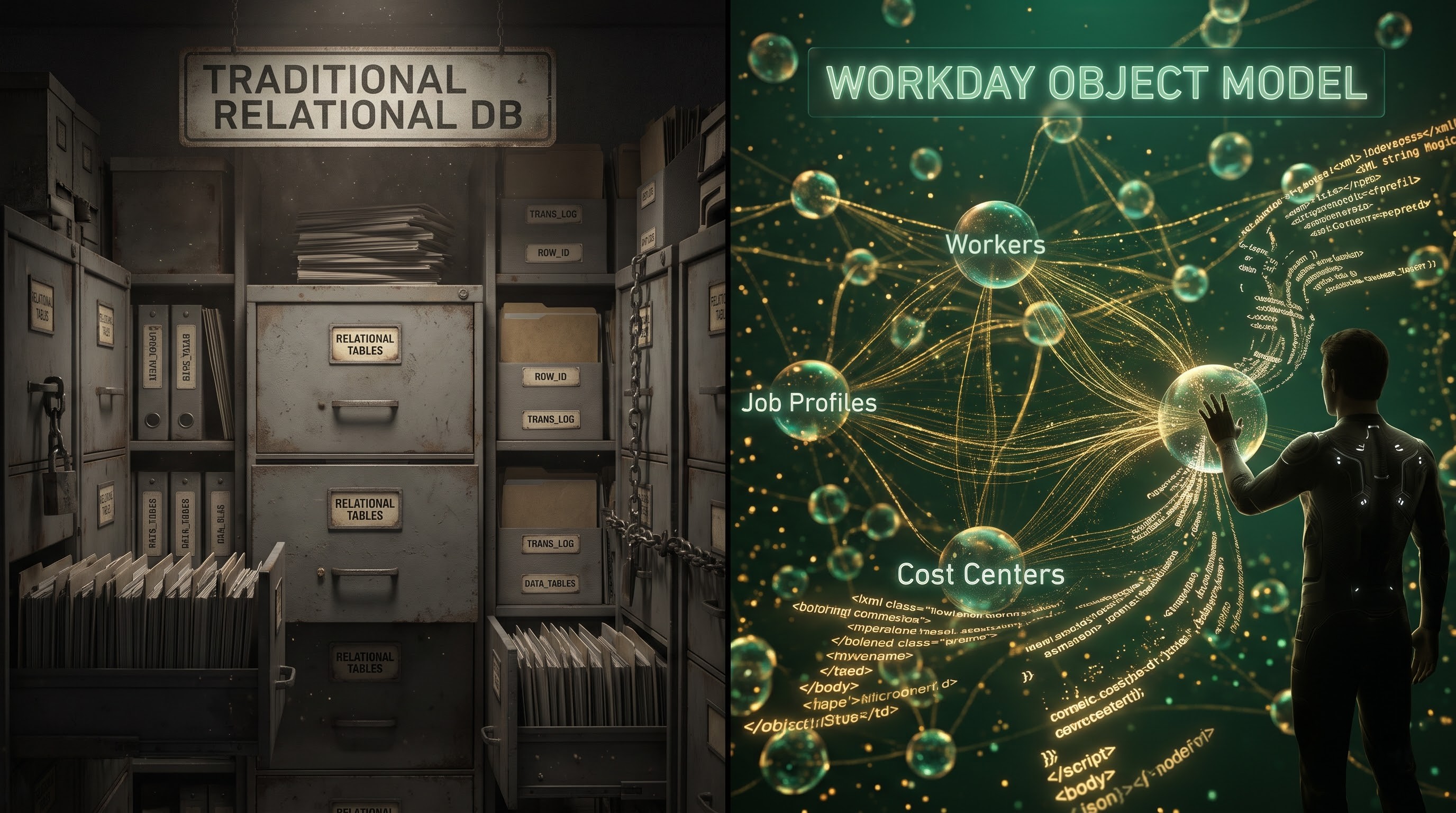
To understand data mapping in Workday, you first need to understand how Workday stores and structures its data. “Workday uses an object-oriented data model instead of flat schemas and rigid tables of the traditional relational database management system. Workday stores data as related business objects (e.g. Workers, Job Profiles, Organisations, Positions, Cost Centers etc. These objects are bound together by complex hierarchy relationships.
These business objects contain attributes (e.g. an employee's first name, hire date or compensation grade) and behaviours (e.g. the business processes triggered when a worker changes departments). Workday stores this data in memory and has an optimised object management framework. The data extraction and update must observe the object boundaries, business logic and security constraints. We need mechanisms for special purposes.
When building out an integration map, developers must convert these multidimensional, nested object structures to formats that external systems can consume such as Extensible Markup Language (XML) or JavaScript Object Notation (JSON) or flat files such as Comma-Separated Values (CSV) datasets into structured object transactions that Workday can ingest. This translation is not a field copy one-to-one in general. For example, an external payroll provider may expect a serial, even layout of earnings and deductions, while Workday stores that same information in multiple distributed compensation and payroll objects. The main bridge between these structural differences is the integration map.
The Art of Making Data
Data Transformation is the step where the execution phase is performed as part of the integration by transforming data in such a way that it matches the format and business rules of the target application. In case of incorrect data transformation of Workday data, then there could be ingestion issues or corruption of data in downstream applications.
Structural Change and Normalisation
The language has structurally different enterprise systems. For example, an old enterprise resource planning system might expect a flat row structure in a table, whereas Workday might use a nested set of XML nodes to represent an employee’s organisational hierarchy. The transformation logic breaks down the source hierarchy, moves through the child elements, assembles or flattens the data fields and constructs the payload to the structural schema the destination needs.
Type and Semantic Transformation
In addition to structural alignment, integration maps need to address semantic and data-type differences. For example, Workday may store the employment status as an enumerated object value but an external benefits portal may only accept a boolean flag or numeric code. Enterprise software has inconsistent date formats as well. When sending to third party endpoints Workday ISO 8601 timestamp formats must be converted to local formats. The mapping layer performs a semantic transformation, including currency conversion, unit of measure conversion, and truncation of strings to conform to character length constraints.
Filtering and Data Enrichment
Integration maps are seldom passive pipelines but rather active filters and enrichers. Rather than loading a full global workforce record set into a regional tax engine, an integration map can apply conditional filters to extract only active employees within a specific geographic jurisdiction who have had a data change since the last run. Transformations can also add value to payloads by enriching them with static metadata, calculated fields or reference data from external lookup tables . This allows the target system to receive contextually complete records.
Mapping Ecosystem and Workday Integration Tooling
Workday provides a rich set of native tools and connectors to address a variety of integration challenges, technical skills and real-time processing needs. Each tool offers a different architectural view of data mapping.
Enterprise Interface Builder (EIB)
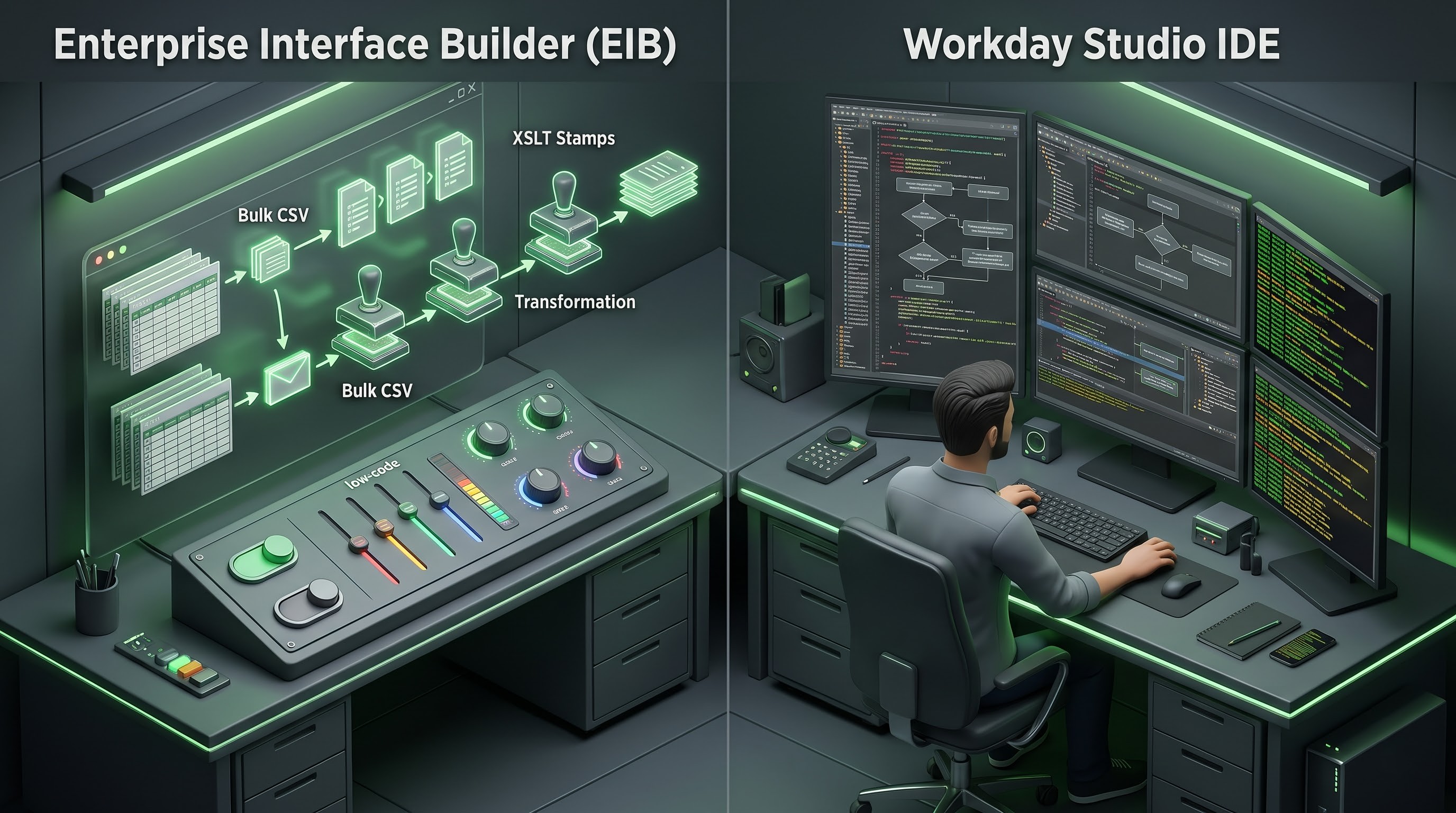
Workday’s flagship integration tool, Enterprise Interface Builder, is a low-code, configurable platform. EIB is designed for simple, high volume data exchanges inbound and outbound between systems, such as regular loading of CSV documents or exporting scheduled employee reports, that do not require much custom programming.
In an EIB data mapping is mostly configuration driven. The tool can pull data from Workday custom reports or from Report-as-a-Service endpoints. Integration administrators define the transformation steps using Extensible Stylesheet Language Transformations. XSLT scripts are potent templates for examining incoming XML structures and converting them to outgoing formats. The EIB enables business analysts and functional consultants to build reliable and repeatable integrations with less dependence on large software engineering resources.
Workday Studio
The answer to this is Workday Studio for organisations who have complex logic, multi-step orchestration, conditional branching and complex data transformations in their enterprise scenarios. Studio is an Integrated Development Environment (IDE) developed by Workday, which acts as a sophisticated platform for integration development and is built on Eclipse... Those who want to understand these orchestration techniques can take a workday integration course in which they will learn XSLT, Studio Assembly Components, and enterprise web services.
Workday Studio creates integrations in the form of message flows. Developers are able to call multiple Workday Web Services in a single integration run, process individual records one at a time, call custom Java code, route complex integrations between multiple systems, and perform sophisticated error logging and exception handling. Within the studio, data mapping uses sophisticated XML manipulation, XPath expressions and XSLT to slice, merge and reshape data payloads traversing the integration bus. Studio is the best choice for mission critical core payroll interfaces, complex financial consolidation feeds and deep enterprise application sync.
Pre-Made Integrations & Cloud Connect
Workday has Cloud Connect, packaged integration solutions for standard third-party relationships, such as common payroll providers, financial institutions, or insurance carriers. The connectors have integrated data mapping, standard validation logic, and maintenance paths that are directly managed by Workday. However, while Cloud Connect solutions considerably cut down on the initial setup overhead, organisations still have to configure mapping parameters to align local organisational codes, cost centers and company-specific organisational structures to the rigid schema that the pre-packaged template needs.
Middleware Platforms and Workday Web Services
When using Workday APIs or Report-as-a-Service endpoints, organisations need real-time, event-driven data exchange — for example, a new hire is approved in Workday, an account is provisioned in an identity management platform. Often, Workday data mapping with these architectures extends beyond the natural Workday boundary into enterprise middleware platforms. Middleware solutions provide centralised mapping canvases, powerful visual transformation builders, and large libraries of pre-built connectors to facilitate the translation of Workday payloads into formats that can be consumed by a variety of enterprise systems.
Best Practices for Creating Good Integration Maps

Build scalable, maintainable and resilient integration maps with strict architectural best practices. Poorly designed maps frequently build fragile data pipelines that break silently, corrupt downstream systems, or fail catastrophically during a bi-annual software update.
Complete Documentation and Specifications
Each integration map shall be preceded by a detailed document of functional and technical specification. The document should define source system, target system, frequency of execution, data sensitivity classification and error handling protocols and matrix of field by field mapping. The mapping matrix should include not only the details of how the data type conversion should be done but also the relationship between the source field and the target field. One of the most important aspects of workday integration training is understanding these design basics.
Active Validation & Error Recovery
Integrations will always have to deal with anomalous data, unexpected nulls or network outages. Validate good integration map as soon as possible. Input payloads must be validated against required schema definitions and business rules prior to writing data to target objects.
Also, the integration design should have a good error handling capability. Sophisticated maps don’t bring down the entire batch file if one employee record has a bad postal code. Instead, failing records are quarantined, granular error details are logged, alerts are routed to designated integration support teams with automated notification and valid records are allowed to process successfully. Conditional logic that prevents sending empty or zero record files also prevents errors in downstream processing and unnecessary alerts to vendors.
Security, Minimal Privilege, and Data Masking
Workday has very sensitive HR, compensation, banking and financial data, so security has to be the guiding principle for every layer of the integration map,” said Don’t run integrations using admin accounts. They must create specific Integration System Users mapped to very narrowly scoped role-based security groups that only access the data domains and business objects that are absolutely necessary for that integration.
All data that crosses the network boundaries should be encrypted in transit via secure protocols. Sensitive identifiers, like Social Security Numbers, national identity numbers and bank account details should be masked, tokenised or excluded from payloads unless they are absolutely required for the successful operation of the receiving system.
Half-yearly release cycle management
Workday releases major system updates every six months that include new functionality, deprecation of legacy web service versions and, on occasion, object schema changes. Update cycles are one of the biggest operational challenges in integration landscapes. IT teams should implement disciplined regression testing protocols to minimise the risk of integration breakage. All integration maps, custom reports, XSLT scripts and middleware transformations will be fully tested in a dedicated Workday sandbox tenant prior to the production release window. Proactive sandbox testing can identify and remediate schema changes or API deprecations before they impact live business operations.
Integrate & Enhance Life Cycle Governance
To achieve enterprise-grade stability, organisations must view integration maps as dynamic assets that need to be managed throughout their lifecycle, not static scripts that are generated at implementation. Governance frameworks should clearly identify ownership of integration artefacts. The enterprise data stewards and the integration architects should be responsible.
Routine surveillance is also important. Integration Operations Centers should use automated telemetry to monitor, in real time, payload volumes, execution duration, retry counts, and failure rates. Technical teams can set up proactive alerting thresholds that will identify and fix integration errors before they affect upstream payroll runs, financial closes or employee onboarding workflows. Regular code reviews, disciplined version control via source code management systems, and rigorous change management protocols further protect the integration landscape from unauthorised changes and the accrual of technical debt.
Integration Design: Human Capital & Organisational Alignment

But it’s not just technology that will make for a successful integration, it’s organisational alignment too. HR functional experts, in close partnership with enterprise architects, security administrators, and representatives of outside vendors, create the Workday integration maps. Functional domain experts should explain the business drivers for the data requirements, i.e. why a particular compensation element or organisational assignment needs to be formatted in a particular way. Then the technical developers take these business rules and convert them into exact transformation logic.
An official integration review board ensures that any proposed custom interfaces are consistent with enterprise-wide IT strategies, organisational security policies, and no duplication of data extractions. Open, two-way communication channels and shared responsibility between business units and technical teams can bridge the perennial gap between business expectations and technical implementation and build the foundation for sustainable, high-performing integration ecosystems.
Integration of Workday: Strategic Value and Future Possibilities
The more complex the organization's Workday integration map, the better the flow of its digital enterprise. Seamless data flow between Workday and external applications allows HR leaders to have unified workforce visibility, finance departments to accurately forecast budgets in real-time, employees to have a frictionless onboarding and benefits administration experience, and executive leadership to make decisions based on a single source of truth.
“The Workday integration landscape will evolve quickly from here.” Traditionally batch mode file transfers are increasingly being complemented with event-driven architectures that respond to business triggers in real time. Artificial intelligence and machine learning are beginning to invade the integration lifecycle as well. New features leverage intelligent automation to recommend best-fit data mappings, automatically identify structural anomalies in incoming payloads and automatically reconcile differences across disparate enterprise databases.
With the growing complexity of the digital ecosystem and maturity of the organization in its development, the competence in Workday integration mapping shall become one of the differentiators for the organization. The enterprise professionals will be able to keep up with the latest trends such as event-driven architecture and AI mapping through the process of workday learning integrations paths.