
Mastering ServiceNow Family Releases: A Phased Playbook for Upgrades
Last updated on Sep 24, 2026
The Account of the Upgrades
For the IT leaders in businesses and platforms, one of the causes of considerable pressure and the tension is the launch of a ServiceNow major family release. Twice a year the company is rolling out a new platform version, filled with the features and improvements in the architecture, AI applications and various security upgrades. On paper, the constant updates are the sign of progress and an indication business has a small amount of technical debt and is compliant with the vendors’ requirements. In reality, the method of upgrades is akin to a serious surgery because a small mistake can ruin the core integration, interfere with the incident process and cut access to the service catalog for a huge army of employees.
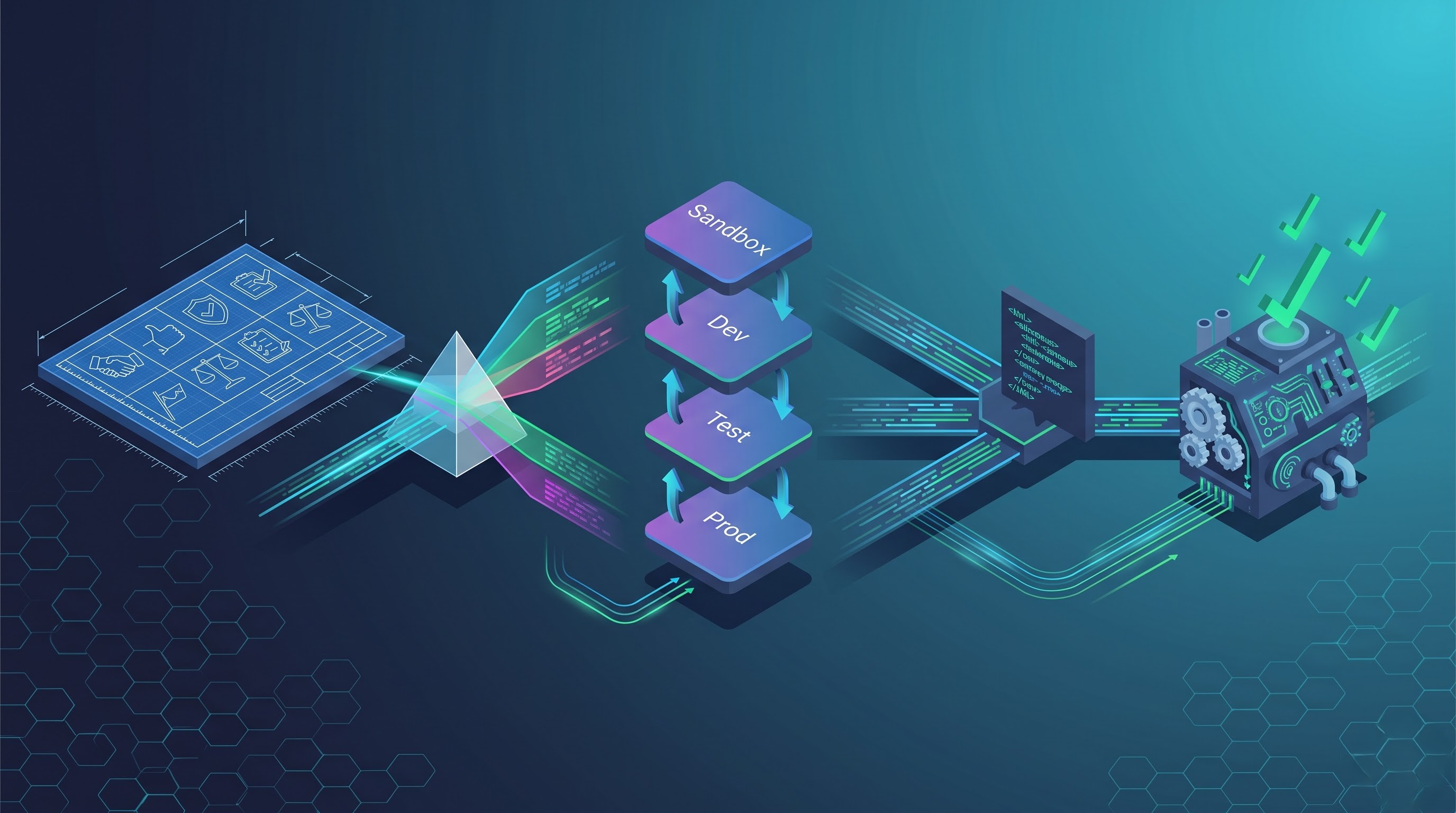
When companies don’t keep up, the problems multiply. Missing family releases results in mounting tech debt. The gap between the current production ecosystem and vendor expectations grows wider, making it impossible to treat the matter as a minor upgrade and forcing companies to handle it the same way they would a major change project.
Overcoming fear of upgrades needs a shift in thinking. You need to look at platform currency not as a reactive project but as a systematic, replicable effort. Organizations need to see their upgrade cycles as engineering processes with defined stages, automated processes, clear risk management practices, and effective stakeholder alignment.
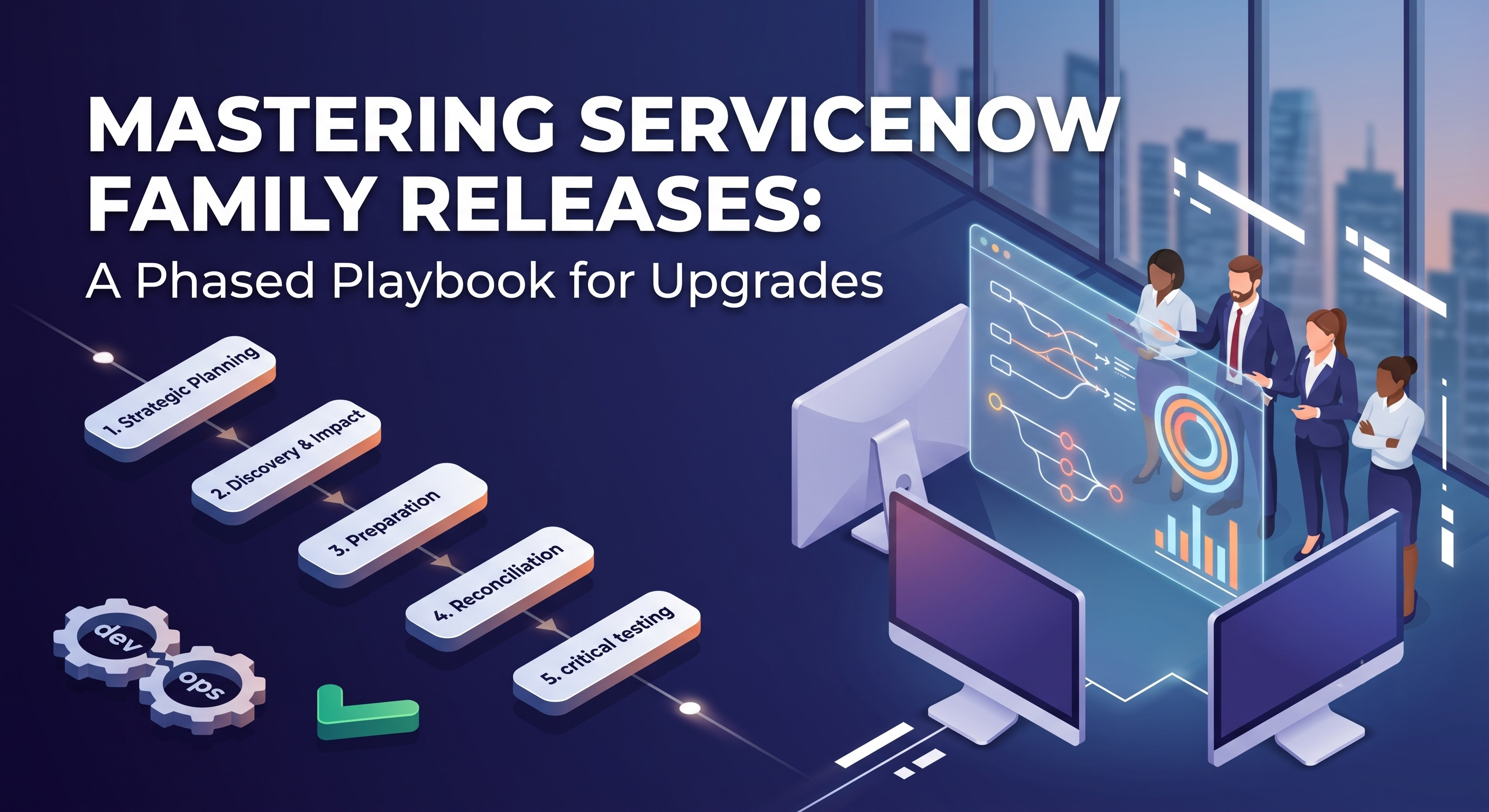
This guide provides a comprehensive approach to attaining perfection in ServiceNow family upgrades. By dividing the entire process into five stages: strategic planning, evaluation, execution in lower environments, verification, and implementation, teams can eliminate uncertainty of the process.
Fundamentals and Strategic Preparations
Every worry-free deployment starts long before ServiceNow releases the GA version. In order to achieve success, many crucial decisions need to be taken well in advance regarding such things as architecture, governance over technical debt, and readiness of the pipeline.
The Real Cost of Missing Versions
ServiceNow has a policy of supporting only N minus one as part of the support lifecycle. This entails that the company will only provide full support for the current family release and the last family release. Allowing the instance to revert to N minus 2 or N minus 3 puts the organization in a position of having no support and denies access to important security fixes and support for enterprise customers.
Apart from fulfilling obligations, missed releases substantially increase the size of testing matrices. In case of skipping two or three releases, an engineering team will face difficulties in identifying defects. If a script fails, understanding the causes behind that failure—if it resulted from architectural modifications in the first release, if it occurred due to certain security issues in the second release, or if the reason for the failure was some modifications in the third release—is challenging and time-consuming work. A company which follows certain guidelines stating that it has to upgrade at least once a year and ideally test every release just after it becomes available in the market can successfully avoid problems associated with swift changes.
Upgrading an architecture
The most problematic part of an upgrade in ServiceNow is skipping certain records. In case the system administrator or developer has changed some out-of-the-box business rules, script includes or client scripts, ServiceNow will identify that modification as customization when it updates sys_updated_by sentence and metadata information.
This behavior has the advantage of not allowing proprietary business logic to be overwritten. However, it does come with a hidden danger, namely that it keeps around outdated versions of scripts with no bug fixing, performance improvement, or support for the most current releases.
In order to prepare the system for upgrades, certain rules regarding platform customization must be followed. Most importantly, avoid changing the core script includes and business rules in the usual way. Use instead extension points, pluggable script includes, and child records which derive from their parent objects. It is advisable for teams to master these technical architectural habits by participating in managed servicenow developer online training seminars at OnlineITGuru to learn to prioritize native platform configurations and standard Glide APIs instead of utilizing fragile DOM script which usually fails to work in case of major releases:
First of all, never modify the core script includes or business rules directly. Instead of doing that, use such things as the extension points, plug-in script includes, and child records that inherit from the parent objects
Secondly, prefer using the platform's built-in low-code configuration tools to standard coding, because scripting logic relies too much on DOM.
Thirdly, keep a record of your architectural changes. In case it is required to change an original artifact, note down any business reasons, the developer, and the expected deviation from the baseline behavior.
Creating an Upgrade Command Structure
A successful upgrade takes a coordinated effort. While it may be tempting to leave it to one platform administrator to manage the entire project, it is likely to create some gaps in communication and understanding of what needs to be done. The model of how upgrade processes operate requires proper distribution of tasks among key players:
- The Platform Owner is responsible for setting up settings of the upgrade project and balancing renovation tasks and updates, freezing phases of the process, and making final decisions on the upgrade.
- The Lead Server Designer conducts the discovery stage of the process, checks release notes for any significant changes, develops strategies for skipped records, and resolves merge issues.
- The Manager for Release and Environment coordinates cloning schedules for all the activities within the upgrade, produces deployment pipelines, manages updates, and develops cutover runbooks.
- The Quality Assurance Lead is responsible for test execution, automated testing during regression, User Acceptance Testing, and successful bug-fixing.
Module and Business Process Owners serve as the functional stakeholders of areas like IT Service Management, IT Operations Management, Strategic Portfolio Management, Human Resources, and Customer Service Management. They identify crucial business journeys, assess new release functionalities, and ensure functional sanity checks.
Discovery, Impact Analysis & Scope Definition
Following the selection of the desired family release, the next step taken by the team is to commence the discovery and planning stage. Proceeding into lower environments without proper prior analysis will result in an upgrade gone totally wrong.
Understanding Release Notes
ServiceNow issues extensive documentation explaining what got added, altered, deprecated, or deleted from each family release. Going through many pages of release notes without a clear filter can be overwhelming.
A disciplined discovery approach requires breaking down release notes into three different groups:
The first group is platform-wide behavioral changes. These are the changes made to session management, security access controls, JavaScript engine specifics, REST API rate limiting, and browser rendering engines. These changes pose the highest degree of risk for extensive collateral damage due to the fact they influence the plumbing underneath.
The second category we're looking at is updates made to features on a specific module. Organizations that use IT Service Management and Strategic Portfolio Management should focus on the updates that have been made to these products. Any structural updates made, such as alterations in state models, changes in forms, or changes to workspace views should also be considered.
The third category is about the establishment of deprecations and removals. This means finding the legacy plugins or legacy user interfaces that are set to be retired from use in due time. A list should also contain the remaining dependencies from such deprecated modules that need to be addressed first.
When it comes to Overview of Upgrades
Many recent ServiceNow upgrades contain the Upgrade Center tool offering the Upgrade Preview option that allows administrators to simulate the upgrade on the existing sub-production instance.
The process of conducting an Upgrade Preview involves the generation of an early list of anticipated changes; records that are likely to be skipped, records that have been newly created, and objects that are modified by the system. When the platform team analyses the preview, they are able to determine the amount of effort required in reconciling the skipped records, determining which won’t need to be merged manually, and also fixing realistic dates for projects prior to writing code.
Managing Technical Scope and Avoiding Feature Creep
One of the hardest pitfalls in the world of managing platforms is mistaking technical upgrades for functional enhancement deployments. When developers join enterprises that offer modern agent-based applications, organizations tend to want such solutions.
Thus, one has to resist this enticement. The danger in combining a large upgrade with important changes in functionality is that certain kinds of risks are mingled in this case. If a very important service fails after the cut-off point, determining the reason for that might be extremely difficult for the engineers.
Ensure the fact that there is a high level of architectural separation. The primary aim of the upgrade exercise is to achieve technological equality and stability of procedures. The upgrade is considered complete once all currently-in-use services work in exactly the same way, or better than they did before the upgrades. As soon as the instance becomes operational using the new version, the projects related to feature availability can start using their own iterations.
Preparation for Production and Environment Planning
The successful completion of the implementation is contingent on how scrutiny is applied to each sub-production environment. The sub-production version of the platform should reflect the production processes, integrations, and data characteristics, or it will present a false sense of security in terms of the testing procedure.
The Multi-Layer Environment Planning
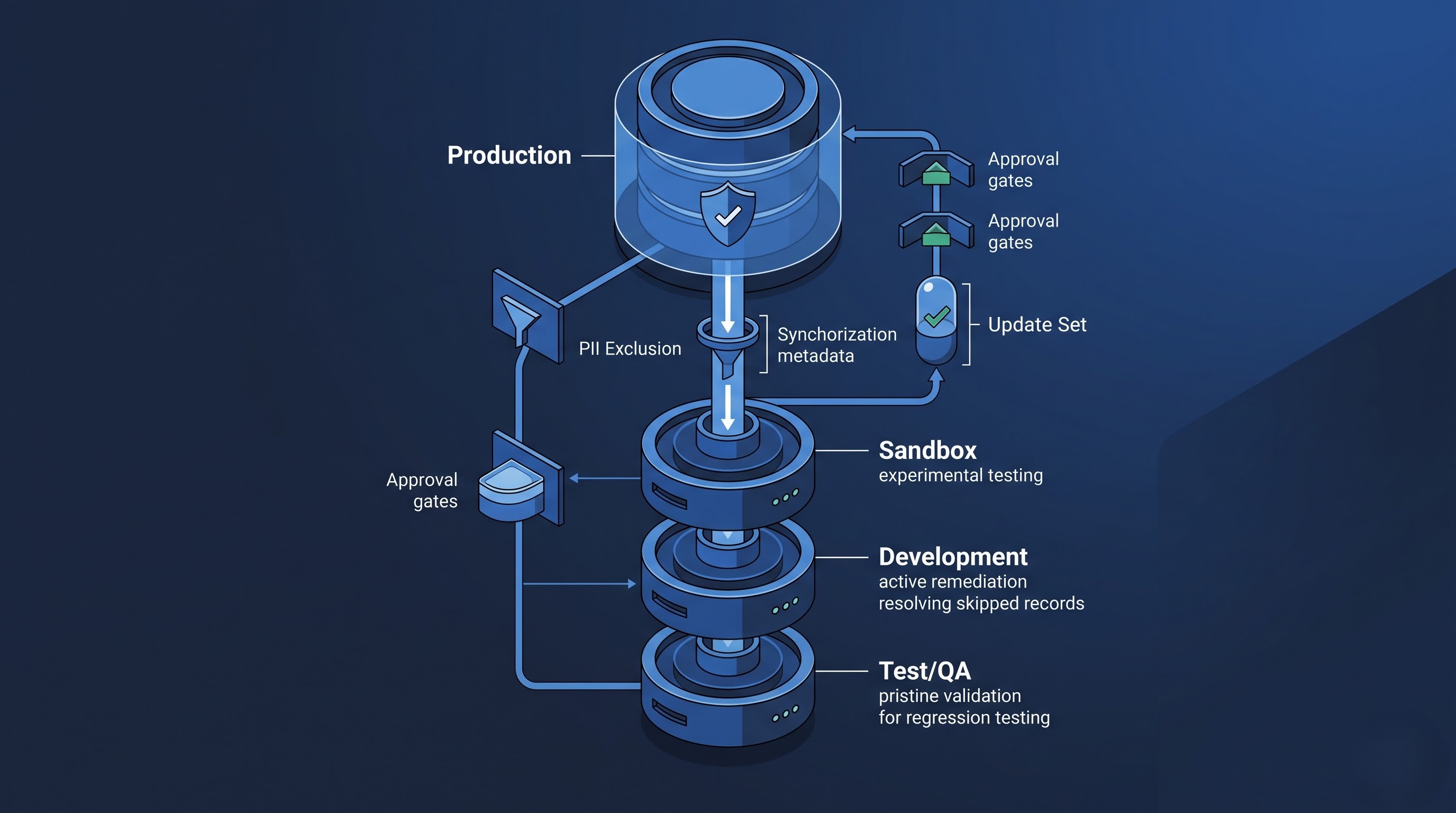
Enterprise ServiceNow ecosystem is characterized by the presence of multiple sub-production layers: development, testing, staging, and sometimes Sand-boxes or User Acceptance Testing environments. Upgrading one’s version needs to be conducted in a consistent manner within the multi-tier structure of the environment.
The Sandbox environment acts as the first stop in the journey. It’s where the platform uses the earliest access builds to see how the basic upgrade engine works, look at how platform behaviors occur, and run initial scripts without interfering with any sprint work being done.
The Development environment is where any technical repairs take place. Here, developers rectify missing records, execute scripts, fix broken upgrade sets, and prepare the package of required upgrade fixes.
The Test environment is solely for formal quality assurance. No unscheduled debugging or modifications to untested code are permitted in this environment.
Finally, the Production environment is where the repair package with the upgraded engine is installed under the approved change window.
The Essential Pre-Upgrade Clone
You should never upgrade a sub-production environment that has become disconnected from production. Attempting to test with obsolete configuration files, outdated system attributes, and old transaction data would cover any possible bugs discovered during the upgrade process.
You must always perform a clean clone from Production before starting upgrades on your main development and testing environments.
You should confirm that the configurations of System Clone Exclude Tables and Preserve Data have been done properly. Any transaction tables that contain personal identifiable information, customer databases, or financial data need to be excluded from cloning or sanitized through anonymization processes.
On the other hand, the properties of the system that control outbound communications, external REST and SOAP endpoints, email configurations and jobs should be kept intact as they will be during the sub-production level. The organization will be faced with many problems during rehearsal if a cloned sub-production instance starts notifying hundreds of end-users or making transactions with the enterprise resource system.
Updated Outline
After cloning all sub-production instances, a development freeze should be imposed. Any in-progress business feature update packs must either be completed and make their way into production before the clone is done or securely saved in XML files to avoid the possibility of being overwritten.
With a clean environment, the upgraded engine can be run. Make sure to record how long the upgrade process took. While the hardware and database size for sub-production might vary from production ones, this execution is necessary as it will provide baseline indicators for planning cutover time and changing windows.
Reconciliation and Remediation
Once the upgrade engine finishes its work in the Development instance, we start the most challenging stage: reconciliation of skipped records.
What are skipped records?
When the upgrade is completed, go to the Upgrade Center and check in the Skipped Changes list. The skipped records are classified by ServiceNow according to priority and consideration status, thus assigning a level of risk to assist developers in their work.
Skipped records with high priority need to be taken care of immediately. At this level of priority usually there are included different script includes, business rules, security ACLs, and workflow definitions.
Records with medium priority usually include client scripts, UI actions, form sections, and report definitions. They need a functionality check to make sure that the work of the system has not been broken.
Records with low priority are usually just the assets of the baseline portal, help materials, or system settings that do not affect the work of the system very much.
The Craft of the Three-Way Merge
Resolving skipped files involves more than just accepting every release or sweeping away customizations; it entails painstaking source code analysis. Grasping the architectural distinction between the baseline and the customized records is akin to the technical subjects in a servicenow course syllabus. Once developers comprehend update set resolution, dictionary overrides, and script includes, it makes the multi-version conflict resolution a systematic process instead of trial and error.
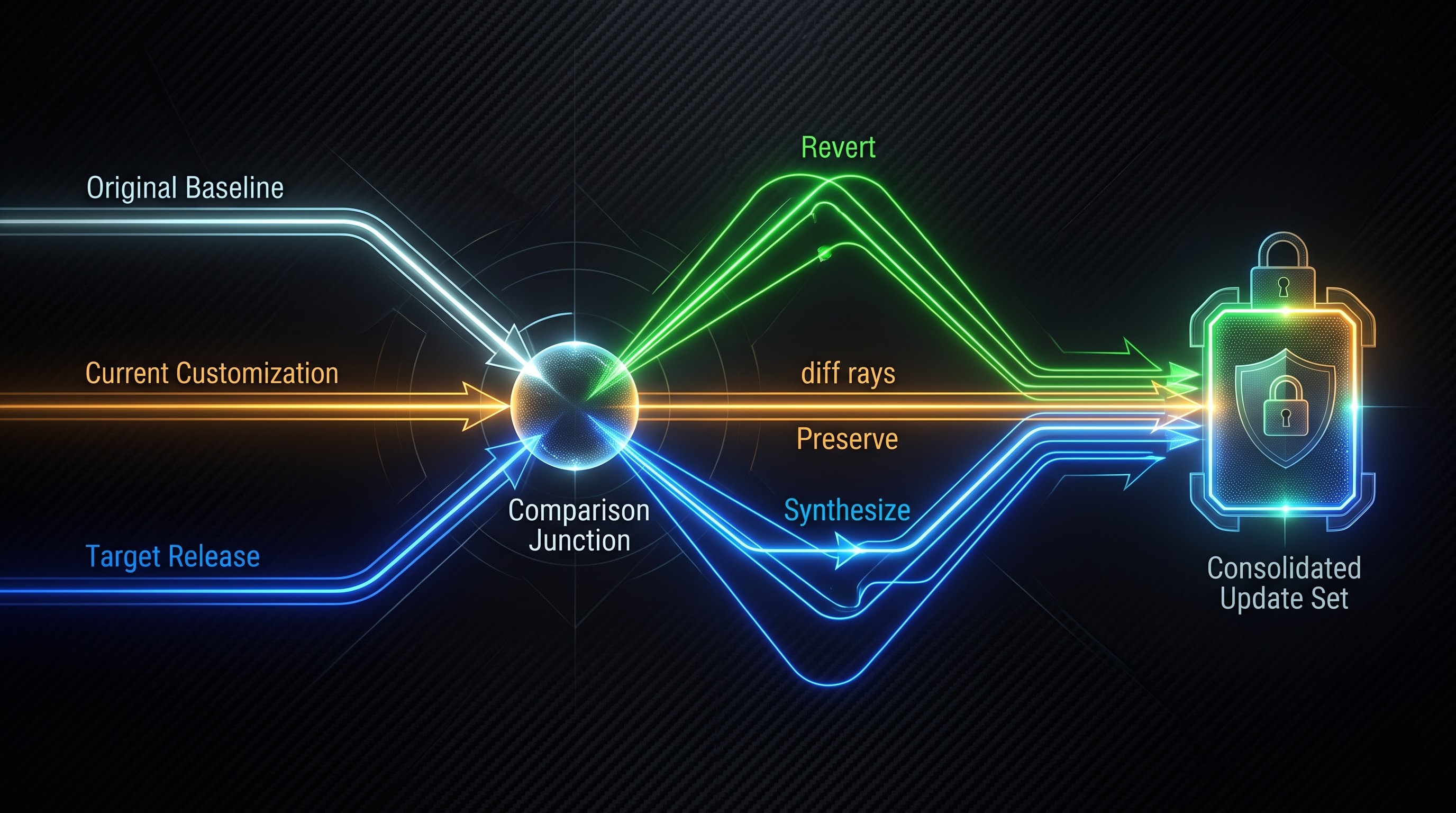
When examining a skipped file, make use of the graphical merge tool and compare three different kinds of files:
The original baseline version represents the original file that came with a previous upgrade release.
The customized version shows your production-ready code with any and all modifications your company has made since past releases.
The target new version represents the original file coming in with the new family release.
In any case, the technical lead needs to answer the three key questions about every skipped file.
First of all, is local customization still needed? In many circumstances, custom scripts whose functions are now automatically provided by ServiceNow are still being used today. If the new version includes functionality that the custom script solved, then it is best to drop the custom script and use the default version of the application to avoid incurring technical debt.
Second, if local customization is still significant to the business, it is necessary to ask the questions about whether ServiceNow has changed the default script. If the only change is updating the copyright or metadata, then the customized version can still be left in place.
Third, if the core processing of the file was modified by ServiceNow and only custom helper functions were introduced by your team, you need to pay close attention to the merging process. It is crucial for the developer to apply custom logic on the new default file so that the vendor’s updates can be implemented without deferring from the proprietary business logic.
Creating the Consolidated Remediation Update Set
Every resolution action carried out should be documented in a specific and separate update set. Ensure the update set is named respectively according to its content with a name like Target Release Remediation.
Do not execute the messaging action through multiple independent update sets. Do not attempt to do this directly within the global application scope without documentation,
When all the actions have been completed and verified by the chief architect, mark the update set as Finished and copy it to the XML archive. This single unit of audit remediation will be brought to the testing setups progressively down the road.
Critical Testing and Quality Assurance
Testing is where the upgrade succeeds or falters. A comprehensive validation approach strikes a balance between speedy automated regression testing and focused manual exploratory testing.
Using the Automated Test Framework
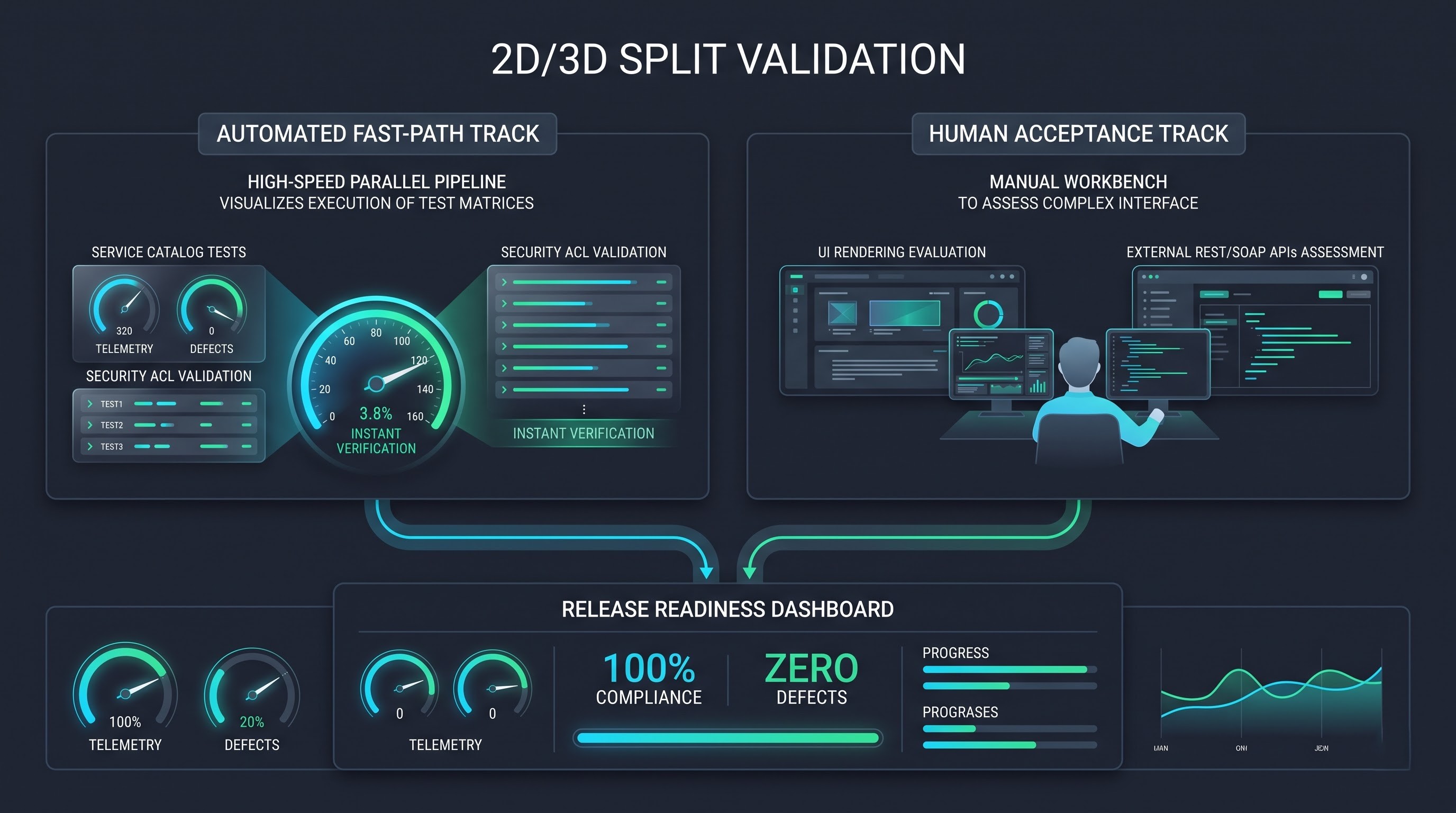
Depending on manual testing alone for ServiceNow upgrades is inefficient, expensive, and fraught with errors. Manually verifying hundreds of catalog items, completing incident forms, approving many workflows, and evaluating change risks is a time-consuming undertaking.
The ServiceNow Automated Test Framework is the most effective way to eliminate upgrade obstacles. It allows for running testing processes directly in a browser without saving testing protocol to storage.
The most efficient strategy when using Automated Test Framework focuses on regression tests with multiple inputs:
Verify core record processes. Verify that incidents can be reported from various points, assigned according to the assignment rules, have various statuses (New, In Progress, Resolved), and get closed with notifications.
Confirm service catalog workflows. Execute automated testing cycles on the most commonly used 20 catalog requests. Ensure variable checking rules work as intended when either displaying conditional fields, approving workflows or executing catalog tasks.
Confirm that security access works. Perform automated testing based on different personas such as end-users, service desk agents, approvers, and platform managers to check if Access Control Lists correctly apply the required restrictions for reading, writing, and deleting operations in sensitive tables.
The reason is that tests conducted on the Automated Test Framework give identical results both before and after the upgrade that is why executing the complete suite before the upgrade provides a point of reference; therefore, repeating the test after the upgrade becomes a straightforward means of spotting the existence of platform regressions.
The areas where manual and exploratory tests are carried out
Although automated tests are very effective in operational checks, manual testing and humane factor evaluation is necessary for those areas where subjective evaluation is required or for those areas that involve complex third-party issues.
Interface and portal testing. Examine primary employee center, service portal and agent work area. Check that custom css branding, header navigation, widget layouts, and mobile interface work as intended and not broken or overlapping visually.
Inbound and outbound integrations. Integration testing is crucial. Ensure that the bidirectional REST and SOAP interfaces between Servicenow and enterprise monitoring solutions, identity providers, and messaging systems operate without authorization problems or payload serialization issues.
Notification systems and email processing. Perform an inbound email test to ensure that incoming emails are correctly updating records, adding comments, or signing approvals, and that outgoing notifications are delivered to the correct address and have specified template variables.
Complicated system performance problems. Keep an eye on page load time, transaction logs, and slow queries. Occasionally a new version changes some of the indexing techniques and introduces scripts that may slow down the speed of the database under heavy use.
Acceptance Testing and Operation Readiness
After platform engineering and automated testing has verified the system, begin business process owners as part of the formal acceptance test.
The acceptance test should be done in a focused manner. General invitations that ask business users to “explore the system” should be avoided. The acceptance test must use concrete scenarios with specific expected results.
Ask the service desk leaders to log complicated incidents affecting multiple assets (in technology or finance) and the finance team to enter requests for their capital projects. The human resources team would provide onboarding procedures that are cross-departmental.
In terms of acceptance testing, defects that have been reported must be classified appropriately. A defect will be classified as an upgrade blocking defect only if there was a loss of functionality that existed prior in the system. All new feature requests, as well as bugs that existed long ago or any improvements undertaken outside the scope of the project need to be reported to the backlog for software development and not block the upgrade process.
Conclusion: The route to Continuous Delivery
Upgrading a mission-critical enterprise platform like ServiceNow will always take careful consideration, technical discipline, and interdisciplinary collaboration. Still, this does not have to become a nightmare with sleepless nights, unpredictable number of bugs found, and disruption in operations.
With organizations now progressing beyond a random, reactionary approach to upgrades, the upgrade process is becoming a fundamental stepping stone in engineering through systematic, gradual procedure. Distribution of markup for customization, the use of Automated Test Framework, proper management of skipped records, and executing verifiable cutover runbooks combine to remove fears of change. For those interested in developing such capabilities internally, following the service now syllabus schema of OnlineITGuru provides a detailed plan for mastering the complete range of functions from instance managing to advanced workflow automation.
As a result, the platform stops being just an old storehouse of obsolete code and becomes what it was always supposed to be: a progressive, safe, and modern basis for business process innovation.